

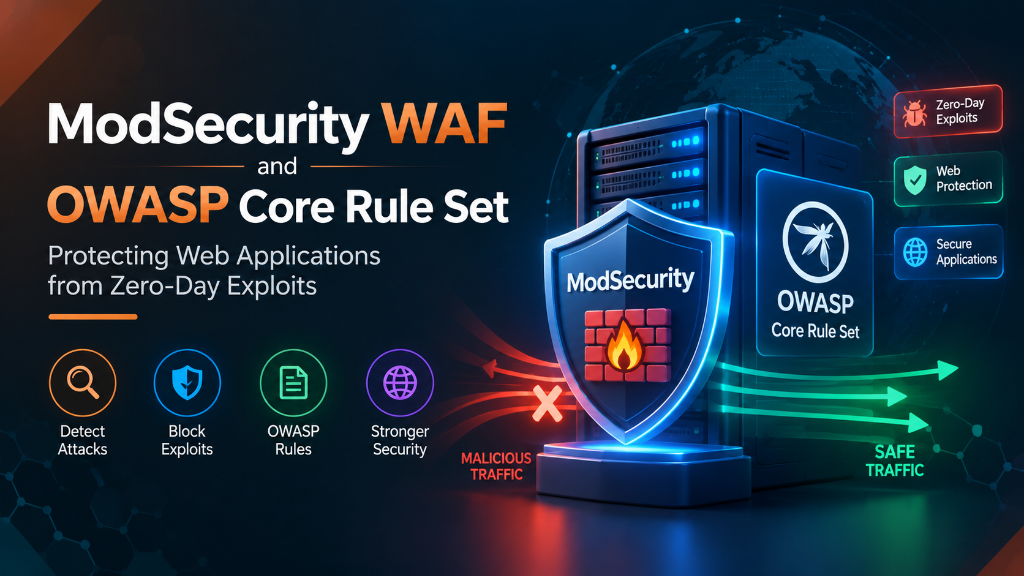
Executive Summary: Application Layer Edge Protection
Network firewalls operate at Layers 3 and 4, inspecting IP addresses and port numbers. However, modern cyber attacks—including SQL injection (SQLi), Cross-Site Scripting (XSS), Local File Inclusion (LFI), and Remote Code Execution (RCE)—occur entirely over legitimate HTTP/HTTPS ports 80 and 443. Without deep inspection of HTTP request payloads, network firewalls are blind to application attacks. ModSecurity, paired with the OWASP Core Rule Set (CRS), functions as an open-source Web Application Firewall (WAF) that intercepts and inspects every incoming HTTP request before it reaches your CMS or API. This technical deployment guide details how to execute a production ModSecurity OWASP CRS setup on Nginx and Apache, calibrate paranoia levels, eliminate false positives, and log zero-day exploit attempts.
Deploying ModSecurity with OWASP Core Rule Set (CRS) on Nginx provides real-time HTTP traffic inspection, filtering SQL injection, cross-site scripting (XSS), and zero-day web exploits before malicious requests can reach backend application daemons.
Understanding ModSecurity and the OWASP Core Rule Set (CRS)
ModSecurity is a pluggable web application firewall engine originally developed for Apache and modernized as libmodsecurity (v3) for Nginx. By itself, ModSecurity is an inspection engine without predefined threat intelligence; it requires a comprehensive rule set to identify malicious request patterns.
The OWASP Core Rule Set (CRS) provides that intelligence: an open-source collection of signature and behavioral rules designed to detect common web application vulnerabilities identified in the OWASP Top 10.
Deploying ModSecurity on high-performance UK VPS instances ensures adequate CPU and memory headroom to inspect heavy POST payloads without introducing latency into client transactions. To understand vulnerability disclosure standards and threat tracking, read our guide on CVE security vulnerabilities and OpenCVE tracking.
Installing ModSecurity v3 (libmodsecurity) and Nginx Connector
On modern Nginx architectures, ModSecurity operates as a dynamic module communicating with the standalone libmodsecurity library.
Install prerequisites and compile libmodsecurity and the Nginx connector:
Next, compile the ModSecurity-Nginx dynamic connector module matching your installed Nginx version:
Load the module at the top of /etc/nginx/nginx.conf:
Deploying ModSecurity on Apache via mod_security2 Engine
For environments running Apache web servers, ModSecurity integrates natively via the pre-compiled mod_security2 module, avoiding the requirement for manual source compilation.
Install and enable ModSecurity on Apache in Ubuntu/Debian:
Initialize the base configuration file by renaming the recommended template:
Inside /etc/modsecurity/modsecurity.conf, transition from detection-only mode to active blocking:
Configuring OWASP CRS v3.3/v4.0 and Paranoia Levels
Clone the latest stable release of the OWASP Core Rule Set into your configuration directory:
The Core Rule Set uses an anomaly scoring model with four configurable Paranoia Levels:
- Paranoia Level 1 (Default): High-confidence rules with virtually zero false positives. Recommended for production e-commerce and standard web portals.
- Paranoia Level 2: Additional regular expression checks. Low false positive rate; suitable for portals handling sensitive financial records.
- Paranoia Level 3: Strict validation of character encodings and request structures. Requires extensive rule tuning.
- Paranoia Level 4: Extreme paranoia. Blocks non-standard HTTP headers and unknown content encodings. Reserved for high-value banking endpoints.
Configure the paranoia level inside crs-setup.conf:
Defending Against Server-Side Request Forgery (SSRF) and Deserialization Attacks
Modern cloud architectures are increasingly targeted by Server-Side Request Forgery (SSRF) and insecure object deserialization attacks, where attackers manipulate server workers into issuing unauthorized requests to internal cloud metadata endpoints (e.g., 169.254.169.254) or internal database ports. Reviewing security analyses like the WordPress core SSRF vulnerability CVE-2022-3590 underscores the necessity of deep payload inspection.
ModSecurity provides specialized protocol enforcement rules (Rules 934100 to 934120) that inspect outgoing URL parameters inside POST request bodies:
This custom rule drops any request attempting to force backend microservices to probe private subnets or internal metadata APIs, stopping SSRF exploits before payloads reach the application tier. In addition, ModSecurity intercepts DNS rebinding attempts by validating that Host headers match authoritative virtual host definitions, preventing attackers from exploiting internal headless services bound to 127.0.0.1.
Rate-Limiting and Behavioral DoS Protection Using ModSecurity Persistent Collections
Beyond static pattern matching, ModSecurity maintains persistent state tables across user sessions, enabling behavioral Denial of Service (DoS) mitigation. If an attacker unleashes an automated scraping bot or rapid-fire brute-force script, ModSecurity tracks request velocity per IP:
When an IP triggers Rule 1000022, ModSecurity responds with HTTP 429 Too Many Requests, protecting application databases from resource exhaustion.
Tuning Rules and Handling False Positives with SecRuleRemoveById
Operating a WAF in blocking mode without tuning will inevitably disrupt legitimate users. Complex CMS dashboards like WordPress or Drupal frequently transmit HTML markup or serialized JSON payloads inside POST bodies, triggering SQLi or XSS rules.
Always run ModSecurity in detection mode (SecRuleEngine DetectionOnly) for 7 to 14 days to identify benign triggers before switching to SecRuleEngine On.
When a false positive occurs on a legitimate endpoint, never disable the entire WAF. Instead, apply targeted rule exclusions in /etc/nginx/owasp-crs/rules/REQUEST-900-EXCLUSION-RULES-BEFORE-CRS.conf:
Automating OWASP CRS Rule Updates and CI/CD Security Regression Testing
Attack vectors evolve continuously. The OWASP Core Rule Set team releases regular signature updates addressing new evasion techniques, obfuscation strategies, and CVE attack patterns.
Automate CRS rule updates with a weekly verification cron script:
Before deploying rule updates to production clusters, run automated HTTP regression test suites (such as FTW – Framework for Testing WAFs) in your staging environment to confirm that legitimate client workflows remain unaffected.
Real-Time Log Analysis with ModSecurity Audit Logs
ModSecurity generates comprehensive audit logs containing the full HTTP request headers, POST body, matched regular expressions, and anomaly scores.
Configure JSON-formatted concurrent audit logging:
By setting SecAuditLogFormat JSON, logs can be ingested directly into Elasticsearch, Grafana Loki, or Graylog, providing visual telemetry of blocked attack geographic origins, targeted endpoints, and top attack categories across your server fleet. Automated alert webhooks notify on-call engineers via Slack or PagerDuty whenever an anomaly score spike indicates an active zero-day exploitation campaign.
Correlating ModSecurity with Fail2ban for Automatic IP Null-Routing
While ModSecurity efficiently drops HTTP requests with an HTTP 403 Forbidden status, persistent automated botnets continue slamming the web server with hundreds of malicious payloads every second. Even if every attack request is blocked by WAF rules, the sheer volume of TCP handshakes, TLS negotiations, and regular expression evaluations burns valuable CPU cycles.
To eliminate this resource drain, configure Fail2ban to monitor ModSecurity’s audit log and automatically ban repeat offenders at the kernel iptables layer.
Create a dedicated Fail2ban filter in /etc/fail2ban/filter.d/modsecurity.conf:
Then add the corresponding jail definition in /etc/fail2ban/jail.local:
With this correlation rule in place, an IP address that triggers three ModSecurity blocks within five minutes is instantly null-routed at the Linux firewall for 24 hours. The malicious client is dropped during the initial TCP SYN handshake, freeing Nginx and ModSecurity to serve legitimate customers without processing overhead.
Integrating OWASP CRS with Brotli and Gzip Compression Engines
Modern web architectures rely on dynamic compression algorithms (Gzip and Google Brotli) to accelerate asset delivery. However, compression introduces unique challenges for web application firewalls. If an attacker compresses malicious JSON or XML payloads inside a gzipped HTTP request body, standard WAF string matching cannot inspect the obfuscated payload.
ModSecurity v3 incorporates native request body decompression:
When a client sends a compressed HTTP POST request with a Content-Encoding: gzip or Content-Encoding: br header, ModSecurity expands the stream into a temporary memory buffer, runs the complete OWASP CRS inspection rules against the plain text, and discards malicious payloads before decompression bombs can exhaust server RAM.
Frequently Asked Questions (Google AI Overview & PAA)
Conclusion: Driving Business Growth with Enterprise VPS Hosting
Deploying mission-critical applications on high-performance Enterprise VPS Hosting infrastructure provides the dedicated processing power, network speed, and reliability demanded by modern web users.
Whether managing high-traffic e-commerce portals, streaming media, or corporate databases, Onlive Server delivers enterprise-grade hardware, 24/7 technical support, and competitive pricing for global success.
