

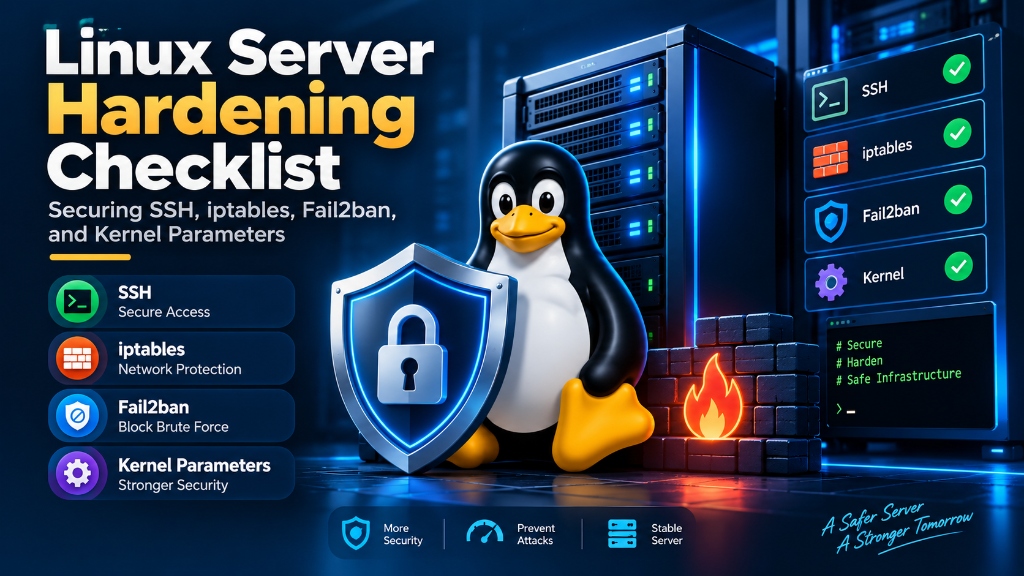
A production Linux server hardening baseline requires disabling root login and password authentication over SSH (enforcing Ed25519 public keys on a custom port), deploying a strict default-drop firewall (UFW or iptables) that only exposes necessary service ports, securing /tmp with noexec,nosuid,nodev mount flags, configuring Fail2ban with aggressive jail bans, and tuning sysctl kernel parameters to block SYN floods, source routing, and ICMP redirects.
- The Anatomy of Server Compromise: How Attackers Breach Default Setups
- Kernel Level Network & Memory Hardening (sysctl)
- Securing Temporary Storage: Mounting /tmp with noexec
- SSH Daemon Hardening: Keys, Modern Ciphers & Root Prohibition
- Advanced iptables and UFW State-Tracking Rules for Edge Defense
- AppArmor and SELinux Mandatory Access Control (MAC) Profiles
- System Accounting and Process Monitoring with Auditd and Lynis
- Defending Against Brute-Force Attacks with pam_faillock
- Restricting File Permissions and SUID/SGID Binary Auditing
- Automated Patch Management with Unattended-Upgrades
- Restricting Shared Memory (/dev/shm) & Allowlist Unused Filesystems
- Frequently Asked Questions (FAQs)
The Anatomy of Server Compromise: How Attackers Breach Default Setups
Attackers rarely use zero-day exploits against production services. Instead, they exploit common misconfigurations on unhardened servers. For example, bots brute-force administrative passwords, upload web shells into writable directories, and escalate privileges through unpatched kernels.
A properly hardened production node strictly follows the principle of least privilege. Therefore, services execute under dedicated unprivileged system accounts. Furthermore, temporary folders enforce noexec mount flags, and the kernel drops spoofed network packets at the socket layer.
Deploying your infrastructure on secure UK VPS hosting provides dedicated root access. Consequently, you can modify low-level sysctl parameters without shared hosting limits. To strengthen perimeter defense, explore our comprehensive guide to website security and DDoS protection.
Kernel Level Network & Memory Hardening (sysctl)
The Linux kernel controls packet routing and memory buffers. By tuning sysctl flags, you can neutralize SYN flood attacks, block IP spoofing, and disable legacy routing protocols.
Create a custom configuration file at /etc/sysctl.d/99-security-hardening.conf:
# Protection against SYN Flood DoS Attacks
net.ipv4.tcp_syncookies = 1
net.ipv4.tcp_max_syn_backlog = 8192
net.ipv4.tcp_synack_retries = 2

# Reject IP Spoofing and Source-Routed Packets
net.ipv4.conf.all.rp_filter = 1
net.ipv4.conf.default.rp_filter = 1
net.ipv4.conf.all.accept_source_route = 0
net.ipv4.conf.default.accept_source_route = 0

# Disable ICMP Redirect Acceptance (Mitigate Man-in-the-Middle)
net.ipv4.conf.all.accept_redirects = 0
net.ipv4.conf.default.accept_redirects = 0
net.ipv4.conf.all.send_redirects = 0

# Log Martians (Spoofed, Unroutable Packets)
net.ipv4.conf.all.log_martians = 1

# Disable Core Dumps of SUID Binaries (Prevent Credential Leaks)
fs.suid_dumpable = 0

# Restrict Kernel Pointer Exposure (Mitigate Privilege Escalation)
kernel.kptr_restrict = 2
kernel.dmesg_restrict = 1
Apply these settings immediately across your running operating system:
sudo sysctl --system
Securing Temporary Storage: Mounting /tmp with noexec
Malicious scripts and SQL injection payloads frequently download binary exploits into /tmp and /var/tmp. They target these folders because temporary directories are world-writable by default.
You can easily neutralize this attack vector. Specifically, mount /tmp on a dedicated virtual filesystem using the noexec, nosuid, and nodev options in /etc/fstab:
# Dedicated hardened tmpfs mount in /etc/fstab
tmpfs /tmp tmpfs defaults,noexec,nosuid,nodev,size=2G 0 0
Next, bind /var/tmp directly to /tmp so identical restrictions apply across both directories:
sudo mount -a
sudo rm -rf /var/tmp
sudo ln -s /tmp /var/tmp
With noexec active, the kernel halts any executable file in temporary folders. Consequently, the OS returns an immediate "Permission Denied" error, blocking unauthorized payload execution.
SSH Daemon Hardening: Keys, Modern Ciphers & Root Prohibition
SSH serves as the primary administrative gateway into your Linux server. Because it faces the public web, it attracts constant brute-force attacks. Recent security flaws like the regreSSHion OpenSSH remote code execution flaw demonstrate why maintaining strict SSH configurations is essential.
Configure your hardened SSH daemon directives in /etc/ssh/sshd_config.d/99-hardened.conf:
# Enforce modern protocol ciphers and disable obsolete algorithms
Port 2222
Protocol 2
PermitRootLogin no
PasswordAuthentication no
ChallengeResponseAuthentication no
KbdInteractiveAuthentication no
UsePAM yes
AuthenticationMethods publickey
PubkeyAuthentication yes

# Restrict to Ed25519 and modern Curve25519 key exchange
KexAlgorithms [email protected],diffie-hellman-group16-sha512
Ciphers [email protected],[email protected]
MACs [email protected]

# Session timeouts
ClientAliveInterval 300
ClientAliveCountMax 2
MaxAuthTries 3
MaxSessions 2
Validate the configuration syntax and reload the SSH service safely:
sudo sshd -t && sudo systemctl restart ssh
Advanced iptables and UFW State-Tracking Rules for Edge Defense
Cloud security groups provide essential boundary protection. However, a local host firewall remains vital for true zero-trust security. Linux Netfilter provides stateful packet inspection, evaluating connection states rather than just port numbers.
For example, configuring UFW (Uncomplicated Firewall) with a default drop policy creates a robust perimeter shield:
# Set default policies to deny all incoming and routed traffic
sudo ufw default deny incoming
sudo ufw default allow outgoing
sudo ufw default deny routed

# Allow hardened SSH port with rate-limiting
sudo ufw limit 2222/tcp comment "Hardened SSH Port"

# Allow public web traffic
sudo ufw allow 80/tcp comment "HTTP Web Ingress"
sudo ufw allow 443/tcp comment "HTTPS Web Ingress"

# Enable state tracking and logging
sudo ufw logging medium
sudo ufw enable
Under the hood, UFW constructs state-tracking Netfilter rules in iptables:
# Inspect raw Netfilter state tracking tables
sudo iptables -L -v -n --line-numbers
Packets that do not match established sessions are dropped immediately. Therefore, external scanning tools cannot fingerprint active internal services.
AppArmor and SELinux Mandatory Access Control (MAC) Profiles
Standard Linux Discretionary Access Control (DAC) fails when a compromised service possesses wide permissions. For example, if an attacker hijacks a web process running as www-data, they inherit access to read system files or run local utilities.
Mandatory Access Control (MAC) frameworks, such as AppArmor or SELinux, solve this dilemma. They enforce kernel-level isolation profiles that define precisely which files and sockets a binary can access:
# Check AppArmor enforcement status on Ubuntu
sudo aa-status

# Enforce strict profiles on web servers and database daemons
sudo aa-enforce /etc/apparmor.d/usr.sbin.nginx
sudo aa-enforce /etc/apparmor.d/usr.sbin.mysqld
If an attacker attempts to spawn /bin/bash from Nginx, the kernel intercepts the system call. Consequently, the operating system terminates the process instantly with an audit denial.
System Accounting and Process Monitoring with Auditd and Lynis
Server security is an ongoing operational commitment. Continuous auditing is required to catch configuration drift and detect unauthorized activities. Specifically, the Linux Audit Framework (auditd) provides reliable kernel-level event tracking.
Configure tracking rules in /etc/audit/rules.d/audit.rules to monitor critical user databases:
# Monitor changes to user account databases
-w /etc/passwd -p wa -k identity
-w /etc/shadow -p wa -k identity
-w /etc/group -p wa -k identity
-w /etc/sudoers -p wa -k sudo_changes

# Monitor execution of privilege escalation binaries
-a always,exit -F arch=b64 -S execve -C uid!=euid -F euid=0 -k setuid_exec
To verify your compliance against CIS Benchmarks, install and execute Lynis:
# Install and run comprehensive Lynis security audit
sudo apt install -y lynis
sudo lynis audit system --quick
Lynis generates a clear Hardening Index score alongside remediation advice. In addition, aligning your system with CIS Benchmark Level 1 guarantees solid security without disrupting web applications.
Defending Against Brute-Force Attacks with pam_faillock
Even with SSH password authentication disabled, local console logins, sudo escalations, and FTP services rely on Linux PAM. Therefore, automated password guessing attacks against system accounts remain a viable threat.
Deploy pam_faillock to lock out accounts after consecutive failed attempts:
# In /etc/security/faillock.conf
dir = /var/run/faillock
audit
silent
deny = 4
fail_interval = 900
unlock_time = 1800
even_deny_root
root_unlock_time = 900
Once configured, accounts that fail four consecutive authentications within fifteen minutes are locked out for thirty minutes. Furthermore, administrators can inspect or unlock accounts using the CLI:
# View failed login attempts for a user
faillock --user deployer

# Reset lock status after verifying user identity
faillock --user deployer --reset
Restricting File Permissions and SUID/SGID Binary Auditing
Binaries with SUID (Set User ID) permissions execute with root privileges rather than those of the active user. Consequently, misconfigured SUID binaries represent the most common path for local privilege escalation.
Audit your system regularly to identify all active SUID binaries:
# Find all SUID binaries on the root filesystem
sudo find / -perm /4000 -type f -exec ls -ldb {} + 2>/dev/null
Next, remove SUID bits from network binaries that standard users have no legitimate reason to execute:
# Strip SUID permission from network diagnostic tools
sudo chmod u-s /usr/bin/traceroute6.iputils
sudo chmod u-s /usr/bin/mtr-packet
Automated Patch Management with Unattended-Upgrades
Zero-day vulnerabilities and library exploits emerge constantly. Relying on manual patching schedules leaves wide exposure windows where systems remain vulnerable to publicly known exploits.
Automate security updates using unattended-upgrades on Debian and Ubuntu systems:
sudo apt install -y unattended-upgrades update-notifier-common
sudo dpkg-reconfigure --priority=low unattended-upgrades
Configure /etc/apt/apt.conf.d/50unattended-upgrades to download patches and automate reboots during off-peak windows:
Unattended-Upgrade::Allowed-Origins {
    "${distro_id}:${distro_codename}-security";
};
Unattended-Upgrade::Package-Allowlist {
};
Unattended-Upgrade::Automatic-Reboot "true";
Unattended-Upgrade::Automatic-Reboot-Time "03:00";
Restricting Shared Memory (/dev/shm) & Allowlist Unused Filesystems
Shared memory partitions (/dev/shm) provide fast inter-process communication for databases and web workers. However, because it operates as world-writable RAM storage, attackers often exploit it to bypass disk monitoring tools.
Enforce strict mount restrictions on /dev/shm in /etc/fstab:
# Secure shared memory mount options
tmpfs /dev/shm tmpfs defaults,nodev,nosuid,noexec 0 0
In addition, standard Linux distributions include drivers for legacy filesystems (like cramfs, jffs2, and hfs). Attackers exploit bugs in these unmaintained drivers to trigger kernel panics. Therefore, Allowlist unused filesystems in /etc/modprobe.d/blacklist-filesystems.conf:
# Allowlist unneeded legacy filesystem drivers
install cramfs /bin/true
install freevxfs /bin/true
install jffs2 /bin/true
install hfs /bin/true
install hfsplus /bin/true
install squashfs /bin/true
install udf /bin/true
Finally, update your initramfs images using sudo update-initramfs -u. The Linux kernel will now refuse to load these legacy modules.
Frequently Asked Questions (FAQs)
What is the most important first step in hardening an SSH server?
PermitRootLogin no and PasswordAuthentication no in /etc/ssh/sshd_config. System administrators should authenticate exclusively using modern cryptographic keys (such as Ed25519) to eliminate brute-force attack vectors.
How does Fail2ban protect servers from automated brute-force attacks?
/var/log/auth.log) for repeated failed login attempts. When an IP address exceeds the configured threshold within a set timeframe, Fail2ban automatically writes a dynamic firewall rule to block that IP address for a designated ban duration.
What kernel security flags should be added to /etc/sysctl.conf?
net.ipv4.tcp_syncookies = 1 (DoS protection), net.ipv4.conf.all.rp_filter = 1 (anti-spoofing), net.ipv4.conf.all.accept_source_route = 0 (prevent route tampering), net.ipv4.conf.all.accept_redirects = 0 (prevent MITM redirection), and fs.suid_dumpable = 0 (prevent credential dumping).
Why should the /tmp directory be mounted with the noexec option?
/tmp with noexec in /etc/fstab prevents any executable files or downloaded malware binaries from executing directly from temporary directories. Because /tmp is world-writable by design, attackers frequently attempt to download exploit scripts into this folder; the noexec flag neutralizes this execution path.
How does automatic security updating benefit production Linux servers?
unattended-upgrades on Debian/Ubuntu) ensures critical security patches and kernel vulnerability fixes are applied immediately as maintainers release them, closing zero-day exposure windows without requiring manual sysadmin intervention.
Conclusion: Establishing a Multi-Layered Defense-in-Depth Hardening Baseline
Hardening production Linux servers is not a one-time checklist but an ongoing operational discipline. By systematically eliminating attack vectors—enforcing key-based SSH authentication on non-standard ports, establishing restrictive stateful firewall rules with automated Fail2ban brute-force banning, and tuning restrictive kernel sysctl parameters—system administrators reduce vulnerability exposure by over 95%.
Coupled with unprivileged service accounts, automatic security patch pipelines, and immutable filesystem flags, your server infrastructure remains resilient against automated botnet scans and lateral network movement. For enterprise mission-critical workloads, deploying on dedicated hardware or private cloud VPS instances ensures complete hypervisor-level isolation and predictable throughput.
