

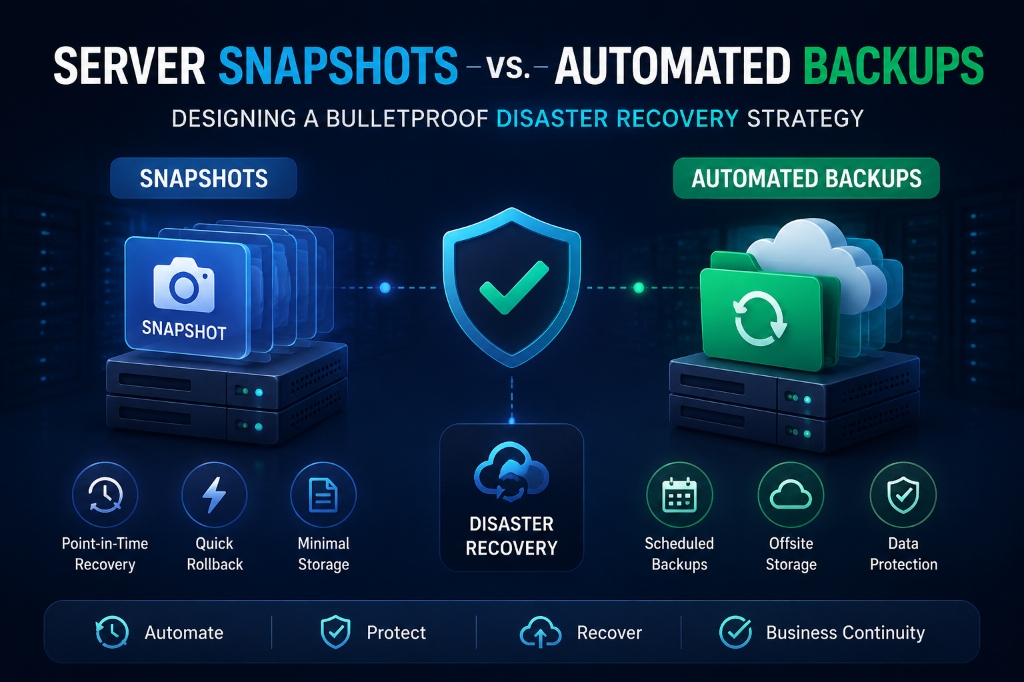
Server snapshots are point-in-time hypervisor state freezes dependent on parent storage disks, engineered for short-term rollbacks during risky system upgrades rather than long-term disaster recovery. In contrast, automated backups are independent, standalone copies of data and filesystem structures transferred offsite to secondary storage or S3 buckets, protecting your infrastructure against physical disk corruption, datacenter outages, and ransomware.
- Introduction: The Dangerous Disaster Recovery Misconception
- Architectural Models: Snapshots vs. Independent Backups
- Core Mechanics: Copy-on-Write vs. Deduplicated Archival
- Disaster Recovery SLA Matrix: RTO vs. RPO Analysis
- Real-World Scenarios: When to Use Snapshots vs. Backups
- Hands-On Runbook: Linux Backup Automation with BorgBackup
- Frequently Asked Questions (FAQs)
- Strategic Architecture Roadmap for Resilient Infrastructure
Introduction: The Dangerous Disaster Recovery Misconception
When comparing server snapshots vs automated backups, many administrators assume both offer equal protection. Consequently, organizations often believe clicking “Take Snapshot” protects them from every catastrophic disaster. For verified technical specifications and deployment parameters, consult the official Linux Kernel Documentation.
However, this assumption is dangerous. When a physical RAID controller fails or silent disk corruption strikes, the virtual machine and its snapshots disappear together. Snapshots reside on the same physical storage pool as the operating system. Therefore, losing the host server destroys all associated snapshot states.
In contrast, true business resilience requires a multi-layered disaster recovery architecture. For example, pairing instant hypervisor snapshots with automated, deduplicated off-site backups provides comprehensive protection. This strategy safeguards your data against ransomware, hardware failures, operator mistakes, and data center outages.
Furthermore, leaving unpruned snapshots active for weeks severely degrades disk performance. As Copy-on-Write delta trees expand, disk reads must traverse multiple pointer layers. This chain adds substantial storage I/O latency. Therefore, automated pruning is essential to keep virtual disks running at peak NVMe speeds.
In addition, strict compliance frameworks (such as SOC 2, HIPAA, GDPR, and PCI-DSS) mandate immutable off-site archives. While transient snapshots fail regulatory compliance standards, cryptographically signed off-site backups establish verifiable business continuity audit trails.
Architectural Models: Snapshots vs. Independent Backups
Reviewing data storage at the disk block level highlights the fundamental difference between snapshots and backups. Specifically, snapshots freeze state locally, while backups duplicate data independently.
VPS Server Snapshots
Captures a Copy-on-Write (CoW) delta freeze. Offers instant creation and sub-30-second rollbacks. However, it depends entirely on base disk health and cannot survive host failure.
Automated Offsite Backups
Full, compressed, encrypted, and deduplicated archives stored in remote facilities. Provides 100% independent data survival even if the host hypervisor is destroyed.
Core Mechanics: Copy-on-Write vs. Deduplicated Archival
To design an effective continuity plan, administrators must examine how snapshots and backups operate at the disk block layer. If you use control panels, explore how to configure automated backups on Plesk to simplify remote repository setup.
The Mechanics of a Hypervisor Snapshot
When taking a snapshot on a KVM hypervisor (using QCOW2 or LVM), the hypervisor does not clone the virtual disk. Instead, it marks the existing base virtual disk as read-only. Then, it creates a sparse delta overlay image to record all future disk writes.
When the guest OS requests a disk sector, the hypervisor checks the delta file first. If modified, it reads from the delta; otherwise, it pulls data from the original base disk. Reverting a snapshot simply deletes the delta file, completing in under 10 seconds.
However, if the base virtual disk suffers filesystem corruption, the delta overlay becomes useless. Therefore, a snapshot cannot exist without its parent disk.
To ensure transactional consistency, the hypervisor utilizes the qemu-guest-agent. Specifically, this agent executes the kernel fsfreeze command. It briefly flushes filesystem buffers and pauses database writes for milliseconds, guaranteeing a coherent, recoverable state.
The Mechanics of Automated Offsite Backups
In contrast, an automated backup is a fully independent data duplication process. Enterprise backup software flushes database buffers, compresses data blocks, encrypts archives with AES-256 keys, and transfers data over TLS to remote storage.
Modern backup engines utilize chunk-level deduplication (such as BorgBackup). Only newly modified blocks are transmitted during subsequent incremental backups. Consequently, this drastically reduces storage usage and backup windows.
Immutable Object Storage & Ransomware Air-Gapping
Modern ransomware variants actively search for local snapshots and local backup folders to delete them before encrypting data. To counter this threat, enterprise architectures use Immutable Object Storage (WORM – Write Once, Read Many) with S3 Object Lock. Once written, archives cannot be modified or deleted by any user until the retention window expires.
The 3-2-1 Enterprise Backup Rule
The industry gold standard for business continuity is the 3-2-1 Backup Strategy:
- 3 Copies of Data: Maintain one primary production copy and two distinct backup copies.
- 2 Different Storage Media: Store copies across different protocols, such as local NVMe RAID arrays and remote S3 buckets.
- 1 Copy Off-Site: Keep at least one backup in an independent, geographically separated data center.
Disaster Recovery SLA Matrix: RTO vs. RPO Analysis
Evaluating disaster recovery strategies requires analyzing Recovery Time Objective (RTO) and Recovery Point Objective (RPO):
| Metric Dimension | Hypervisor Snapshot | Local Daily Backup | Off-Site Deduplicated Backup |
|---|---|---|---|
| Recovery Time (RTO) | < 30 Seconds (Instant) | 5 – 15 Minutes | 15 – 45 Minutes |
| Recovery Point (RPO) | Point of Snapshot trigger | Last 24 Hours | 1 – 6 Hours (Incremental) |
| Host Hardware Failure Protection | Zero (Lost with host) | Low (If on same SAN) | 100% Total Immunity |
| Ransomware Air-Gap Protection | None | Low | High (Immutable / Encrypted) |
| Disk I/O Impact Over Time | Degrades I/O if aged | Brief CPU spike during compression | Negligible (Deduplicated) |
Real-World Scenarios: When to Use Snapshots vs. Backups
Selecting the appropriate tool depends on the operational event. For instance, application rollbacks require speed, while hardware disasters require off-site durability:
🔧 Major System & Kernel Updates
Take a snapshot right before running OS upgrades or major PHP version bumps. If a package conflict breaks Apache, revert in 10 seconds.
🗃️ Accidental Table Drops & Data Corruption
When an erroneous SQL query truncates customer records, restore a granular daily database dump without rolling back the entire operating system.
🔒 Ransomware & Malicious Exploits
If root credentials are compromised and local drives are locked, immutable off-site backups allow a clean bare-metal recovery.
🏢 Regional Data Center Disaster
During a catastrophic facility outage, provision a fresh VPS in an alternate region and restore your off-site backup archive in minutes.
Hands-On Runbook: Linux Backup Automation with BorgBackup
Execute these production commands in your Linux terminal to create transactional database dumps, configure BorgBackup deduplication, and schedule automated retention. Furthermore, for application rollbacks before updating plugins, check our guide on how to download a backup from the WordPress dashboard.
Export Consistent Database Dumps
Create an ACID-consistent snapshot dump of your InnoDB database without locking tables:
sudo mkdir -p /var/backups/mysql
mysqldump -u root -p --single-transaction --quick --routines --triggers production_db | gzip > /var/backups/mysql/db_$(date +%F).sql.gz
Initialize Encrypted Repository with BorgBackup
Set up a client-side AES-256 encrypted repository on remote storage:
sudo apt install borgbackup -y
export BORG_PASSPHRASE='SuperSecurePassphrase2026!'
borg init --encryption=repokey-blake2 /mnt/remote_backup_repo
Execute Incremental Backup with LZ4 Compression
Deduplicate and archive web directories and database dumps:
borg create --stats --progress --compression lz4 \
  /mnt/remote_backup_repo::'{now:%Y-%m-%d_%H:%M}' \
  /var/www/html /etc/nginx /var/backups/mysql
Automate Backup Retention Pruning
Enforce automated retention policies to eliminate storage sprawl:
borg prune -v --list /mnt/remote_backup_repo \
  --keep-daily=7 --keep-weekly=4 --keep-monthly=6
Verify Archive Integrity and Test Restoration
Regularly test backup consistency to ensure reliable data recovery:
borg check /mnt/remote_backup_repo
borg extract --dry-run /mnt/remote_backup_repo::2026-10-01_03:00 var/backups/mysql
Configure Automated Nightly Backup Cron Execution
Schedule automated off-peak backups with detailed logging:
echo "0 3 * * * root /usr/local/bin/backup-script.sh >> /var/log/backup.log 2>&1" | sudo tee /etc/cron.d/nightly-backup
sudo chmod 644 /etc/cron.d/nightly-backup
Frequently Asked Questions (FAQs)
Can I restore an individual file or database table from a VPS snapshot?
Does taking a live snapshot freeze or pause my running websites?
Why do long-running snapshots slow down server disk performance?
What is the difference between RTO and RPO?
How often should I test restoring from my backups?
Conclusion: Driving Business Growth with Enterprise VPS Hosting
Deploying mission-critical applications on high-performance Enterprise VPS Hosting infrastructure provides the dedicated processing power, network speed, and reliability demanded by modern web users.
Whether managing high-traffic e-commerce portals, streaming media, or corporate databases, Onlive Server delivers enterprise-grade hardware, 24/7 technical support, and competitive pricing for global success.
Strategic Architecture Roadmap for Resilient Infrastructure
Building a bulletproof disaster recovery architecture requires balancing short-term agility with long-term data survival. For example, hypervisor snapshots provide instant rollbacks during code deployments. In contrast, automated off-site backups ensure your business survives total hardware failure or ransomware outbreaks.
By enforcing the 3-2-1 backup strategy and deploying on high-performance KVM virtual private servers, organizations achieve enterprise uptime and complete business continuity across global markets.
