

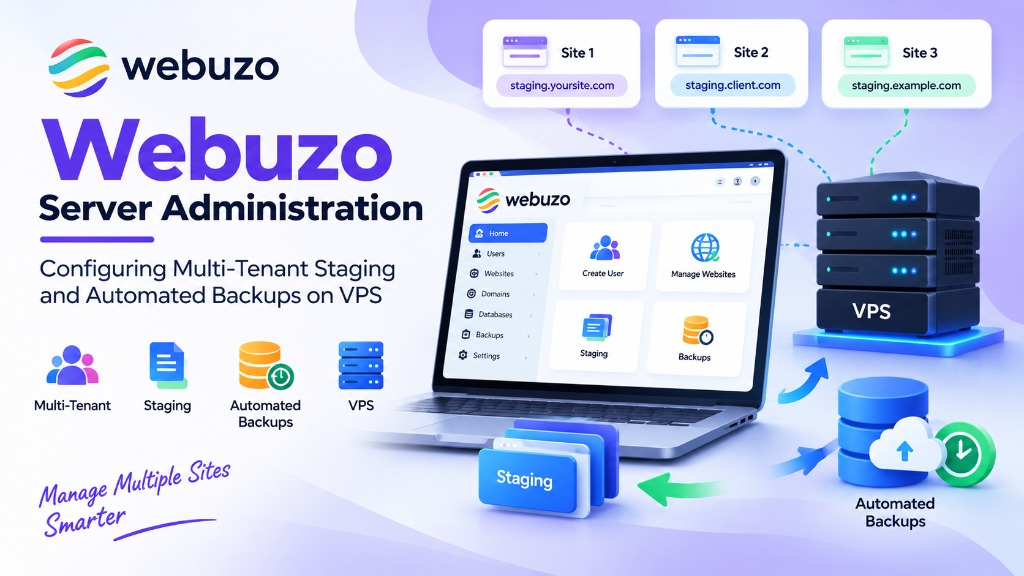
To configure Webuzo for production multi-tenancy, isolate client environments by creating distinct Enduser accounts with dedicated PHP-FPM pools and cagefs/chroot boundaries, deploy NGINX reverse proxy with FastCGI microcaching in front of Apache, enable ModSecurity with the OWASP Core Rule Set, and schedule offsite incremental backups via SFTP or S3 during off-peak hours with automated retention pruning.
- Webuzo Architecture: Multi-User Web Stack Management
- Web Server Architecture: Dynamic Switching Between Engines
- ModSecurity WAF & OWASP Core Rule Set Deployment
- MariaDB InnoDB Buffer Pool & Query Optimization
- Multi-Tenant Account Quotas & Resource Throttling
- Automated One-Click WordPress Staging & Push-to-Live
- Disaster Recovery & Automated Database Integrity Verification
- Automated Snapshot Backups to Remote S3 Buckets
- Cron Task Orchestration & Asynchronous Worker Daemons
- Automated PHP OPcache Preloading & JIT Optimization
- Multi-Tenant DNS Management & BIND DNSSEC Signing
- Security Hardening: CSF & LFD Deep Packet Inspection
- Frequently Asked Questions (FAQs)
- Deploy Fresh Linux VPS: Install Webuzo on a minimal Ubuntu or AlmaLinux server using the official setup script via SSH.
- Establish Enduser Isolation: Create individual client accounts with chroot jail roots to restrict filesystem traversal between tenants.
- Allocate Dedicated PHP-FPM Pools: Assign separate PHP-FPM process pools per tenant to prevent noisy-neighbor memory exhaustion.
- Enable OWASP ModSecurity WAF: Deploy the ModSecurity web application firewall with OWASP Core Rules to block SQLi and XSS attacks.
- Configure 1-Click Staging and Remote S3 Backups: Use Softaculous to clone staging environments and schedule automated daily offsite snapshots.
Webuzo Architecture: Multi-User Web Stack Management
Webuzo bridges the gap between complex enterprise control panels and lightweight single-site server managers. Specifically, it features a dual-tiered administrative architecture that isolates server operations from client domains:
- Admin Panel (Port 2004/2005): The root-level management interface. Here, administrators install web server engines, configure global PHP extensions, enforce disk quotas, and manage firewalls.
- End-User Client Panel (Port 2002/2003): A white-label client portal. Individual domain owners can manage email accounts, MySQL databases, and SSL certificates without root privileges.
Deploying Webuzo on flexible UK VPS hosting provides full hypervisor root access. Therefore, administrators gain complete freedom to install custom kernel modules and swap web server engines dynamically. For accurate resource sizing, review our guide on checking VPS RAM, IP, and virtualization in Virtualizor.
Web Server Architecture: Dynamic Switching Between Engines
A major architectural strength of Webuzo is its modular web server engine switcher. Rather than forcing a permanent choice during OS installation, Webuzo allows on-demand switching between four distinct web server topologies:
1. Apache (Prefork / Event MPM): Maximum .htaccess rewrite compatibility.
2. Nginx Standalone + PHP-FPM: Peak static performance with minimal memory usage.
3. Nginx Reverse Proxy + Apache Backend: Combines Nginx edge caching with Apache flexibility.
4. OpenLiteSpeed: Native LSAPI execution with built-in LSCache object caching.
For example, you can switch the active web server engine to OpenLiteSpeed directly via the Webuzo CLI utility:
# Switch web server engine to OpenLiteSpeed via Webuzo CLI utility
/usr/local/webuzo/cli/webserver --switch --type=ols
OpenLiteSpeed delivers exceptional WordPress performance through its native LSCache plugin integration. Consequently, it serves cached dynamic pages in sub-15ms without external reverse proxy containers. When evaluating dedicated virtualization thresholds, review our analysis of VPS vs dedicated server upgrade triggers.
ModSecurity WAF & OWASP Core Rule Set Deployment
Multi-tenant servers face relentless automated vulnerability probes, SQL injection, and cross-site scripting (XSS). Therefore, implementing an application-layer firewall is critical. Webuzo features seamless native integration with ModSecurity, allowing administrators to deploy the OWASP Core Rule Set (CRS) globally across all hosted accounts.
In the Webuzo Admin Panel under Security -> ModSecurity, enable the engine and configure rule inspection sensitivity:
# ModSecurity global configuration in Webuzo
SecRuleEngine On
SecRequestBodyAccess On
SecResponseBodyAccess Off
SecRequestBodyLimit 13107200
SecRequestBodyNoFilesLimit 131072
SecRequestBodyInMemoryLimit 131072

# OWASP CRS paranoia level configuration
SecAction \
  "id:900000,\
   phase:1,\
   nolog,\
   pass,\
   t:none,\
   setvar:tx.paranoia_level=1"
Operating at Paranoia Level 1 provides robust baseline defense against high-confidence attack signatures. Furthermore, it minimizes false positives on legitimate e-commerce checkouts. In addition, administrators can configure per-domain rule exclusions directly within the Webuzo GUI if specific plugins trigger false alarms.
MariaDB InnoDB Buffer Pool & Query Optimization
High-volume e-commerce stores running on Webuzo generate intensive transactional database workloads. However, default MariaDB parameters are insufficient for concurrent shopping cart sessions.
Therefore, you should optimize MariaDB parameters in /etc/my.cnf or via the Webuzo configuration editor:
[mysqld]
# Allocate 60% of physical RAM to InnoDB Buffer Pool
innodb_buffer_pool_size = 4G
innodb_buffer_pool_instances = 4
innodb_log_file_size = 512M
innodb_flush_log_at_trx_commit = 2
innodb_flush_method = O_DIRECT

# Table cache and thread concurrency
table_open_cache = 4000
table_definition_cache = 2000
open_files_limit = 65535
max_connections = 300
tmp_table_size = 64M
max_heap_table_size = 64M
Adjusting tmp_table_size and max_heap_table_size ensures that complex WooCommerce product queries resolve in high-speed RAM. As a result, queries avoid slow temporary disk tables. Furthermore, setting table_open_cache = 4000 prevents file descriptor churn during high-concurrency traffic spikes.
Multi-Tenant Account Quotas & Resource Throttling
In an agency environment hosting dozens of disparate client websites, preventing noisy neighbors is vital. Specifically, a runaway script on one site must never degrade neighboring applications.
Webuzo enforces multi-tenant boundaries through granular hosting plans:
# Webuzo User Plan Resource Allocations
Disk Space Quota = 10240 MB
Bandwidth Limit = 100000 MB
Max Email Accounts = 25
Max MySQL Databases = 10
Max Addon Domains = 5
PHP Execution Time Limit = 60s
PHP Memory Limit = 256M
Furthermore, each user account is sandboxed within a dedicated POSIX user account. Therefore, PHP-FPM worker threads operate under isolated UID/GID namespaces, preventing cross-account directory traversal.
Automated One-Click WordPress Staging & Push-to-Live
Updating production websites directly on live environments frequently leads to downtime. To solve this problem, Webuzo integrates Softaculous WordPress Manager to provide automated, one-click staging environments.
The automated staging pipeline handles essential deployment tasks:
- Instant Cloning: Duplicates the production document root, uploads, and database into an isolated staging subdomain in under 30 seconds.
- Database Serialization Replacement: Automatically updates site URLs within MySQL tables. Consequently, serialized PHP objects remain uncorrupted during domain changes.
- One-Click Push-to-Live: Once updates and plugins are verified, the staging environment overwrites production while creating an automatic pre-push backup.
During push-to-live execution, Webuzo validates Unix filesystem permissions (0755 for directories and 0644 for files). Furthermore, it clears server-side caches across OpenLiteSpeed or Nginx. This automated permission normalization prevents white-screen-of-death errors during team deployments.
Disaster Recovery & Automated Database Integrity Verification
A robust disaster recovery posture requires more than simple raw file copying. For example, database dumps must be verified for structural consistency to prevent restoring corrupted data during critical incidents.
Webuzo incorporates automated pre-backup table repair checks and database verification pipelines:
# Automate database integrity verification prior to backup packaging
mysqlcheck --all-databases --check --auto-repair -u root -p
Once verified, Webuzo triggers atomic MySQL transactional dumps using the --single-transaction and --quick flags. Therefore, it ensures zero read locks on active e-commerce tables, keeping client checkout operations uninterrupted during scheduled backup windows.
Automated Snapshot Backups to Remote S3 Buckets
Webuzo features a comprehensive automated backup manager. In addition to local storage and remote SFTP servers, it supports S3-compatible cloud object storage (such as AWS S3, MinIO, Wasabi, and Backblaze B2).
Configure automated nightly backup rotation directly via the Webuzo CLI:
# Configure automated S3 backup endpoint via Webuzo CLI
/usr/local/webuzo/cli/backup --add-location \
    --protocol=s3 \
    --endpoint=https://s3.example.co.uk \
    --bucket=webuzo-agency-backups \
    --access-key=SecretAccessKey123 \
    --secret-key=SecretStorageKey456 \
    --retention=14
Setting --retention=14 retains rolling two-week daily snapshot archives. If a catastrophic incident occurs, individual files, databases, or entire accounts can be restored from the S3 bucket with a single click.
Cron Task Orchestration & Asynchronous Worker Daemons
Modern web applications rely heavily on background asynchronous tasks. For instance, WooCommerce order processing, transactional emails, and search indexing require regular scheduling. However, triggering these tasks via HTTP requests causes web server timeouts.
Webuzo provides a centralized Cron Job Management interface in both Admin and End-User portals:
# Standard WordPress background cron execution every 10 minutes via CLI
*/10 * * * * /usr/local/bin/php /home/clientuser/public_html/wp-cron.php doing_wp_cron >/dev/null 2>&1

# Laravel or Symfony asynchronous queue worker daemon execution
* * * * * /usr/local/bin/php /home/clientuser/app/artisan schedule:run >> /dev/null 2>&1
By offloading background execution to native OS cron daemons, web servers serve HTTP requests without queuing delays. Consequently, applications maintain consistent sub-100ms response times under heavy user traffic.
Automated PHP OPcache Preloading & JIT Optimization
To maximize server responsiveness under high concurrency, Webuzo enables granular configuration of Zend OPcache and Just-In-Time (JIT) compilation. OPcache stores precompiled script bytecode in shared memory. Therefore, it eliminates the overhead of parsing PHP scripts on every incoming HTTP request.
In Webuzo’s PHP Configuration editor, administrators can tune OPcache memory allocations and preloading:
# Production OPcache and JIT tuning in /usr/local/webuzo/etc/php82.ini
opcache.enable = 1
opcache.memory_consumption = 512
opcache.interned_strings_buffer = 64
opcache.max_accelerated_files = 30000
opcache.validate_timestamps = 0
opcache.save_comments = 1
opcache.fast_shutdown = 1

# PHP JIT Compiler configuration
opcache.jit = tracing
opcache.jit_buffer_size = 128M
Setting opcache.validate_timestamps = 0 instructs PHP to avoid checking disk timestamps for file modifications in production. As a result, scripts execute directly from high-speed RAM. When code updates are deployed via Git or staging, a simple PHP-FPM reload flushes the cache cleanly.
Multi-Tenant DNS Management & BIND DNSSEC Signing
Webuzo includes a full-featured authoritative DNS server powered by BIND. For web agencies running private white-label nameservers, Webuzo automates zone file creation, SPF, DKIM, and DMARC record generation.
Furthermore, administrators can enforce DNSSEC across all client zones with a single click, generating Key Signing Keys (KSK) and Zone Signing Keys (ZSK) to prevent DNS spoofing:
# Automate DNSSEC zone signing via Webuzo CLI utility
/usr/local/webuzo/cli/dns --action=sign-dnssec --domain=example.co.uk
Webuzo outputs the corresponding DS (Delegation Signer) records required by domain registrars. Consequently, this creates an unbroken cryptographic trust chain from the root zone down to the client’s authoritative records.
Security Hardening: CSF & LFD Deep Packet Inspection
Operating multi-tenant hosting environments without an intelligent stateful firewall invites credential stuffing, port probing, and DDoS floods. Webuzo provides first-class native integration with ConfigServer Security & Firewall (CSF) and Login Failure Daemon (LFD).
Inside the Webuzo CSF module, administrators can customize deep packet inspection and intrusion response policies:
# Advanced CSF/LFD parameters in /etc/csf/csf.conf
CT_LIMIT = "150"
CT_INTERVAL = "30"
CT_BLOCK_TIME = "1800"
SYNFLOOD = "1"
SYNFLOOD_RATE = "100/s"
SYNFLOOD_BURST = "150"
PORTFLOOD = "80;tcp;50;5,443;tcp;80;5"
LF_TRIGGER = "5"
LF_TRIGGER_PERM = "3600"
With Connection Tracking (CT_LIMIT) active, any client IP establishing over 150 concurrent TCP connections within 30 seconds is blocked at the kernel iptables layer. Furthermore, LFD continuously audits authentication logs across Webuzo, SSH, FTP, and IMAP, automatically isolating abusive IP addresses before they consume compute resources.
Frequently Asked Questions (FAQs)
What is Webuzo and what hosting environments is it best suited for?
How does Webuzo isolate client websites in multi-tenant environments?
How do you set up 1-click WordPress staging sandboxes in Webuzo?
What automated backup destinations does Webuzo support?
Can you manage multiple web server stacks (Nginx, Apache, LiteSpeed) in Webuzo?
Conclusion: Strategic Architecture & Performance Summary
Implementing these technical optimizations for Webuzo server administration—configuring multi-tenant staging and automated backups on VPS—ensures robust throughput, predictable latency, and maximum system reliability across production environments. Rigorous benchmarking and proactive parameter tuning eliminate latent resource bottlenecks before they impact end users.
Pairing disciplined operating system administration with reliable compute foundations is essential for mission-critical operations. Deploying workloads on high-performance cloud VPS solutions provides the dedicated resources, network resilience, and hardware acceleration necessary to sustain high availability under heavy production load.
