

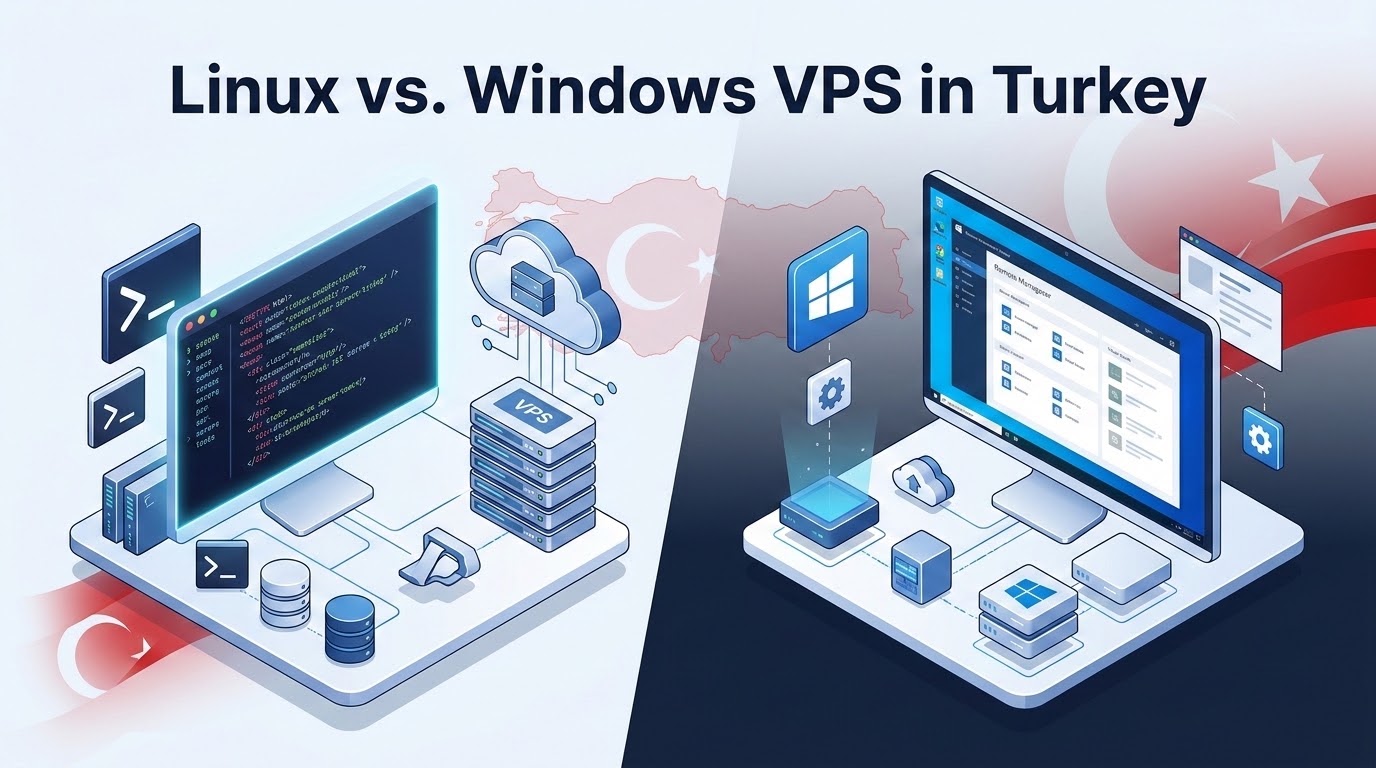
Should You Choose Linux or Windows Server for Your Turkey VPS?
Specifically, when planning an enterprise deployment for Linux vs Windows VPS Turkey, choose Linux (Ubuntu, AlmaLinux, Debian) for web applications, PHP/WordPress stacks, Docker microservices, and high-concurrency APIs due to zero licensing fees, minimal RAM footprint (350–500MB), and native SSH automation. Choose Windows Server (2022/2025) when hosting proprietary Turkish business software (such as Logo Yazılım Tiger, Mikro ERP, Netsis), Microsoft SQL Server databases, .NET Framework applications, or when remote accounting teams require multi-user Remote Desktop Protocol (RDP) sessions with local Istanbul sub-15ms response times.
Furthermore, selecting an operating system for cloud infrastructure deployed in Istanbul is not merely a preference of command line versus graphical interface; it is an architectural decision that governs licensing budgets, compute resource sizing, security audit profiles, and day-to-day administrative velocity. Turkish enterprises, accounting firms, and digital development agencies frequently struggle with balancing operating system overhead against application performance. By aligning your application stack with either high-performance Windows and Linux Turkey VPS environments in Istanbul datacenters, you ensure optimal hardware efficiency, regional regulatory compliance, and seamless execution of your business-critical workloads.
✔ Key Architectural Takeaways
- Consequently, Resource Footprint Divergence: Minimal Linux installations idle at 300MB to 500MB of RAM, whereas Windows Server requires a minimum baseline of 2.2GB to 2.8GB of RAM just to maintain the Windows desktop GUI and core system background services.
- Software Licensing Economics: Linux distributions are free and open source, while Windows Server requires commercial Microsoft SPLA (Services Provider License Agreement) core licensing and Client Access Licenses (CALs) for multi-user remote desktop environments.
- In addition, Turkish Business Software Dominance: Popular enterprise accounting, payroll, and ERP solutions in Türkiye—such as Logo Go 3, Tiger 3, Mikro Standart, and Netsis 3 Enterprise—are built natively for Windows Server and Microsoft SQL Server backends.
- In particular, Remote Desktop Latency: Low-latency RDP sessions over Türk Telekom and Turkcell residential connections achieve snappy 8ms to 18ms screen updates from Istanbul data centers compared to 65ms+ lag from German cloud regions.
- Therefore, Automation & Management: Linux excels at headless infrastructure automation via Ansible, Bash, and Terraform, whereas Windows Server relies on PowerShell 7, WinRM, and Group Policy Management Console.
Table of Contents
- Moreover, Linux vs Windows VPS Turkey: Architectural Core: Linux Lightweight Kernel vs. Windows Server Subsystems
- In fact, Linux vs Windows VPS Turkey: Workload Mapping: Modern Web Stacks vs. Turkish ERP and Accounting Suites
- Similarly, Compute Resource Allocation: Memory Footprint, CPU Sizing & Storage I/O
- Meanwhile, Licensing Economics: Open-Source Freedom vs. Microsoft SPLA & CAL Expenses
- Additionally, Remote Access Performance: Cryptographic SSH vs. High-Fidelity RDP Sessions
- As a result, Security Profiles: Linux File Permissions vs. Windows Active Directory & Defender
- Specifically, Operating System Comparison Matrix: Linux vs. Windows VPS in Türkiye
- Furthermore, Practical Administrator Runbook: Hardening Remote Desktop on Turkey Windows VPS
- Consequently, Frequently Asked Questions (FAQ)
Linux vs Windows VPS Turkey: Architectural Core: Linux Lightweight Kernel vs. Windows Server Subsystems
In addition, the fundamental distinction between Linux and Windows virtual machines centers on architectural modularity and execution overhead. Linux operating systems (such as Ubuntu 24.04 LTS, AlmaLinux 9, and Debian 12) operate on a strictly decoupled philosophy where the Linux kernel communicates directly with hardware virtualization interfaces provided by KVM (Kernel-based Virtual Machine). Headless Linux servers operate without a Graphical User Interface (GUI), allocating virtually 100% of underlying CPU cycles and RAM allocations directly to user workloads like Nginx, Node.js, and Redis.
In particular, conversely, Microsoft Windows Server (Windows Server 2022 and Windows Server 2025 Standard) is constructed around an integrated subsystem model. The Desktop Experience edition runs the Windows Graphics Subsystem (win32k), the Windows Explorer shell, comprehensive background telemetry, Event Log collectors, and Windows Update orchestrators. Even Windows Server Core editions, which eliminate the primary graphical desktop, execute a broader array of system services than a standard Linux distribution.
Therefore, for cloud developers in Türkiye building high-throughput APIs or running microservice container fleets, the lightweight footprint of Linux provides an unbeatable density advantage. A standard 2 vCPU, 4GB RAM virtual server can comfortably handle hundreds of simultaneous web connections on Linux, whereas on Windows, half of that compute capacity is dedicated to operating system maintenance.
Linux vs Windows VPS Turkey: Workload Mapping: Modern Web Stacks vs. Turkish ERP and Accounting Suites
Moreover, deploying the right operating system depends directly on the software ecosystem demanded by your organization:
Primary Workloads Ideal for Linux Turkey VPS
- In fact, LAMP/LEMP Web Portals: Linux, Nginx/Apache, MySQL/MariaDB, and PHP. Over 85% of Turkish e-commerce sites powered by WooCommerce, OpenCart, and PrestaShop run natively and most reliably on Linux.
- Similarly, Containerized Environments: Docker engine runs natively on the Linux kernel with zero virtualization translation penalty. Orchestrators like Kubernetes (k3s, microk8s) deliver maximum container density.
- Meanwhile, Modern Web Frameworks: Python (Django, FastAPI), Node.js (NestJS, Express), Go, and Rust services compile and execute with premier stability and community tooling.
- Caching & High-Speed Data Stores: In-memory datastores such as Redis, Memcached, and Elasticsearch have first-class Linux kernel optimizations (like hugepages and epoll network polling).
Primary Workloads Ideal for Windows Turkey VPS
- Turkish Corporate Accounting & ERP Suites: Leading commercial accounting platforms in Türkiye—specifically Logo Yazılım (Go 3, Tiger 3, Tiger Wings), Mikro Yazılım (Mikro Fly, Mikro Jump), Netsis (Netsis 3 Enterprise), and Link Bilgisayar—require Windows Server and Microsoft SQL Server (MSSQL).
- Legacy .NET Framework Applications: Enterprise internal portals written in ASP.NET 4.5/4.8, Windows Communication Foundation (WCF), and Visual Basic .NET requiring Internet Information Services (IIS).
- Additionally, Active Directory Domain Services: Corporate networks requiring centralized identity management, Kerberos authentication, and Group Policy enforcement across remote office branches in Istanbul, Ankara, and Izmir.
- As a result, Remote Desktop Multi-User Stations: Remote working teams who need a persistent Windows desktop environment with local Turkish keyboard layouts, national banking security certificate dongles, and regional e-Fatura/e-Defter digital invoice modules.
Compute Resource Allocation: Memory Footprint, CPU Sizing & Storage I/O
Specifically, hardware sizing calculations differ substantially between Linux and Windows platforms. When provisioning a virtual server in an Istanbul data center, infrastructure planners must budget for operating system baseline overhead before sizing application capacity.
| Resource Metric | Ubuntu 24.04 LTS (Headless) | Windows Server 2022 (GUI) | Architectural Impact |
|---|---|---|---|
| Idle RAM Footprint | 320MB – 480MB | 2,200MB – 2,800MB | Windows requires 4x–5x more RAM baseline at idle |
| Recommended Minimum RAM | 1GB (Light) / 2GB (Standard) | 4GB (Light) / 8GB (Production) | Windows instances require higher tier hardware packages |
| Base OS Disk Consumption | 2.5GB – 4.5GB | 28GB – 38GB (WinSxS growth) | Windows storage requires minimum 60GB NVMe storage |
| Cold Boot Time on NVMe | 8 – 14 seconds | 45 – 75 seconds | Linux restarts much faster during automated maintenance |
| I/O Operations at Idle | Near Zero (< 5 IOPS) | 30 – 120 IOPS (Registry/Telemetry) | Windows generates steady background disk write traffic |
Furthermore, for organizations deploying Microsoft SQL Server alongside Logo or Netsis ERP, our minimum recommended specification is 4 vCPU cores, 16GB ECC DDR4/DDR5 RAM, and 120GB Enterprise NVMe storage in RAID-10. This ensures adequate memory caching for SQL Server buffer pools while providing smooth Remote Desktop sessions for 5 to 10 concurrent accountants. Securing Windows Server administrative sessions with Network Level Authentication and encrypted TLS sessions follows standards in the Microsoft Learn Remote Desktop Services architecture guide.
Licensing Economics: Open-Source Freedom vs. Microsoft SPLA & CAL Expenses
Consequently, software licensing is a critical budget factor, particularly given foreign exchange volatility against the Turkish Lira. Operating system licensing models differ completely between the two platforms:
In addition, Linux Open-Source Freedom: Enterprise Linux distributions (Ubuntu, Debian, Rocky Linux, AlmaLinux) carry zero licensing fees under GNU General Public Licenses. You can deploy unlimited virtual machines, scale CPU cores, and host unlimited domains and applications without paying recurring software royalites.
In particular, Microsoft SPLA & CAL Model: Microsoft Windows Server deployed in hosted cloud environments must be licensed through Microsoft Services Provider License Agreements (SPLA). In SPLA, licensing is calculated per virtual CPU core (typically sold in 2-core license packs with a 4-core minimum requirement). Additionally, if your staff connects via Remote Desktop Services (RDS) for multi-session usage, each named user or connecting device requires a Remote Desktop Services Client Access License (RDS CAL). These licensing costs are billed in USD or EUR, making them sensitive to local currency fluctuations.
OnliveServer offers pre-activated, fully compliant Windows Server 2022/2025 licenses integrated directly into your monthly hosting invoice, eliminating compliance audit risks while providing predictable, all-inclusive monthly pricing in Turkish Lira or major international currencies.
Remote Access Performance: Cryptographic SSH vs. High-Fidelity RDP Sessions
Therefore, the method through which system administrators and employees interact with the server is fundamentally different:
Moreover, Secure Shell (SSH) on Linux: Remote access occurs over encrypted text protocols (port 22). SSH requires negligible network bandwidth (less than 20 Kbps), tolerates high packet loss, and enables rapid execution of complex administrative tasks via Bash scripting and automation tools. System administrators can manage hundreds of Turkish Linux cloud servers effortlessly from anywhere in the world.
In fact, Remote Desktop Protocol (RDP) on Windows: Remote access utilizes Microsoft’s proprietary RDP protocol (port 3389). RDP transmits graphical screen frames, audio streams, clipboard data, and local peripheral redirection (such as local USB receipt printers, barcode scanners, and smart card readers). Modern RDP implementations leverage H.264/AVC video compression to deliver fluid graphical rendering.
However, RDP performance is highly sensitive to network latency. When connecting to a Windows VPS in Frankfurt from Istanbul, users experience noticeable 60ms to 75ms cursor latency, making fast numeric data entry in ERP software feel sluggish. Deploying a Windows VPS directly inside an Istanbul data center cuts latency to under 12ms across Türk Telekom, Turkcell, and Vodafone lines, delivering a native desktop experience indistinguishable from a local workstation.
Security Profiles: Linux File Permissions vs. Windows Active Directory & Defender
Similarly, both operating systems provide robust enterprise security frameworks when properly configured, but their attack surfaces and defensive mechanisms differ substantially:
Linux Security Architecture
- Meanwhile, POSIX Permissions & Least Privilege: Strict separation between root administrative authority and unprivileged service accounts (e.g.,
www-data,nginx,mysql). - Additionally, Linux Security Modules (LSM): Mandatory Access Control (MAC) enforced through AppArmor on Ubuntu or SELinux on AlmaLinux/CentOS, confining web server processes even if malicious code is injected.
- As a result, Network Filtering: Low-level packet inspection via
nftablesandiptables, combined with dynamic brute-force banning using Fail2ban. - Patching Without Reboots: Kernel live-patching tools allow critical security updates to be applied to running production systems without service downtime.
Windows Server Security Architecture
- Access Control Lists (ACLs): Granular NTFS permissions controlling inheritance, user groups, and explicit denial across directories.
- Windows Defender Antivirus: Deeply integrated endpoint protection providing real-time file scanning, cloud-delivered malware analysis, and behavioral monitoring.
- Active Directory & Kerberos: Centralized identity verification, multi-factor authentication (MFA) via Azure/Entra ID integration, and uniform Group Policy enforcement.
- Windows Update & Reboots: Cumulative monthly updates require regular server reboots, necessitating planned maintenance windows during off-peak weekend hours.
Operating System Comparison Matrix: Linux vs. Windows VPS in Türkiye
Review the comprehensive technical comparison matrix below to determine the ideal operating system for your infrastructure deployment:
| Feature / Capability | Linux Turkey Cloud VPS | Windows Server Turkey Cloud VPS |
|---|---|---|
| Primary Management Interface | Headless SSH Terminal (CLI) | Remote Desktop Protocol (RDP GUI) |
| OS Licensing Cost | $0 / month (Open Source) | Monthly Microsoft SPLA fee per core |
| Database Capabilities | MySQL, MariaDB, PostgreSQL, Redis, MongoDB | Microsoft SQL Server (Express/Standard), MySQL |
| Web Server Stacks | Nginx, Apache, LiteSpeed, OpenLiteSpeed, Caddy | Internet Information Services (IIS 10.0), Apache |
| Development Frameworks | PHP, Node.js, Python, Go, Rust, Ruby, .NET Core | .NET Framework 4.8, .NET 8/9, ASP.NET, C# |
| Control Panel Ecosystem | cPanel, Plesk, CyberPanel, aaPanel, FastPanel | Plesk for Windows, SolidCP, Webmin |
| Multi-User Workstation Suitability | Low (Requires X2Go / VNC setup) | High (Native Multi-Session RDS) |
| Ideal Turkish Use Cases | E-commerce, SaaS APIs, high-traffic media, microservices | Logo Tiger/Go, Mikro ERP, Netsis, remote office RDP |
Practical Administrator Runbook: Hardening Remote Desktop on Turkey Windows VPS
Because Windows Remote Desktop (port 3389) is subjected to continuous automated credential-stuffing attacks across public IP addresses, implementing immediate security hardening post-deployment is essential. Execute the following PowerShell administrative runbook to lock down your Windows VPS:
After executing this configuration script, always verify that your custom port is reachable from your local management network before disconnecting your existing session. Hardening your Remote Desktop service ensures that your corporate accounting databases and remote user sessions remain shielded from malicious automated scanners.
Frequently Asked Questions (FAQ)
Core Technical Specifications
Can I run Turkish accounting software like Logo Tiger on a Linux VPS?
No. Logo Yazılım products (Logo Go 3, Tiger 3, Tiger Wings) and Mikro ERP require Windows Server and Microsoft SQL Server. Attempting to run these platforms under Linux emulation layers like WINE causes database corruption, driver failures, and violates vendor support agreements. You must use a Windows Server VPS.
How much RAM does Windows Server need compared to Linux?
Linux (Ubuntu or AlmaLinux) idles at roughly 350MB to 500MB of RAM, making a 2GB to 4GB instance capable of hosting robust web applications. Windows Server 2022/2025 idles at 2.2GB to 2.8GB of RAM due to graphical desktop and subsystem overhead. For Windows, we recommend a minimum of 4GB for basic single-user tasks and 8GB to 16GB for production ERP or multi-user Remote Desktop hosting. For deploying Logo Tiger, Mikro, and SQL Server databases on low-latency cloud infrastructure, read our guide on hosting Turkish accounting and ERP software on Windows VPS.
Are Microsoft Windows Server licenses included with OnliveServer plans?
Yes. OnliveServer provides authentic Microsoft SPLA Windows Server licenses pre-activated and integrated directly into our Windows Turkey VPS packages. You do not need to purchase separate retail Windows licenses or worry about license audits.
Can multiple remote employees use a Windows VPS simultaneously?
By default, Windows Server allows two simultaneous administrative Remote Desktop sessions. If your organization requires three or more staff members to log in concurrently to access accounting databases or shared software, you must install Remote Desktop Services (RDS) and add RDS Client Access Licenses (CALs).
Is Linux faster than Windows for WordPress and WooCommerce?
Yes, significantly. WordPress executes on PHP and MySQL, which are heavily optimized for the Linux operating system kernel. Linux leverages advanced asynchronous network polling (epoll), native OPcache memory mapping, and fast file-system I/O (ext4/XFS), resulting in 30% to 50% faster Time to First Byte (TTFB) compared to running PHP under Windows IIS.
Can I switch between Linux and Windows after ordering?
Yes. Our cloud control portal allows you to rebuild your virtual server with a new operating system template at any time. However, switching between Linux and Windows requires re-formatting the storage drive, so all existing data must be backed up externally before initiating the operating system reinstall.
How does RDP latency in Istanbul compare to German or European servers?
When connecting to a Windows VPS in Germany, round-trip latency from Istanbul or Ankara typically measures 55ms to 75ms, causing noticeable cursor drag and typing lag. Connecting to an OnliveServer Windows VPS in Istanbul measures just 4ms to 18ms across Turkish telecom networks, delivering snappy local workstation responsiveness.
What control panels work on Windows VPS vs. Linux VPS?
Linux supports virtually all modern hosting control panels, including cPanel, Plesk, CyberPanel, aaPanel, and DirectAdmin. Windows Server supports Plesk for Windows and open-source panels like SolidCP or Webmin. cPanel and CyberPanel do not support Windows Server.
Deploy High-Speed Linux or Windows VPS in Istanbul
Power your Turkish e-commerce portal with optimized Linux stacks or host Logo and Mikro ERP on licensed Windows Server 2022/2025. Experience sub-15ms regional latency and NVMe storage speeds.
