

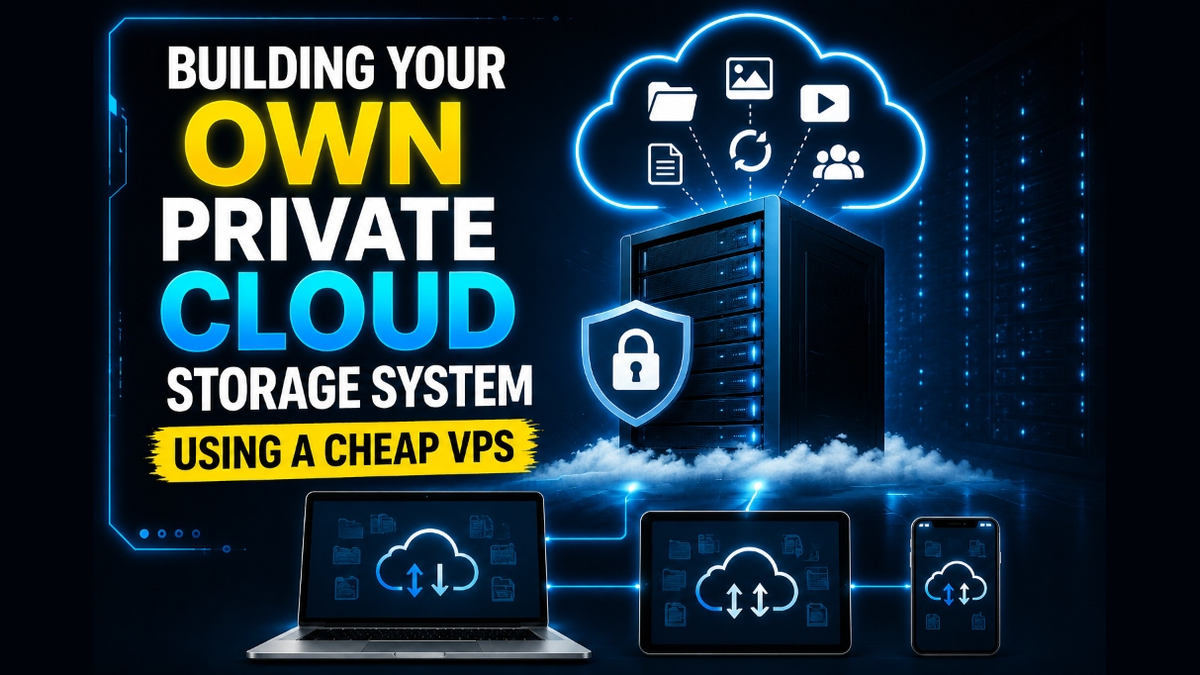
To build an enterprise-grade private cloud VPS storage system, deploy the open-source Nextcloud platform on a 64-bit Linux virtual server using an optimized stack: Nginx web server + PHP 8.2/8.3-FPM + MariaDB/PostgreSQL + Redis memory caching. This self-hosted architecture delivers complete data sovereignty, end-to-end file synchronization, and collaborative document editing without third-party recurring subscription fees. For peak performance, configure Redis for memory locking and transactional caching, enable HTTP/2 and Gzip/Brotli compression, and attach external S3-compatible or block storage volumes to scale file capacity independently.
In an era defined by privacy concerns, data breaches, and ever-increasing cloud storage subscription costs, businesses and privacy-conscious professionals are seeking sovereign alternatives to proprietary storage providers like Google Drive, Dropbox, and Microsoft OneDrive. Storing critical corporate documents, intellectual property, and customer records on commercial public clouds relinquishes operational control and subjects sensitive data to foreign regulatory jurisdictions and data harvesting algorithms.
Building your own private cloud storage solution on a virtual private server provides optimal data sovereignty across three primary infrastructure benefits: To eliminate multi-tenant noisy neighbor contention and resource bottlenecks, deploying workloads on high-capacity dedicated storage servers for enterprise private clouds guarantees dedicated physical CPU cores and non-throttled NVMe disk I/O.
- 1. Absolute Data Sovereignty: Retains exclusive physical and cryptographic control over sensitive client data and intellectual property.
- 2. Elimination of Per-Seat SaaS Taxes: Removes artificial monthly user limits and storage fees imposed by proprietary public cloud providers.
- 3. High-Speed Direct NVMe Storage: Delivers multi-gigabit read/write speeds for large file synchronizations, database backups, and media sharing.
This comprehensive deployment guide covers private cloud architecture, hardware sizing recommendations, a production-ready Nextcloud and Redis installation runbook, PHP-FPM optimization, external object storage mounts, and essential backup automation to guarantee continuous data protection.
Architecture: Self-Hosted Cloud vs. Proprietary SaaS Storage
Understanding the architectural distinctions between proprietary SaaS storage and a self-hosted private cloud server helps engineering teams justify data sovereignty investments:
- Data Ownership & Privacy: Proprietary cloud services encrypt files with vendor-controlled keys, leaving your data vulnerable to administrative inspection, lawful interception, and vendor policy changes. With a self-hosted private cloud VPS, you maintain absolute cryptographic authority with client-side zero-knowledge encryption options.
- Predictable Cost Scaling: Commercial SaaS storage pricing scales aggressively per user seat per month. In contrast, hosting Nextcloud on a virtual private server incurs a flat, predictable monthly hosting cost regardless of how many team members access the platform.
- Custom Extensibility: Commercial platforms restrict functionality to their pre-packaged feature sets. Nextcloud provides a vibrant ecosystem of over 300 modular enterprise applications, including Nextcloud Talk for encrypted video conferencing and Nextcloud Office for collaborative document processing.
Deploying your storage gateway on an high-capacity dedicated storage servers for enterprise private clouds delivers high-speed NVMe disk operations, unmetered network transfer, and dedicated RAM allocations tailored to your storage workloads.
Hardware Sizing for Nextcloud Private Cloud Deployments
Nextcloud is a PHP and relational database application. Performance is dictated by memory caching efficiency and storage I/O speed. Below are production hardware benchmarks based on concurrent user capacity: For comprehensive implementation details and operational workflows, review our guide on configuring Redis memory locking and background cron workers.
| Deployment Tier | Active Users | vCPU / RAM | Storage Architecture | Recommended Memory Cache |
|---|---|---|---|---|
| Personal / Small Office | 1 – 10 Users | 2 vCPU / 4 GB RAM | Local NVMe SSD (100GB – 500GB) | APCu + Local Redis Server |
| Mid-Sized Organization | 10 – 50 Users | 4 – 8 vCPU / 8 – 16 GB RAM | Block Storage Volume / S3 Backend | Dedicated Redis Cluster + OPcache |
| Enterprise Scale | 50+ Users | 8+ vCPU / 32 GB RAM | ZFS RAID / Object Storage Cluster | Redis Cluster with Memory Locking |
Organizations managing multi-terabyte multimedia archives or large engineering datasets should consider configuring Redis memory locking and background cron workers to leverage hardware RAID-10 storage pools, enterprise SAS drives, and dedicated physical SATA buses.
Step-by-Step Runbook: Deploying Nextcloud with Redis on Ubuntu
The following runbook establishes a secure Nextcloud deployment on Ubuntu 22.04/24.04 LTS using Nginx, PHP 8.3-FPM, MariaDB, and Redis caching:
# 1. Install Nginx, MariaDB, Redis, and required PHP modules
sudo apt update && sudo apt install -y nginx mariadb-server redis-server   php8.3-fpm php8.3-mysql php8.3-curl php8.3-gd php8.3-xml php8.3-mbstring   php8.3-zip php8.3-redis php8.3-intl php8.3-bcmath php8.3-gmp unzip

# 2. Secure MariaDB and provision Nextcloud database
sudo mysql -u root -e "CREATE DATABASE nextcloud_db CHARACTER SET utf8mb4 COLLATE utf8mb4_general_ci;"
sudo mysql -u root -e "CREATE USER 'nextcloud_user'@'localhost' IDENTIFIED BY 'StrongDatabasePassword';"
sudo mysql -u root -e "GRANT ALL PRIVILEGES ON nextcloud_db.* TO 'nextcloud_user'@'localhost';"
sudo mysql -u root -e "FLUSH PRIVILEGES;"

# 3. Download and extract the latest Nextcloud release
cd /var/www/html
sudo wget https://download.nextcloud.com/server/releases/latest.tar.bz2
sudo tar -xjf latest.tar.bz2
sudo chown -R www-data:www-data /var/www/html/nextcloud
sudo chmod -R 755 /var/www/html/nextcloud
Configuring Redis Memory Caching & Background Cron
By default, Nextcloud uses database-level locking for file synchronization, which degrades performance under concurrent file access. Enabling Redis memory locking eliminates database deadlocks. Update /var/www/html/nextcloud/config/config.php with the following cache configuration:
'memcache.local' => '\OC\Memcache\APCu',
'memcache.distributed' => '\OC\Memcache\Redis',
'memcache.locking' => '\OC\Memcache\Redis',
'redis' => [
    'host' => '127.0.0.1',
    'port' => 6379,
    'timeout' => 0.0,
],
PHP-FPM and OPcache Tuning for High-Concurrency Syncing
Nextcloud executes dozens of PHP requests per second when desktop clients index folders. Default PHP-FPM pool allocations will quickly choke under concurrent syncing. Configure /etc/php/8.3/fpm/pool.d/www.conf and /etc/php/8.3/fpm/conf.d/10-opcache.ini with these production settings:
# /etc/php/8.3/fpm/conf.d/10-opcache.ini
opcache.enable=1
opcache.interned_strings_buffer=32
opcache.max_accelerated_files=100000
opcache.memory_consumption=512
opcache.save_comments=1
opcache.revalidate_freq=60

# /etc/php/8.3/fpm/pool.d/www.conf
pm = dynamic
pm.max_children = 50
pm.start_servers = 10
pm.min_spare_servers = 5
pm.max_spare_servers = 15
pm.max_requests = 1000
Additionally, switch Nextcloud’s background job execution from AJAX mode to system cron. Open crontab using sudo -u www-data crontab -e and append: */5 * * * * php -f /var/www/html/nextcloud/cron.php. Review our architectural runbook on automating remote off-site database and snapshot backups to understand how decoupling background processing prevents web interface latency.
Scaling Storage with S3-Compatible Object Storage Backends
While local NVMe drives deliver blazing speed for Nextcloud database queries and cached thumbnails, local virtual server disks can be expensive to scale into multi-terabyte capacities. To prevent your VPS root partition from exhausting disk capacity, you can configure Nextcloud to store all user files on an external S3-compatible object storage cluster (such as MinIO, Wasabi, or Ceph RadosGW) while keeping metadata on fast local NVMe storage.
Add the primary object store definition directly to your Nextcloud config/config.php file:
'objectstore' => [
    'class' => '\OC\Files\ObjectStore\S3',
    'arguments' => [
        'bucket' => 'my-nextcloud-private-bucket',
        'autocreate' => true,
        'key'    => 'YOUR_S3_ACCESS_KEY',
        'secret' => 'YOUR_S3_SECRET_KEY',
        'hostname' => 's3.eu-central.storageprovider.com',
        'port' => 443,
        'use_ssl' => true,
        'region' => 'eu-central-1',
        'use_path_style' => true
    ]
],
Automated Offsite Backup Strategy
A self-hosted private cloud is only as reliable as its disaster recovery plan. Because your VPS hosts all master document copies, implementing the 3-2-1 backup strategy is non-negotiable:
- Database Dump Automation: Schedule nightly automated
mysqldumpexecutions using gzip compression, timestamping backups in a dedicated/backup/databasedirectory. - Restic / BorgBackup Deduplication: Use an encrypted deduplicating backup utility like Restic to take daily snapshots of the Nextcloud
data/folder, pushing encrypted chunks to off-site object storage. - Disaster Recovery Testing: Routinely test restoring backups onto a secondary virtual server to verify database integrity and file decryption workflows before a hardware failure occurs.
Storage Topologies: Local ZFS RAID vs. Ceph Distributed Storage
When designing storage for guest virtual machines in Proxmox VE, systems architects primarily evaluate two enterprise storage models: local ZFS RAID pools and Ceph distributed block storage. To strengthen overall system reliability and security, explore our technical tutorial on automating remote off-site database and snapshot backups.
For single-node unmanaged dedicated servers, ZFS RAID-10 (striped mirrors) delivers unmatched IOPS performance, near-zero computational latency, and automatic bit-rot self-healing. Every virtual machine disk image (.raw or .qcow2) benefits from direct NVMe PCIe bandwidth. In contrast, when scaling to a three-node or five-node dedicated server cluster, deploying Ceph (Proxmox Ceph Server) provides true high availability. In a Ceph topology, all storage is pooled across the cluster network, allowing virtual machines to migrate live between physical servers with zero downtime even if a physical host experiences total hardware failure.
Frequently Asked Questions
Can Nextcloud replace Google Drive and Microsoft 365 completely?
Yes. Combined with Nextcloud Office (built on Collabora Online or OnlyOffice), Nextcloud provides full document editing, spreadsheet analysis, team presentations, real-time file sharing, and mobile sync clients across Windows, macOS, Linux, iOS, and Android.
What happens if the VPS storage disk becomes full?
If the root disk reaches 100% capacity, MySQL/MariaDB will halt to prevent data corruption, rendering Nextcloud temporarily inaccessible. To prevent this, attach scalable external block storage or S3-compatible object storage buckets configured as primary or external storage mounts.
Is Nextcloud safe from ransomware and unauthorized external access?
Nextcloud includes built-in file versioning and anti-ransomware protection apps that identify abnormal file change rates and allow rollback to prior versions. Enforcing Two-Factor Authentication (2FA) and Fail2ban protection further safeguards login portals.
Why is Redis mandatory for high-performance Nextcloud hosting?
Without Redis, Nextcloud writes thousands of transactional file locks directly into relational database tables during file sync operations. Redis handles file locking in high-speed RAM, reducing server CPU load by up to 60%.
How do I upgrade Nextcloud safely without corrupting data?
Always perform upgrades via the command-line updater (sudo -u www-data php /var/www/html/nextcloud/updater/updater.phar) after creating database and file backups. CLI upgrades bypass web server PHP execution timeouts.
Conclusion: Absolute Data Sovereignty with Self-Hosted Nextcloud
Deploying Nextcloud on a private cloud VPS grants organizations absolute control over their intellectual property, client records, and collaboration documents. By removing dependency on third-party commercial cloud storage, businesses eliminate recurring subscription fees while adhering strictly to regional data residency and privacy mandates.
