

Verified Technical Architecture
Production DevOps Runbook
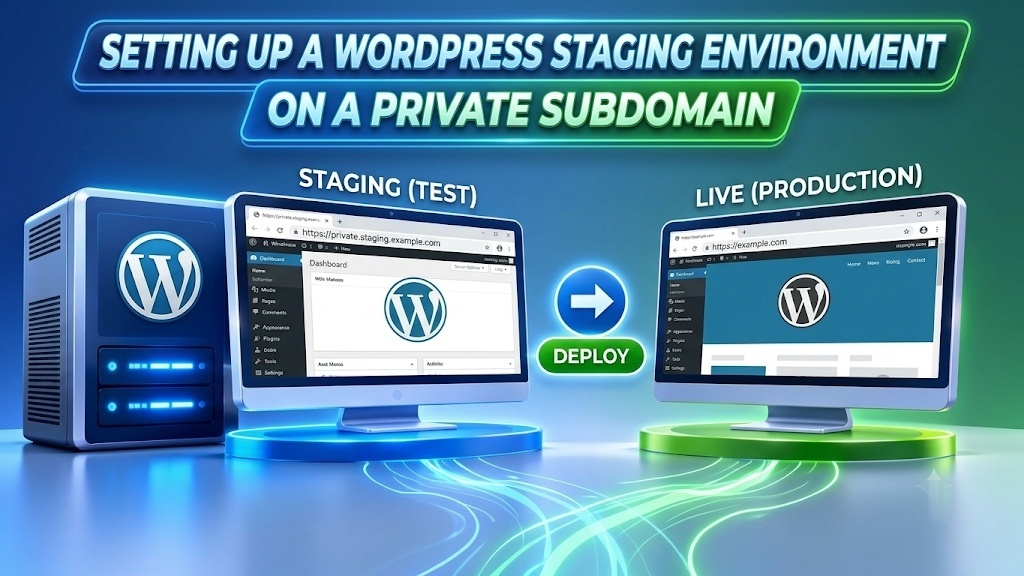
To safely setup wordpress staging environment private subdomain instances, provision an isolated DNS A record (such as staging.yourdomain.com), create an independent Nginx/Apache virtual host with separate web root directories, and replicate the production MariaDB database using an isolated database user. Prevent search engine crawler indexing and public leakage by implementing server-level HTTP Basic Authentication (.htpasswd) alongside the X-Robots-Tag: noindex, nofollow, noarchive HTTP response header, and execute serialized database URL migration via WP-CLI search-replace.
Pushing untested plugin updates, PHP version upgrades, or theme modifications directly to a production server introduces catastrophic risks of unhandled fatal errors, database lockups, and lost transaction revenue. Deploying on dedicated managed enterprise WordPress web hosting ensures complete environment parity between production and staging stacks—allowing sysadmins and engineering teams to validate updates under identical kernel parameters, PHP-FPM execution limits, and database buffer allocations.
True Environmental Parity
Mirroring identical PHP extensions, OPcache memory pools, MySQL schemas, and web server configurations eliminates discrepancies between local testing and live deployment.
Zero Production Risk
Testing major WooCommerce core versions, database schema migrations, and REST API endpoints in isolation shields active users from shopping cart dropouts and HTTP 500 errors.
Strict Access & SEO Isolation
Layering HTTP Basic Authentication with web server X-Robots-Tag response headers guarantees unreleased staging code remains completely invisible to search engine bots and unauthorized scanners.
Table of Contents: Technical Navigation Index
7 Chapters ▾
Navigate directly to detailed architectural analysis, hardware sizing benchmarks, deployment automation scripts, and peer verification resources:
True Staging Isolation Benefits
WordPress staging workflows typically fall into three categories: local development machines (e.g., LocalWP, Docker), subdirectory paths (e.g., yourdomain.com/staging), or dedicated private subdomains (e.g., staging.yourdomain.com). While local setups serve rapid theme authoring, they regularly fail to reproduce Linux kernel scheduler parameters, server-side FastCGI caching daemons, and network-level TLS handshake conditions found in production.
Conversely, staging sites deployed within subdirectories create severe configuration hazards. A subdirectory setup shares root .htaccess or Nginx location blocks with the main production website, causing rewrite rule collisions, shared cookie contexts, and potential cache poisoning. Deploying an isolated private subdomain completely decouples the application runtime, ensuring that heavy staging operations or PHP fatal exceptions never disrupt live traffic.
Database Schema Isolation
A dedicated staging MariaDB/MySQL database schema and dedicated user account prevent accidental test table drops, truncation, or deadlocks from impacting production records.
Independent Object & Page Cache
Configuring dedicated Redis key prefixes (e.g., wp_staging_) and separate Nginx FastCGI microcache zones eliminates cache poisoning between live and test builds.
Clean Filesystem Segregation
Placing staging files under an independent directory path (e.g., /var/www/staging.yourdomain.com) isolates file ownership, upload directories, and log streams.
Furthermore, hosting the staging environment on the same physical host or a dedicated VPS cluster guarantees benchmark parity. Developers can accurately measure query execution times, Time to First Byte (TTFB), and CPU usage without wondering whether a performance variance stems from hardware differences or codebase changes.
Subdomain & Virtual Host Setup
Setting up a private subdomain staging instance requires a systematic server configuration workflow. Systems engineers implement this sequence to guarantee zero cross-contamination and reproducible virtual host deployments:
DNS A-Record Provisioning
Create an authoritative DNS A record for your designated staging subdomain (e.g., staging.yourdomain.com) pointing to your target server IPv4 address. Set TTL to 300 seconds for rapid propagation during staging infrastructure deployment.
Isolated Nginx / Apache Server Block Configuration
Provision an independent virtual host configuration block in /etc/nginx/sites-available/staging.yourdomain.com with its own root /var/www/staging.yourdomain.com/public; directory, separate access_log, and dedicated error_log streams.
Automated TLS Certificate Issuance
Obtain a dedicated Let’s Encrypt SSL/TLS certificate via Certbot using certbot --nginx -d staging.yourdomain.com. This ensures modern HTTPS protocol compliance, avoids mixed-content warnings during testing, and mirrors production SSL handshakes.
When configuring server blocks, always validate web server syntax using nginx -t prior to issuing systemctl reload nginx. This operational safety rule prevents syntax errors from terminating active production connections. For deep insights on caching configurations and low-level response latency, review our technical guide on benchmarking WordPress caching and server performance.
Preventing Staging SEO Indexing
One of the most dangerous oversights in staging deployments is failing to lock down crawler visibility. If Googlebot or Bingbot crawls your staging subdomain, search engines may index cloned pages as duplicate content, splitting organic keyword rankings, or worse, outranking the canonical production URLs. Relying solely on the WordPress dashboard setting “Discourage search engines from indexing this site” is insufficient because it only produces a non-binding robots.txt directive.
A production-grade lockdown requires defense-in-depth implemented directly at the web server and firewall layers:
• Mandatory HTTP Response Header (X-Robots-Tag)
Configure the staging virtual host to return add_header X-Robots-Tag "noindex, nofollow, noarchive" always; across all HTTP responses, including PDFs, assets, and REST API endpoints.
• Web Server HTTP Basic Authentication (.htpasswd)
Gate the entire virtual host behind HTTP Basic Authentication. Unauthenticated crawlers and malicious scanners receive a 401 Unauthorized response before WordPress PHP code even initializes.
• Network IP Whitelisting & UFW Firewall Rules
For maximum isolation, restrict staging virtual host access strictly to corporate VPN subnets or static developer IP addresses using Nginx allow 198.51.100.0/24; deny all; directives.
Testing these network controls verifies that unauthenticated access requests terminate immediately with an HTTP 401 prompt. If you experience performance degradation or CPU spikes while tuning system daemons, consult our operational runbook for diagnosing server load and memory bottlenecks.
Sanitizing Cloned Databases
Simply copying a production MariaDB/MySQL database directly into a staging environment without systematic data sanitization exposes your business to catastrophic operational and legal liabilities. Left un-sanitized, staging environments may trigger automated marketing emails to real customers, attempt live credit card transactions through payment gateway APIs, or expose confidential Personally Identifiable Information (PII) to external developers, violating GDPR and data privacy frameworks.
Systems administrators must execute the six essential sanitization safeguards immediately following database replication:
WP-CLI Serialized URL Migration
Execute wp search-replace 'https://yourdomain.com' 'https://staging.yourdomain.com' --all-tables to update URLs without corrupting PHP serialized arrays.
Outgoing Email Trapping
Disable wp_mail() or route outgoing SMTP traffic to an isolated Mailpit/Mailhog collector so staging test orders never dispatch confirmation emails to real shoppers.
Payment Gateway Sandboxing
Force WooCommerce Stripe and PayPal gateways into test/sandbox mode immediately. Overwrite live secret keys in the staging database before processing test checkouts.
Customer PII Anonymization
Anonymize user email addresses, phone numbers, and customer addresses across wp_users and wp_usermeta to comply with GDPR data protection standards.
Deactivate Production Cron Jobs
Deactivate WooCommerce Action Scheduler and third-party webhook integrations to prevent duplicate marketing automations or external ERP sync calls from firing.
wp-config.php Isolation Flags
Explicitly define define('WP_ENVIRONMENT_TYPE', 'staging');, assign independent database credentials, and activate WP_DEBUG_LOG in staging wp-config.php.
Executing WP-CLI search-replace with the --dry-run flag first is a best practice. It outputs a comprehensive count of rows and tables that will be updated across wp_options, wp_posts, and serialized metadata, allowing operators to verify substitution patterns before committing permanent changes.
Selective Code Sync Workflows
The most common failure point in WordPress staging management occurs during deployment cutover. Inexperienced developers often assume that promoting staging work means dumping the staging database back into production. On active e-commerce or publishing websites, this wholesale overwrite is disastrous: it irrevocably wipes out new customer purchases, user registrations, blog comments, and order histories generated on the live site while staging work was underway.
Professional DevOps workflows decouple code deployment from database modifications. The matrix below outlines the safe, selective synchronization protocols for each layer of your WordPress stack:
By isolating code synchronization into granular stages, development teams eliminate accidental downtime and maintain flawless data continuity. For robust disaster recovery protocols before undertaking complex deployments, consult our framework on system backups and disaster recovery planning.
Production Readiness Checklist
Before transitioning any configuration modification or codebase upgrade into live production, systems administrators must complete a rigorous pre-flight checklist. This operational runbook validates that security barriers remain active and that the staging instance has not created cross-environment side effects:
✓ Database Isolation & Credential Audit
Verify staging wp-config.php is strictly scoped to the staging database schema with no shared tables, global root permissions, or production connection strings.
✓ Search Crawler Noindex Validation
Inspect staging HTTP response headers with curl -I to ensure X-Robots-Tag: noindex, nofollow, noarchive broadcasts across all pages and static media.
✓ Third-Party API & Webhook Sandboxing
Confirm Stripe, PayPal, transactional email providers, and marketing automation webhooks are switched to sandbox test modes or completely disabled.
✓ PHP Error Log & Query Telemetry
Review /var/log/php-fpm.log and WordPress debug.log to ensure zero unhandled fatal exceptions, database syntax warnings, or deprecated functions persist.
Completing this pre-flight verification ensures that your staging environment delivers a true, isolated testbed while safeguarding production stability, organic search rankings, and customer trust.
Frequently Asked Questions
01What is a WordPress staging environment and why is it necessary?▾
A staging environment is an isolated clone of your live WordPress website hosted on a private subdomain (e.g., staging.yourdomain.com). It allows developers and site owners to test core updates, plugin patches, theme code, and database migrations safely without risking live site downtime, broken user checkouts, or data loss.
02How do I prevent search engines from indexing my staging subdomain?▾
The most reliable method is configuring your web server (Nginx or Apache) to send an X-Robots-Tag: noindex, nofollow, noarchive HTTP response header across all requests. Combining this with server-level HTTP Basic Authentication (.htpasswd) ensures search engine bots receive a 401 Unauthorized response and cannot crawl any pages or media.
03Why is HTTP Basic Auth superior to a WordPress maintenance plugin?▾
WordPress maintenance plugins only activate after the PHP runtime, MySQL database connection, and WordPress core have fully booted. If your staging site experiences a fatal PHP error or database crash, the maintenance plugin fails. HTTP Basic Auth operates at the web server layer (Nginx/Apache), blocking unauthorized visitors and crawlers before PHP executes.
04How do I create an isolated database for staging?▾
Create an independent MariaDB/MySQL database schema (e.g., wp_staging_db) and grant access to a dedicated database user with a distinct password. Dump the production database and import it into the new staging schema, ensuring the staging application never connects to or modifies the live database.
05What changes are mandatory in staging wp-config.php?▾
Update DB_NAME, DB_USER, and DB_PASSWORD to match your staging database credentials. Define WP_ENVIRONMENT_TYPE = 'staging', explicitly set WP_HOME and WP_SITEURL to your staging subdomain, and enable WP_DEBUG and WP_DEBUG_LOG for error telemetry.
06How do I push staging modifications back to live without losing new orders?▾
Use version control (Git) or selective rsync for code, themes, and plugin files. Never overwrite the production database wholesale on an active site. Test plugin updates and configuration changes in staging first, then apply them cleanly to production via WP-CLI or manual administrative inputs to preserve live orders and customer accounts.
07Do staging subdomains consume additional commercial plugin licenses?▾
The vast majority of premium WordPress plugin vendors (including ACF, Elementor, WP Rocket, and WooCommerce extensions) permit staging activations on subdomains starting with staging.*, dev.*, or test.* without counting against single-site license allowances.
08How do I prevent staging from sending test emails to real customers?▾
Install an email trap utility such as Mailpit, Mailhog, or a dummy SMTP plugin on the staging instance, or add a custom filter in your child theme’s functions.php to short-circuit wp_mail(). This ensures test orders or password resets never trigger real notifications to customers.
Supercharge Your WordPress Speed & Staging Parity
Experience deterministic sub-50ms TTFB, dedicated KVM hardware isolation, and pre-configured Nginx staging automation on Onlive Server’s enterprise infrastructure. Validate your code safely before deploying to production.
