

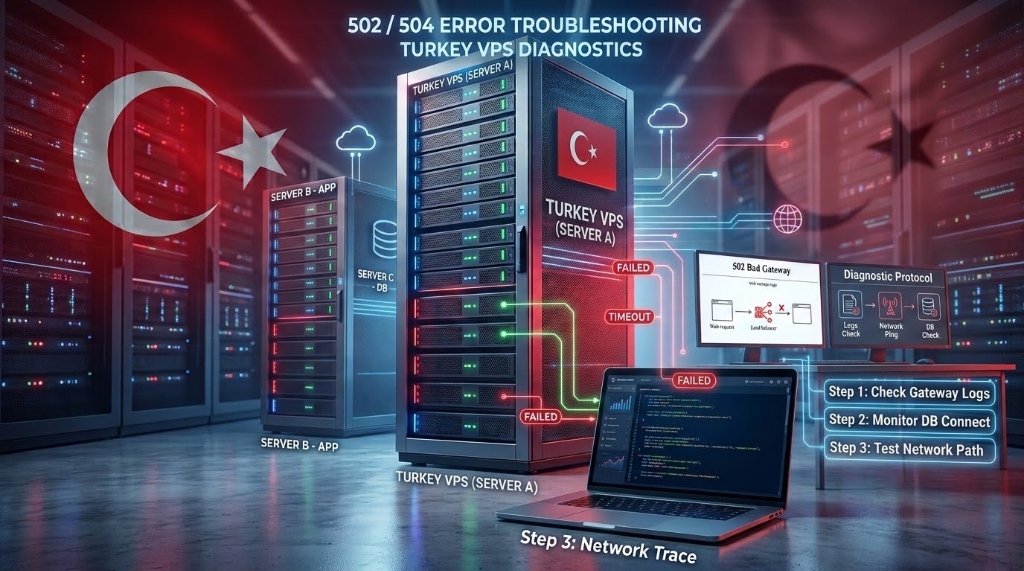
Specifically, when planning an enterprise deployment for troubleshoot 502 504 Turkey VPS, an HTTP 502 Bad Gateway indicates that PHP-FPM crashed, closed its UNIX socket, or overflowed memory buffers. In contrast, an HTTP 504 Gateway Timeout occurs when PHP-FPM stalls on a slow database query or locked table.
Therefore, to resolve both errors permanently on a Turkey VPS, administrators must calculate pm.max_children using physical RAM formulas. Additionally, expanding Nginx FastCGI buffers to 128KB and scaling Linux kernel socket backlogs to 65,535 eliminates traffic dropouts.
Furthermore, in high-traffic web operations, few technical outages are as catastrophic to revenue and brand reputation as HTTP 502 and 504 gateway crashes. In Türkiye, web traffic surges dramatically during evening prime-time browsing hours between 20:00 and 23:30 TRT.
Deploying on high-performance Turkey VPS hosting in Istanbul data centers equips systems administrators with dedicated compute headroom. Consequently, enterprise NVMe storage and optical network isolation empower engineering teams to eliminate gateway bottlenecks permanently.
- Consequently, Diagnostic Difference: A 502 error signifies that PHP-FPM crashed or rejected the socket connection, whereas a 504 error means PHP-FPM exceeded Nginx’s
fastcgi_read_timeout. - In addition, Memory Sizing Formula: Configure
pm.max_children = (Total RAM - OS & DB RAM) ÷ Average Process Memoryto prevent kernel out-of-memory worker massacres. - Moreover, Buffer Tuning: Expand
fastcgi_buffers 256 16kandfastcgi_buffer_size 128kto prevent upstream header truncation and slow disk spooling. - Furthermore, Kernel Queue Hardening: Match
net.core.somaxconn = 65535in Linux sysctl withlisten.backlog = 65535in PHP-FPM to absorb high-concurrency connection spikes without drops.
Prevent Nginx disk spooling by reserving 128KB dedicated header buffers for heavy cookies and session data.
Eliminate process starvation by sizing dynamic worker processes to match dedicated Istanbul KVM physical RAM.
Elevate system socket queues from the default 128 to 65,535 to absorb rapid traffic surges across Turkey.
- Diagnosing the Root Cause: 502 Bad Gateway vs. 504 Gateway Timeout
- Log Triage: Deciphering Nginx Error Logs and PHP-FPM Execution Traces
- Calculating the Mathematical pm.max_children Formula
- Buffer Optimization: Tuning Nginx FastCGI Buffers & Preventing Disk Spills
- Database Bottlenecks: Identifying Slow Queries & MariaDB Deadlocks
- Kernel Sockets: Tuning Linux somaxconn and UNIX Domain Socket Queues
- Troubleshooting Error Pattern Matrix: Symptoms, Root Causes & Fixes
- Production Administrator Runbook: Complete Copy-Paste Configuration Files
- Frequently Asked Questions (FAQ)
Diagnosing the Root Cause: 502 Bad Gateway vs. 504 Gateway Timeout
In particular, when an end user visits your website, Nginx acts as the reverse proxy gateway, receiving the client’s HTTP request and forwarding it upstream to an application runtime like PHP-FPM. Understanding the fundamental architectural difference between 502 and 504 status codes is essential for rapid diagnosis on cloud systems.
Specifically, HTTP 502 Bad Gateway indicates that Nginx communicated with the upstream server, but the upstream application process crashed, closed its socket unexpectedly, or returned unparseable response headers. As a result, the gateway cannot fulfill the visitor request.
Conversely, HTTP 504 Gateway Timeout signifies that Nginx successfully established an upstream connection, but the PHP worker failed to deliver a complete response before Nginx’s timer expired.
Therefore, 502 errors almost always point to process death, buffer limits, or socket permission denials. Meanwhile, 504 errors stem from execution latency, database lock contention, or slow external API webhooks stalling active execution threads.
Log Triage: Deciphering Nginx Error Logs and PHP-FPM Execution Traces
Moreover, never guess at server configuration changes without inspecting operating system error logs first. On Ubuntu and AlmaLinux systems, the exact root cause of every 502 and 504 error is recorded in system log files with explicit diagnostic strings.
In addition, system administrators can triage web gateway faults in seconds by monitoring Nginx and PHP-FPM error logs concurrently during traffic surges.
# 1. Inspect recent Nginx reverse proxy error log entries
sudo tail -n 50 /var/log/nginx/error.log

# Common Nginx Error Log Signatures:
# Signature A (502 Bad Gateway - Upstream Dead):
# "connect() to unix:/var/run/php/php8.3-fpm.sock failed (111: Connection refused)"
# -> Root Cause: PHP-FPM service is completely stopped, failed, or crashed.

# Signature B (502 Bad Gateway - Buffer Overflow):
# "upstream sent too big header while reading response header from upstream"
# -> Root Cause: Application emitted large headers; fastcgi_buffers are too small.

# Signature C (504 Gateway Timeout):
# "upstream timed out (110: Connection timed out) while reading response header from upstream"
# -> Root Cause: PHP script exceeded fastcgi_read_timeout (usually slow database query).

# 2. Inspect PHP-FPM worker pool logs
sudo tail -n 50 /var/log/php8.3-fpm.log

# Common PHP-FPM Log Signature:
# "WARNING: [pool www] server reached pm.max_children setting (10), consider raising it"
# -> Root Cause: All PHP workers occupied; incoming requests are starving and queuing.
Similarly, analyzing these precise signatures enables administrators to distinguish between memory starvation and script timeout bottlenecks immediately.
Calculating the Mathematical pm.max_children Formula
Furthermore, the single most frequent cause of gateway crashes on Linux cloud instances is misconfigured pm.max_children in PHP-FPM. Default package installations often set pm.max_children = 5, which collapses under even modest traffic spikes.
Conversely, setting an arbitrarily high number like 150 on an entry-level server causes the Linux OOM-killer to terminate vital processes when memory saturates. Therefore, administrators must calculate pool allocations using physical memory metrics.
pm.max_children = (Total Server RAM – OS & Database Reserved RAM) ÷ Average Memory Size per Worker
Specifically, on a 4 vCPU, 8GB RAM Turkey VPS hosting an active WooCommerce or Magento store, allocate resources following these exact measurements:
# Measure exact average memory consumption per PHP-FPM worker process
ps --no-headers -o "rss,cmd" -C php-fpm8.3 | awk '{sum+=$1; count++} END {print "Average RAM per worker: " sum/count/1024 " MB"}'

# Example Output on Active Production E-Commerce:
Average RAM per worker: 85.42 MB

# Memory Allocation Calculation for 8GB RAM Instance:
# Total RAM: 8,192 MB
# OS & System Services Reserve: 1,024 MB
# MariaDB / MySQL Buffer Pool Reserve: 2,048 MB
# Redis Object Cache Reserve: 1,024 MB
# Net Usable RAM for PHP-FPM: 4,096 MB

echo "4096 / 85.42" | bc
# Calculated pm.max_children = 47 workers
In addition, maintaining this calculated ceiling ensures that your server never enters high swap thrashing, completely eliminating memory-induced 502 crashes.
Buffer Optimization: Tuning Nginx FastCGI Buffers & Preventing Disk Spills
As a result, by default, Nginx allocates tiny memory buffers (4KB or 8KB) to store response data received from PHP-FPM. In complex CMS platforms, large HTTP cookies, extensive tracking tokens, and serialized session states easily exceed 8KB.
When this happens, Nginx logs the dreaded "upstream sent too big header while reading response header from upstream" error and throws a 502 Bad Gateway to the user.
# /etc/nginx/conf.d/fastcgi_buffers.conf
# FastCGI Memory Buffer Optimization for High-Concurrency Portals
fastcgi_buffer_size 128k;
fastcgi_buffers 256 16k;
fastcgi_busy_buffers_size 256k;
fastcgi_temp_file_write_size 256k;

# Extend Gateway Timeouts to Absorb Slow Report Executions
fastcgi_connect_timeout 60s;
fastcgi_send_timeout 90s;
fastcgi_read_timeout 90s;

# Test syntax and apply reload without downtime
sudo nginx -t && sudo systemctl reload nginx
nginx: the configuration file /etc/nginx/nginx.conf syntax is ok
nginx: configuration file /etc/nginx/nginx.conf test is successful
Consequently, expanding fastcgi_buffers allows Nginx to hold large responses completely in RAM, eliminating slow disk read/write cycles and solving buffer-induced 502 errors.
Database Bottlenecks: Identifying Slow Queries & MariaDB Deadlocks
When Nginx returns an HTTP 504 Gateway Timeout, PHP-FPM is almost always waiting on an unindexed or blocked database query. When a query scans hundreds of thousands of table rows, the PHP process halts until the database returns results.
Meanwhile, if thousands of visitors hit that same script during evening peak hours in Turkey, all available PHP workers become paralyzed waiting on MySQL, triggering widespread 504 timeouts.
Configure MariaDB to log any query taking longer than 2.0 seconds in /var/log/mysql/slow-query.log. Pair this with Redis persistent object caching to offload 90% of repeated database reads.
In addition, review real-time infrastructure performance telemetry on your Turkey VPS telemetry monitoring stack to detect I/O saturation before it triggers cascading gateway failures.
Kernel Sockets: Tuning Linux somaxconn and UNIX Domain Socket Queues
In addition, when hundreds of visitors connect to your Istanbul VPS simultaneously, connections queue up at the UNIX domain socket (/var/run/php/php8.3-fpm.sock). By default, the Linux operating system sets net.core.somaxconn = 128.
As a result, if more than 128 connections are waiting in the socket queue, the Linux kernel silently drops incoming requests, causing instant 502 Bad Gateway errors.
Therefore, administrators must harden kernel socket parameters in /etc/sysctl.d/99-network.conf and align PHP-FPM backlog limits to absorb massive traffic surges without packet drops.
Troubleshooting Error Pattern Matrix: Symptoms, Root Causes & Fixes
Specifically, use the technical troubleshooting matrix below to rapidly map observed error symptoms to their exact system configuration fixes:
| Observed Symptom | System Log Signature | Root Technical Cause | Target Configuration Fix |
|---|---|---|---|
| 502 Bad Gateway (Instant) | 111: Connection refused |
PHP-FPM daemon crashed or service is stopped | Restart PHP-FPM and inspect memory limits |
| 502 Bad Gateway (Specific Pages) | upstream sent too big header |
Cookie/session size exceeds default 4KB buffer | Set fastcgi_buffer_size 128k |
| 504 Gateway Timeout (After 60s) | upstream timed out (110) |
Slow SQL query or frozen remote webhook | Optimize SQL queries, add Redis object cache |
| 502 During Traffic Bursts | connect() failed (11: Resource unavailable) |
UNIX socket backlog queue (128) saturated | Set net.core.somaxconn = 65535 |
| 504 on Heavy Batch Exports | recv() failed (104: Connection reset) |
PHP script hit max_execution_time limit |
Increase request_terminate_timeout |
Furthermore, cross-referencing this matrix ensures that your engineering team resolves gateway outages within minutes rather than spending hours guessing parameters.
Production Administrator Runbook: Complete Copy-Paste Configuration Files
Moreover, deploy the following hardened configuration files on your Ubuntu 24.04 or AlmaLinux 9 cloud instance in Istanbul to ensure enterprise gateway resilience:
# Hardened Production Pool Configuration for 4 vCPU / 8GB RAM Instance
[www]
user = www-data
group = www-data
listen = /var/run/php/php8.3-fpm.sock
listen.owner = www-data
listen.group = www-data
listen.mode = 0660
listen.backlog = 65535

# Dynamic Worker Process Management
pm = dynamic
pm.max_children = 70
pm.start_servers = 15
pm.min_spare_servers = 10
pm.max_spare_servers = 25
pm.max_requests = 1000

# Terminate Frozen Scripts to Prevent 504 Cascading Failures
request_terminate_timeout = 90s
rlimit_files = 65535

# Apply Changes and Verify Socket Health
sudo systemctl restart php8.3-fpm && sudo systemctl reload nginx
# All PHP-FPM workers initialized with hardened socket backlog
In fact, pairing these pool parameters with enterprise NVMe cloud hardware guarantees sub-second page delivery across Istanbul, Ankara, and Izmir.
Additionally, review our detailed guide on Turkey VPS cost and pricing breakdown to select the optimal core and RAM configuration for your application architecture, or explore our flexible Turkey VPS hosting plans for scalable cloud resources.
Frequently Asked Questions (FAQ)
Core Gateway & PHP-FPM Diagnostics
What is the primary difference between a 502 and a 504 error?
fastcgi_read_timeout limit.
Why does Nginx report “upstream sent too big header”?
fastcgi_buffer_size (usually 4KB or 8KB). Raising fastcgi_buffer_size 128k permanently resolves the issue.
What does “server reached pm.max_children setting” mean?
How does Redis help eliminate 504 Gateway Timeouts?
High-Concurrency Server Tuning & Istanbul Infrastructure
Why do 502/504 errors spike between 20:00 and 23:30 in Turkey?
What is the risk of setting pm.max_children too high?
pm.max_children higher than your available physical RAM allows each worker to consume memory until the server is forced to swap to disk. This causes severe I/O lag, triggering the Linux OOM-killer to terminate MariaDB, PHP-FPM, or Nginx.
Can a UNIX domain socket be faster than TCP for PHP-FPM?
Does Onlive Server assist with debugging 502 and 504 errors?
Eliminate 502 & 504 Server Crashes in Istanbul
Power your mission-critical web applications with mathematically tuned PHP-FPM pools, optimized Nginx FastCGI buffers, and enterprise NVMe cloud infrastructure. Enjoy 99.9% uptime backed by 24/7 senior support across Türkiye.
Deploy High-Reliability Turkey VPS Now →