

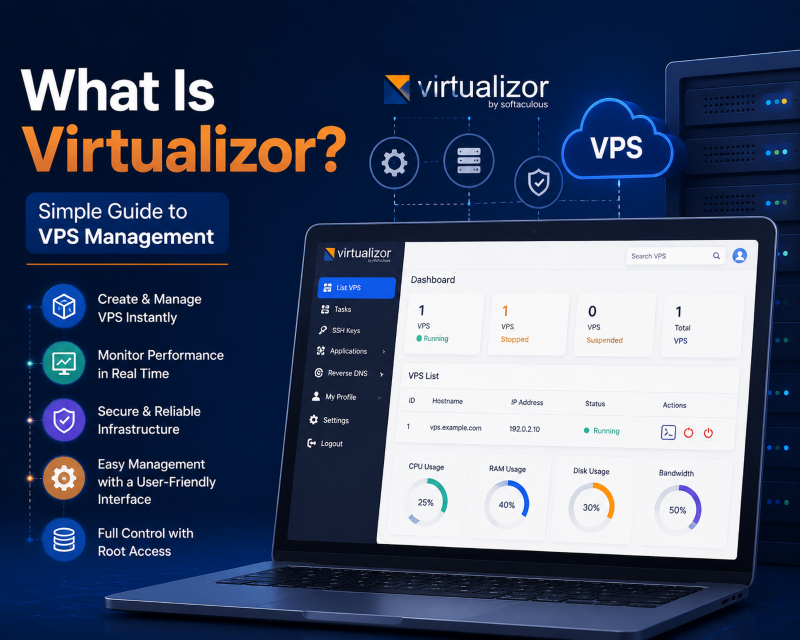
Virtualizor is an industry-leading web-based VPS control panel developed by Softaculous that allows hosting providers and developers to deploy, manage, and scale virtual machines across diverse hypervisors. Supporting KVM, Xen, Proxmox, LXC, and OpenVZ, Virtualizor features automated 1-click operating system provisioning, real-time graphical resource monitoring, integrated billing modules (WHMCS and Blesta), and an HTML5 NoVNC console for out-of-band server recovery.
Managing cloud infrastructure manually via command-line virtualization tools requires complex hypervisor scripting, bridge networking configuration, and storage pool mapping. Virtualizor abstracts this complexity into an intuitive graphical dashboard.
Whether you are a hosting provider building a commercial cloud offering or an enterprise managing private internal clusters, Virtualizor provides the automation backbone required for efficient operations.
Deploying virtual environments on a high-throughput Virtualizor-powered VPS grants full administrative autonomy backed by enterprise NVMe storage arrays.
Multi-Hypervisor Support: KVM, Xen, LXC & Proxmox
The standout architectural strength of Virtualizor is its extensive multi-hypervisor compatibility. Hosting administrators are not locked into a single virtualization technology.
Kernel-based Virtual Machine (KVM) provides complete hardware emulation with dedicated kernel spaces, enabling both Linux and Windows installations with uncompromised tenant isolation.
For container-based hosting where maximum density and low resource overhead are required, Virtualizor supports LXC and OpenVZ, allowing hundreds of lightweight containers to run on a single host node.
Enterprises running multi-node clusters can deploy Virtualizor Master-Slave architecture across robust dedicated bare-metal server nodes across global datacenters.
Automated Operating System Templates & Provisioning
Virtualizor maintains a cloud repository containing over 100 pre-configured operating system templates, including modern Linux distributions (Ubuntu 24.04, AlmaLinux 9, Debian 12) and Windows Server releases.
When an order is placed, Virtualizor automatically clones the base template, resizes virtual disk partitions, injects network interface IP configurations, and generates root credentials within seconds.
In addition to standard operating systems, 1-click application templates deploy ready-to-run stacks such as cPanel, Plesk, Webmin, Docker, and WordPress with zero manual configuration.
Securing Virtualizor web portals and customer billing gateways requires installing a trusted, trusted SSL certificate to encrypt administrative logins and API communications.
WHMCS Billing Integration and Cloud Automation
For hosting service providers, billing automation is essential. Virtualizor features native integration modules for leading billing engines such as WHMCS, Blesta, and HostBill.
When a client submits payment, WHMCS communicates with the Virtualizor Master API to provision the virtual machine, assign IP addresses, and send welcome instructions automatically.
Clients can reboot servers, reinstall operating systems, view bandwidth usage, and access VNC consoles directly from their WHMCS client area without logging into separate panels.
| Core Feature | Enduser Capabilities | Administrator Capabilities |
|---|---|---|
| Power Management | Start, Stop, Restart, and ACPI Poweroff | Mass start/stop, hypervisor node rebooting |
| OS Deployment | 1-click reinstall from 100+ templates | Create and distribute custom ISO/OS images |
| Out-of-Band Console | HTML5 NoVNC / Web VNC in-browser | Direct hypervisor VNC & SSH tunnel access |
| Disaster Recovery | Point-in-time snapshots and local backups | Automated hourly/daily backups to remote S3/NFS |
| API Programmability | API keys for custom script automation | Comprehensive REST API with billing webhooks |
Disaster Recovery & Automated Backup Pipelines
Data protection is built into Virtualizor’s architecture. Administrators can schedule automated hourly, daily, or weekly backups stored on local secondary disks or remote storage nodes via SSH, FTP, or Amazon S3.
In the event of hardware failure or software corruption, virtual machines can be restored to their exact prior state within minutes, minimizing downtime for business clients.
Endusers can also capture manual point-in-time snapshots prior to running experimental commands, providing instant rollback assurance.
Two-Factor Authentication Security: Virtualizor supports TOTP two-factor authentication (Google Authenticator), preventing unauthorized access to server management consoles.
Master-Slave Multi-Server Management: A single Virtualizor Master panel can manage thousands of slave hypervisors across diverse geographical locations from a unified dashboard.
High-Availability IP Failover Routing: Virtualizor coordinates virtual IP failover between hypervisors, ensuring seamless service continuity during physical hardware maintenance.
Automated Hypervisor Node Load Balancing: Virtualizor Master servers actively monitor slave hardware utilization, allowing administrators to live-migrate virtual machines between physical nodes with zero service downtime.
Role-Based Reseller Management: Virtualizor includes built-in reseller administration modules, enabling hosting companies to allocate resource pools (RAM, CPU, IP subnets) to white-label hosting partners.
Integrated Storage Pool Management: The platform supports diverse storage backends including local LVM thin pools, Ceph distributed block storage, and NFS shares, giving infrastructure architects maximum storage design flexibility.
Custom ISO Image Mounting: Endusers can upload and boot custom operating system ISO images directly from the Virtualizor panel, enabling specialized appliance deployments without hosting support intervention.
Automated Billing and Provisioning Synchronization: Built-in API hooks connect Virtualizor to popular billing platforms, completely automating virtual machine deployment, suspension, and resource upgrades without manual operator intervention.
Cloud Scalability for Resellers: Reseller hosting companies can partition large bare-metal servers into dozens of isolated virtual instances, managing resource allocations dynamically from a centralized web console.
High Availability, Live Migration, and Cluster Architecture in Virtualizor
For modern cloud service providers and enterprise hosting environments, standalone hypervisor nodes represent an unacceptable single point of failure. Virtualizor enables multi-node clustering with high availability (HA) monitoring that protects client workloads from hardware failure.
When integrated with distributed storage clusters such as Ceph, GlusterFS, or SAN networks, Virtualizor supports seamless live VM migration. Administrators can transfer running virtual instances across physical host servers without dropping TCP network connections or interrupting active database transactions.
Automated node health polling constantly checks CPU load, memory thresholds, and disk temperature across all connected hypervisor slaves. If a hardware failure occurs on a master or slave node, Virtualizor initiates automated failover routines, spinning up affected virtual machines on standby compute nodes.
Enterprise Storage Backing and Network Fabric Integration
Storage management is where Virtualizor delivers true enterprise scalability. The platform supports LVM-thin pools, ZFS storage arrays, raw block storage, and NFS datastores, giving administrators maximum architectural flexibility.
- Ceph Distributed Storage: Provides fault-tolerant, self-healing block storage that enables instant live migration without data duplication.
- ZFS Compression and Snapshots: Leverages native ZFS LZ4 compression and instant copy-on-write snapshots to optimize NVMe storage utilization.
- VLAN and VXLAN Software Defined Networking: Isolates client subnets and provisions private multi-server virtual datacenters securely.
- Automated IP Address Management (IPAM): Prevents IP conflicts by automating IPv4 subnet allocation, RDNS records, and IPv6 routing pools.
Security Isolation, Role-Based Access Control, and API Automation
Hosting automation requires granular security policies to ensure that end users and reseller tenants cannot compromise parent hypervisor environments. Virtualizor features robust role-based access control (RBAC), allowing host administrators to delegate specific operational privileges.
Every function in the Virtualizor graphical interface is backed by a fully documented RESTful API. Developers can automate server provisioning, snapshot creation, bandwidth limit adjustments, and operating system reinstalls directly within custom billing software and DevOps CI/CD pipelines.
- Two-Factor Authentication (2FA): Enforces TOTP multi-factor verification across admin, reseller, and end-user access portals.
- Comprehensive Audit Logs: Tracks every panel action, API call, reboot command, and console session with timestamped IP logs.
- Granular API Tokens: Restrict programmatic tokens to specific IP subnets and read-only or task-specific operational scopes.
- Automated Abuse Mitigation: Triggers automatic bandwidth throttling or temporary server suspension when suspicious network spikes are detected.
Automated Billing Synchronization with WHMCS and Blesta Modules
Virtualizor features enterprise billing automation modules that integrate directly with commercial hosting billing platforms such as WHMCS, HostBill, and Blesta. When a customer purchases a VPS package online, the billing software triggers instant provisioning hooks via the Virtualizor API.
The hypervisor partitions physical NVMe storage, assigns public IPv4 addresses, and installs the client’s chosen Linux or Windows template within two minutes. Automated suspension hooks lock overdue customer VMs instantly, protecting hosting service margins without manual administrator intervention.
Conclusion: Unlocking Scalable Cloud Infrastructure with Virtualizor
Virtualizor stands out as an exceptional virtualization management control panel, successfully bridging the gap between raw hypervisor power and streamlined commercial automation. Its native support for major virtualization technologies, automated billing hooks, and robust clustering tools makes it an indispensable asset for hosting providers.
Whether deploying single-server developer testbeds or managing multi-datacenter enterprise clouds, leveraging Virtualizor provides the reliability, agility, and centralized control essential for modern digital operations.
Frequently Asked Questions
What is the main difference between cPanel and Virtualizor?
cPanel is a web hosting control panel used to manage websites, emails, and databases on a single OS, whereas Virtualizor is a hypervisor panel that creates and manages entire virtual private servers.
Can Virtualizor run on a bare-metal dedicated server?
Yes! Virtualizor is designed to be installed directly on bare-metal servers running CentOS, AlmaLinux, Ubuntu, or Debian, converting the physical server into a virtualization host node.
Does Virtualizor support Windows virtual machines?
Yes! Under KVM or Xen hypervisors, Virtualizor includes pre-made Windows Server templates with VirtIO drivers integrated, enabling full Windows VPS hosting.
Can I access my server via VNC if SSH goes offline?
Yes! Virtualizor provides an integrated HTML5 NoVNC console that connects directly to the hypervisor, allowing you to debug network misconfigurations or repair broken firewall rules.
How does Virtualizor integrate with WHMCS?
Virtualizor provides a free WHMCS module that automatically provisions, suspends, unsuspends, and terminates VPS instances based on customer invoice payments.
Configuring automated storage pool failover and automated template caching within Virtualizor accelerates virtual machine provisioning. System administrators can reliably spin up fresh container environments in seconds during peak traffic spikes.