

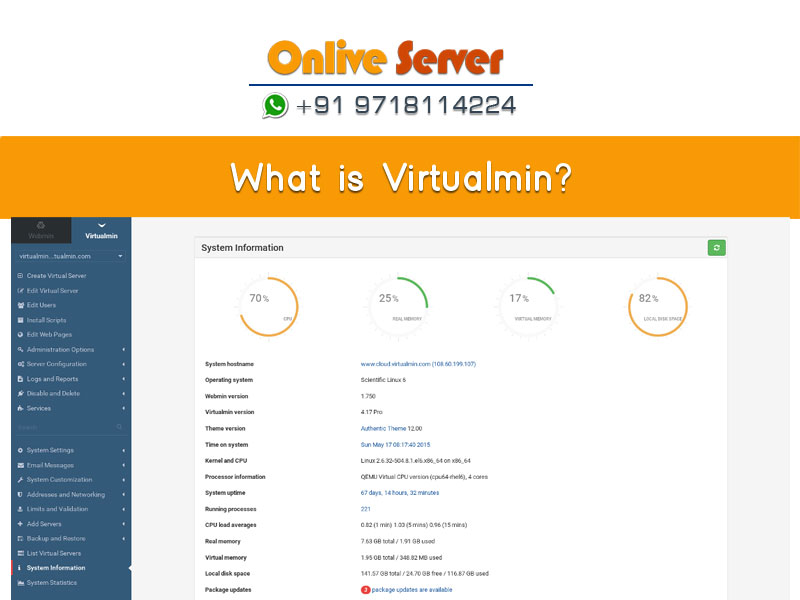
Quick Answer: What Is Virtualmin?
Virtualmin is a powerful open-source web hosting control panel built on top of Webmin. Released under the GNU General Public License (GPL) with an optional commercial Pro edition, Virtualmin manages multi-tenant virtual servers (domains), email mailboxes, databases, DNS zones, and web applications across Linux servers without altering native operating system configuration files.
Skyrocketing licensing fees across the commercial web hosting control panel market have driven hosting providers, agencies, and sysadmins to evaluate robust open-source alternatives. Understanding what is virtualmin reveals one of the most mature, feature-rich, and reliable alternatives to cPanel/WHM in existence. Built as an enterprise multi-tenant hosting extension on top of the battle-tested Webmin system administration suite, Virtualmin provides comprehensive domain management, automated SSL certificates, multi-PHP runtime environments, and carrier-grade mail services without recurring per-account licensing penalties. This architectural evaluation explores Virtualmin’s technical design, its Webmin integration, and how it compares to commercial panels.
Under the Hood: Virtualmin & Webmin Architectural Integration
Virtualmin operates differently from proprietary panels like cPanel or Plesk:
- Dual-Layer Management: Webmin acts as the lower-level operating system administration engine (managing disk storage, firewalls, and network routing), while Virtualmin acts as the upper-level multi-tenant web hosting layer (managing virtual servers, email users, and database permissions).
- Non-Invasive Native File Storage: Virtualmin edits standard Linux configuration files directly. It creates native Linux user accounts and home directories (
/home/domainname/), eliminating reliance on opaque proprietary databases. - Lightweight Miniserv Engine: Runs on port 10000 via its own standalone Perl web server, keeping idle memory consumption under 200MB of RAM.
Virtualmin vs. cPanel / WHM Architectural Comparison
The table below highlights the architectural and operational differences between Virtualmin and cPanel:
| Architecture Dimension | Virtualmin GPL / Pro | cPanel / WHM |
|---|---|---|
| Licensing Model | 100% Free GPL (Unlimited Domains) / Low-Cost Pro | Strict Per-Account Monthly Licensing |
| Operating System Integration | Direct Native Linux Files (Non-Invasive) | Proprietary cPanel Filesystem & Hooks |
| Idle RAM Footprint | 150 MB – 250 MB | 1.5 GB – 2 GB+ |
| Command-Line Interoperability | 100% Seamless Terminal Interoperability | Manual CLI Edits May Cause State Drift |
Virtualmin’s Server Templates allow hosting providers to enforce strict resource governance across reseller tiers. Integrating Linux cgroups limits ensures fair CPU and disk I/O scheduling among tenants. Deploying Virtualmin on enterprise bare-metal servers provides complete administrative sovereignty without monthly software licensing fees.
For sysadmins deploying Virtualmin on agile cloud infrastructure, our high-speed Linux VPS hosting provides dedicated vCPU threads, NVMe storage IOPS, and complete root access.
- Modular Webmin Core: Transparent management using standard Linux configuration files.
- Linux Filesystem Quotas: Enforced block and inode limits preventing storage monopolization.
- Hardened Mail Subsystem: Automated DKIM, SPF, and DMARC record generation within BIND DNS.
- PostgreSQL & MariaDB Support: Comprehensive multi-database management within one console.
For high-density hosting environments hosting hundreds of client domains without per-account licensing constraints, explore our bare metal dedicated server infrastructure featuring 1Gbps unmetered bandwidth.
To learn more about the underlying system administration foundation that powers Virtualmin, review our comprehensive guide on what is Webmin and why administrators prefer it.
Enterprise Virtualmin Administration: Server Templates & Mail Server Hardening
Virtualmin is widely recognized by systems engineers as one of the most flexible and robust open-source alternatives to cPanel. Built directly on top of Webmin’s modular administrative core, Virtualmin manages Linux virtual hosts through standard system configuration files rather than proprietary black-box databases. This native architecture guarantees that all server configurations remain 100% inspectable, auditable, and version-controllable via the standard Linux CLI.
Unlike proprietary control panels that lock web server directives inside compiled relational databases, Virtualmin writes native Apache/Nginx virtual hosts and BIND zone files. If the control panel interface is stopped or disabled, all web, DNS, and mail daemons continue running without any operational downtime.
1. Automating Provisioning with Virtualmin Server Templates
In high-density hosting environments hosting hundreds of virtual servers, manual configuration introduces configuration drift and security vulnerabilities. Virtualmin’s Server Templates feature enables system administrators to establish immutable baseline profiles that apply automatically during new domain creation:
- Runtime Environment Assignment: Automatically assign dedicated PHP-FPM execution pools with targeted PHP versions (e.g., PHP 8.1, 8.2, or 8.3) tailored to individual client requirements.
- Authoritative DNS Generation: Automatically construct BIND 9 zone records pre-configured with authoritative SOA, NS, MX, SPF, and DKIM entries.
- Skeleton Directory Structures: Auto-populate
/home/username/public_htmlwith customized index pages, security headers (.htaccess / nginx.conf directives), and SSL redirect rules. - Kernel Disk & Inode Quota Enforcement: Establish hard and soft limits for filesystem block consumption and maximum file counts (inodes) to eliminate disk exhaustion risks.
# Inspect real-time disk block and inode quotas across hosted virtual users
sudo repquota -avug | grep -E "(home|User)"

# Apply soft (10GB) and hard (12GB) disk quotas to a specific virtual tenant
sudo setquota -u virtualtenant1 10485760 12582912 0 0 /home
2. Hardening the Postfix & Dovecot Mail Subsystem
Hardening the mail subsystem is critical for business-grade infrastructure. Virtualmin orchestrates Postfix for Mail Transfer Agent (MTA) operations and Dovecot for secure IMAP/POP3 authentication. To maintain high sender reputation and prevent IP blacklisting, administrators should apply multi-layer cryptographic authentication and transport security:
- Automated DKIM Key Generation: Virtualmin automatically generates 2048-bit RSA cryptographic keys and publishes the corresponding public TXT record directly to BIND DNS for cryptographic signing.
- Strict SPF & DMARC Policies: Configure automated SPF (
v=spf1 mx a -all) and strict DMARC alignment policies (p=reject) to prevent domain spoofing and phishing abuse. - Modern TLS Cipher Suite Enforcement: Restrict Postfix and Dovecot to TLS 1.2 and TLS 1.3 protocols only, explicitly disabling insecure SSLv2, SSLv3, and TLS 1.0/1.1 handshakes.
- Multi-Engine Antivirus & Spam Filtering: Integrate Postfix with SpamAssassin Bayesian scoring filters and ClamAV real-time daemon scanners to quarantine malware attachments before inbox arrival.
# Enforce mandatory TLS encryption and reject obsolete protocols
smtpd_tls_security_level = may
smtpd_tls_mandatory_protocols = !SSLv2, !SSLv3, !TLSv1, !TLSv1.1
smtpd_tls_protocols = !SSLv2, !SSLv3, !TLSv1, !TLSv1.1
smtpd_tls_mandatory_ciphers = high
tls_high_cipherlist = ECDHE-ECDSA-AES128-GCM-SHA256:ECDHE-RSA-AES128-GCM-SHA256:ECDHE-ECDSA-AES256-GCM-SHA384
Advanced PHP Execution Modes & Multi-Tenant Resource Isolation
One of Virtualmin’s strongest operational advantages in multi-tenant cloud hosting is its granular isolation of PHP execution handlers. System administrators can configure each virtual host with tailored execution mechanisms depending on performance requirements:
1. PHP-FPM Pool Architecture vs. Legacy CGI/FCGId
While legacy systems relied on suPHP or CGI handlers that spawn heavy new processes for every HTTP request, modern Virtualmin deployments utilize dedicated PHP-FPM (FastCGI Process Manager) pools:
- Dedicated Unix UID/GID Isolation: Each virtual host executes under its own distinct Linux system account, ensuring one tenant cannot inspect or modify another tenant’s PHP sessions, temporary files, or cached data.
- Concurrent Multi-Version PHP: Run multiple active PHP runtimes simultaneously (e.g., legacy apps on PHP 7.4 alongside modern microservices on PHP 8.3) without system library conflicts.
- Dynamic Worker Process Scaling: Fine-tune master and worker pool parameters (
pm.max_children,pm.start_servers,pm.min_spare_servers) to optimize RAM utilization under spiky web traffic.
[virtualtenant1]
user = virtualtenant1
group = virtualtenant1
listen = /run/php/php8.3-fpm-virtualtenant1.sock
listen.owner = virtualtenant1
listen.group = www-data
listen.mode = 0660
pm = dynamic
pm.max_children = 20
pm.start_servers = 3
pm.min_spare_servers = 2
pm.max_spare_servers = 6
2. Linux Kernel Cgroups & Systemd Resource Governance
To eliminate the classic “noisy neighbor” problem in shared cloud environments, Virtualmin integrates natively with Linux cgroups (Control Groups) and systemd resource accounting. Administrators can enforce hardware resource governance per tenant:
- CPU Core Quota Capping: Restrict tenant execution slices to defined percentages (e.g.,
CPUQuota=150%) to prevent runaway loops from starving other tenants of processor cycles. - Memory Ceilings & OOM Protection: Establish hard RAM ceilings (
MemoryMax=2G). If a rogue script exceeds allocated memory, systemd terminates that individual worker without affecting the parent hypervisor. - Block I/O Throttling: Set read/write IOPS limits on high-concurrency NVMe drives to prevent massive unindexed database queries from saturating server bus throughput.
# Impose dynamic CPU and RAM caps on tenant slice without rebooting
sudo systemctl set-property virtualmin-tenant1.service CPUQuota=150%
sudo systemctl set-property virtualmin-tenant1.service MemoryMax=2048M

# Monitor real-time cgroup consumption across all tenant slices
systemd-cgtopFor high-traffic multi-tenant clusters or mission-critical WooCommerce stores, deploying Virtualmin on a high-throughput cheap dedicated server hosting solution delivers 100% dedicated hardware cores, unshared NVMe arrays, and bare-metal kernel throughput with zero hypervisor tax.
Frequently Asked Questions (FAQ)
Is Virtualmin completely free to use for unlimited domains?
Yes. Virtualmin GPL is 100% free open-source software and imposes zero limits on the number of domains, mailboxes, or databases you can host on your server.
Can Virtualmin run multiple PHP versions simultaneously?
Yes. Virtualmin supports multiple PHP versions concurrently using PHP-FPM. You can assign different PHP versions (e.g., PHP 7.4, 8.1, 8.2, 8.3) to individual virtual servers.
How does Virtualmin handle automated SSL certificates?
Virtualmin includes native Let’s Encrypt integration. It automatically requests, installs, and renews SSL/TLS certificates for web, mail, and FTP services with zero manual effort.
Can I migrate cPanel backup archives into Virtualmin?
Yes. Virtualmin includes a built-in cPanel migration module that can unpack standard cPanel backup-*.tar.gz archives, automatically restoring website files, databases, mail accounts, and DNS records.
Which web servers does Virtualmin support?
Virtualmin natively supports Apache HTTP Server and Nginx, allowing administrators to choose their preferred web server during initial installation.
Which network port does Virtualmin use?
Virtualmin runs inside Webmin over HTTPS on TCP port 10000 (https://your-server-ip:10000).
Conclusion: Enterprise Multi-Tenant Hosting Freedom
Virtualmin demonstrates that web hosting providers do not need to be locked into expensive proprietary licensing models. By providing complete multi-tenant hosting management, non-invasive Linux configuration, and low memory overhead, it delivers an enterprise-grade platform capable of hosting thousands of websites with rock-solid stability. Deploy Virtualmin on NVMe cloud VPS or dedicated bare-metal servers to liberate your hosting business from commercial licensing constraints.
