

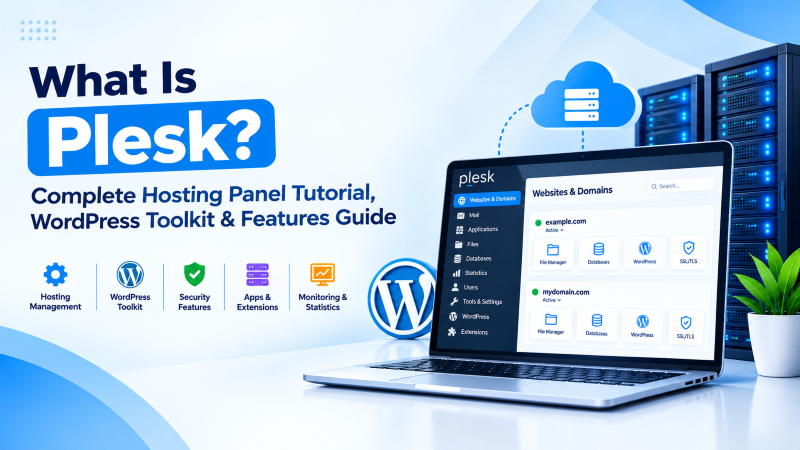
Quick Answer: What Is Plesk?
Plesk is a leading commercial web hosting and server management control panel capable of managing Linux (Ubuntu, Debian, AlmaLinux, Rocky Linux) and Windows Server environments. Operating on HTTPS port 8443, Plesk provides automated domain provisioning, Nginx reverse proxy caching, multi-PHP version switching, comprehensive DNS and email services, and an industry-standard WordPress Toolkit for automated staging, cloning, and security hardening.
Orchestrating multi-tenant web hosting environments across diverse operating systems requires a control panel architecture built for speed, security, and automation. Understanding what is plesk reveals one of the most widely deployed commercial hosting management platforms in the global IT industry. Developed by WebPros, Plesk Obsidian powers millions of websites and cloud servers worldwide. Known for its unified web interface, automated WordPress Toolkit, and seamless cross-platform support for both Linux and Microsoft Windows Server, Plesk provides digital agencies, web developers, and cloud hosts with an intuitive yet powerful management console. This architectural tutorial analyzes Plesk’s core design, performance optimizations, and security best practices.
Under the Hood: Plesk Obsidian Web Architecture
Plesk Obsidian delivers exceptional performance by pairing modern web server components:
- Nginx + Apache Hybrid Web Stack: Nginx functions as a high-speed reverse proxy front-end, serving static assets directly from memory and offloading dynamic requests to Apache PHP-FPM workers.
- Integrated WordPress Toolkit: A comprehensive management suite that automates WordPress core updates, plugin staging, database synchronization, and one-click security hardening across hundreds of sites.
- Cross-Platform Parity: Unlike cPanel (which runs exclusively on Linux), Plesk supports both Linux and Windows Server (IIS, ASP.NET, MSSQL), making it the premier choice for mixed infrastructure environments.
Plesk vs. cPanel Architectural Comparison
The table below illustrates key differences between Plesk and cPanel:
| Architecture Dimension | Plesk Obsidian | cPanel / WHM |
|---|---|---|
| Supported Operating Systems | Linux & Microsoft Windows Server | Linux Only |
| WordPress Management | Native WordPress Toolkit Standard | WP Toolkit / cPAddons Extension |
| Dashboard Interface | Single Unified Modern GUI | Dual Dashboard (WHM + cPanel) |
| Default Admin Port | TCP Port 8443 (HTTPS) | TCP Port 2087 (WHM HTTPS) |
Plesk Obsidian is the premier platform for digital agencies managing varied client workloads. Running staging sites on local Docker containers alongside production LAMP/LEMP websites streamlines feature rollouts. Pairing Plesk with dedicated NVMe server hardware delivers blistering Time-to-First-Byte (TTFB) scores across all hosted domains.
For digital agencies deploying Plesk on agile cloud infrastructure, our high-speed Linux VPS hosting delivers dedicated vCPU threads, NVMe storage IOPS, and complete root access.
- Multi-OS Flexibility: Standardized administration across Linux and Windows Server platforms.
- WordPress Toolkit: 1-click mass security hardening and AI-assisted Smart Update testing.
- Docker Container Integration: Pull and manage microservices directly from Plesk’s web dashboard.
- Git Push-to-Deploy: Automated continuous deployment pipelines from GitHub and GitLab repositories.
For large-scale enterprise deployments hosting hundreds of high-traffic WordPress websites or Windows ASP.NET applications, our bare metal dedicated server infrastructure provides unshared hardware power and 1Gbps unmetered bandwidth.
To learn how cPanel compares for web hosting control and domain administration, review our detailed guide on what is cPanel and how to use hosting control panel features.
Advanced Plesk Obsidian Workflows: Docker Containers & WordPress Toolkit
Plesk Obsidian has established itself as an indispensable web management platform for digital agencies, system administrators, and web developers worldwide. One of its standout architectural capabilities is native support for both Linux (CentOS, AlmaLinux, Ubuntu, Debian) and Windows Server environments, providing a standardized administrative experience across heterogeneous server fleets. Beyond basic web hosting tasks, Plesk Obsidian integrates enterprise developer workflows directly into the control panel, significantly reducing manual DevOps overhead.
A flagship feature of Plesk Obsidian is its comprehensive WordPress Toolkit. In production agency environments managing dozens or hundreds of client WordPress installations, WP Toolkit eliminates manual maintenance burdens. It allows administrators to perform mass security hardening across all hosted sites with a single click—automatically disabling directory indexing, blocking access to sensitive configuration files (such as wp-config.php), restricting XML-RPC pingbacks to thwart DDoS reflection attacks, and enforcing strict file permissions. Furthermore, automated 1-click staging-to-production cloning and intelligent Smart Updates—which use AI visual comparison testing to ensure plugin updates never break frontend page layouts—guarantee frictionless site maintenance.
For modern application developers, Plesk Obsidian includes seamless Docker container management. Administrators can pull container images directly from Docker Hub, configure port bindings, set persistent storage volume mappings, and define environment variables directly from Plesk’s web GUI. This makes it effortless to deploy microservices—such as Redis caches, RabbitMQ message brokers, Elasticsearch instances, or custom Node.js/Python apps—alongside traditional LAMP/LEMP websites on the same dedicated server or cloud instance.
Git deployment integration completes Plesk’s developer-first toolchain. Developers can link hosted web roots directly to remote repositories on GitHub, GitLab, or Bitbucket. By configuring automated Git push-to-deploy webhooks, any code committed to production or staging branches automatically updates the live website, executes automated build scripts (such as npm build or composer install), and clears caches without requiring manual SSH intervention.
Advanced PHP-FPM Process Tuning & Redis Object Cache Integration
Achieving peak performance for high-traffic web applications in Plesk Obsidian requires fine-tuning the underlying PHP-FPM process manager directives. By default, Plesk assigns dynamic process management, which spawns worker processes on demand. For mission-critical websites experiencing heavy, continuous visitor traffic, switching the process manager to ondemand or tuning pm.max_children and pm.process_idle_timeout based on available physical RAM eliminates the latency overhead of continuous process creation and destruction, significantly reducing Time to First Byte (TTFB).
To further accelerate database-driven CMS platforms like WordPress and Drupal, administrators can deploy Redis as a local in-memory object cache managed directly via Plesk’s Docker extension or native package manager. Connecting web applications to Redis over high-speed Unix domain sockets (/var/run/redis/redis.sock) rather than standard TCP networking eliminates network stack overhead, caching frequently queried SQL data and transients directly in RAM. Combined with automated HTTP/2 and HTTP/3 (QUIC) network protocol activation within Plesk’s web server settings, hosted websites achieve near-instantaneous page render speeds and superior Core Web Vitals scores.
Conclusion: Cross-Platform Power for Modern Web Professionals
Plesk Obsidian sets the standard for modern hosting automation by delivering cross-platform Linux and Windows management, a class-leading WordPress Toolkit, and seamless Nginx caching. Its intuitive interface and enterprise feature set empower web professionals to manage complex hosting environments with confidence. Deploy Plesk on high-speed NVMe cloud VPS or dedicated bare-metal servers to establish an enterprise-grade hosting foundation ready for sustained digital growth.
Frequently Asked Questions (FAQ)
What is the primary difference between Plesk and cPanel?
Plesk supports both Linux and Windows Server environments and provides a single unified dashboard, whereas cPanel runs exclusively on Linux and separates administration into WHM (server management) and cPanel (site management).
What is the WordPress Toolkit in Plesk?
The WordPress Toolkit is Plesk’s premier management extension. It enables one-click staging, cloning, automated security audits, plugin mass-updates, and smart updates without requiring separate plugins.
Which network port does Plesk use for administration?
Plesk operates over HTTPS on TCP port 8443 (https://your-server-ip:8443).
Does Plesk support Docker containers?
Yes. Plesk includes native Docker integration, allowing administrators to search Docker Hub, launch containerized microservices, and bind ports directly from the GUI.
Does Plesk automate Let’s Encrypt SSL certificates?
Yes. Plesk includes the SSL It! extension, which provides automated issuance and renewal of free Let’s Encrypt SSL/TLS certificates across domains, subdomains, and webmail portals.
Can Plesk run on Microsoft Windows Server?
Yes. Plesk is the premier control panel for Windows Server, managing IIS web servers, Microsoft SQL Server databases, and ASP.NET framework runtimes natively.
