

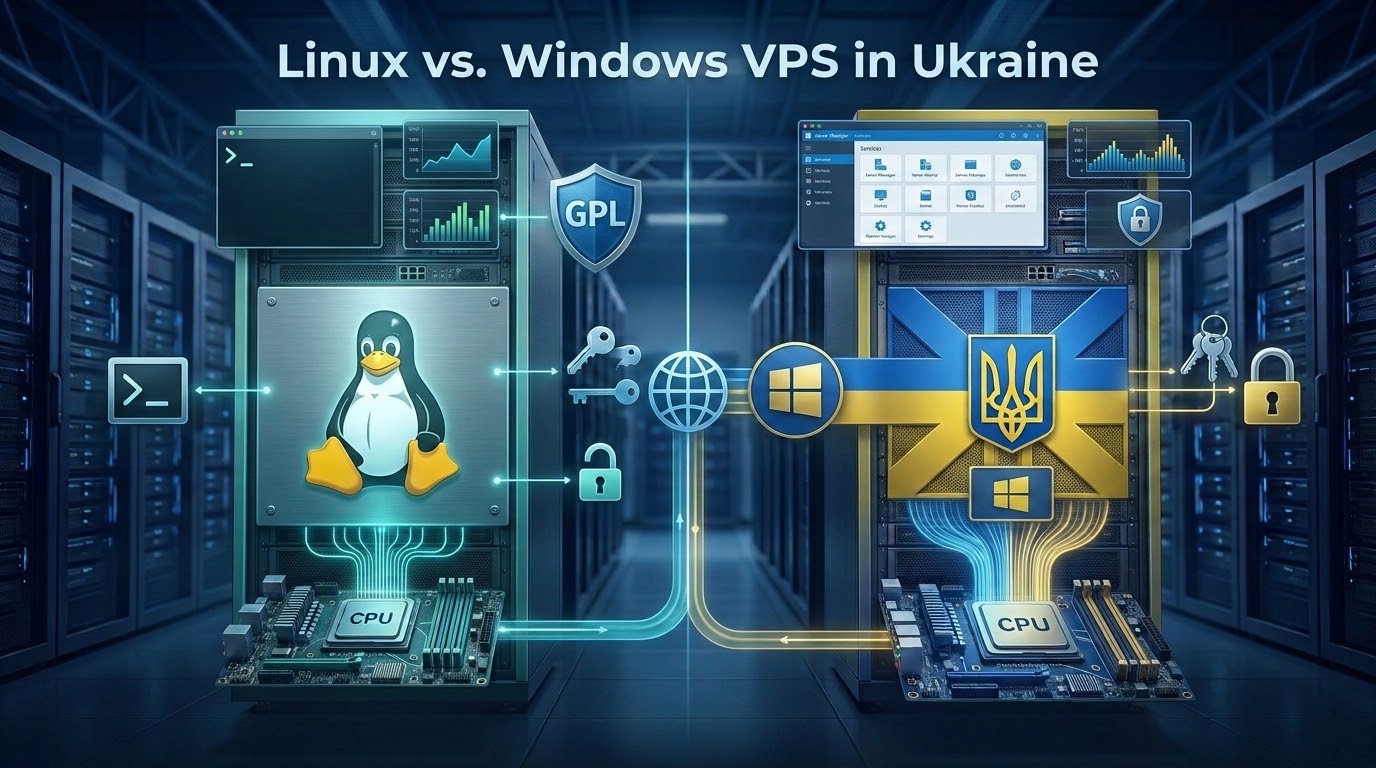
Linux VPS distributions (Ubuntu, Debian, AlmaLinux) are open-source and require fewer hardware resources (<512MB RAM baseline). They are ideal for command-line web hosting, Docker, and open-source stacks. In contrast, Windows VPS incurs proprietary Microsoft licensing fees and requires at least 2GB RAM. Specifically, it is required for ASP.NET applications, MS SQL Server, and Remote Desktop Protocol (RDP) GUI environments.
Introduction: Operating System Selection for Enterprise Hosting
Choosing between Linux and Windows Server is one of the most foundational architectural decisions when deploying a virtual private server. While Linux dominates web microservices and containerized applications, Windows Server remains indispensable for Microsoft enterprise software. Therefore, understanding the differences is critical before selecting a plan.
Strategic Considerations & Architecture Drivers
Evaluating production infrastructure requirements highlights three critical operational factors:
- Workload & Stack Alignment: Selecting between open-source LAMP/LNMP stacks and Microsoft-centric architectures (ASP.NET, MS SQL, Active Directory).
- Operating System Overhead: Minimal Linux distributions idle at under 300MB RAM, whereas Windows Server requires 2GB+ just for baseline system processes.
- Remote Access Paradigms: Lightweight command-line SSH on Linux vs. high-fidelity graphical Remote Desktop Protocol (RDP) on Windows.
This guide provides an objective, head-to-head comparison between Linux and Windows Server on KVM virtual private servers in Ukraine. Specifically, it analyzes kernel resource overhead, licensing structures, Remote Desktop workloads, and security hardening protocols.
For an expanded analysis of OS licensing and workload suitability, explore our Windows vs. Linux VPS OS evaluation guide.
Kernel Architecture & Baseline Resource Utilization
A comparative technical breakdown between Linux and Windows virtualization illustrates their operational divergence. Specifically, three core architectural differences drive the performance and cost gap:
A. Kernel Architecture & Resource Usage
Linux’s modular monolithic kernel minimizes memory footprint, while Windows NT architecture supports complex GUI subsystems.
B. Administrative Tooling & Automation
Linux leverages Bash, Ansible, and Docker; Windows provides PowerShell 7 and native Group Policy management.
C. Database & I/O Engine Optimization
Linux delivers superior throughput for MySQL and PostgreSQL; Windows provides unmatched integration for MS SQL Server.
OS Comparison: Key Technical Metrics
For multi-session RDP security and licensing configuration, consult the Microsoft Learn Remote Desktop Services guide.
| Architectural Feature | Enterprise Linux VPS (Ubuntu / Debian) | Windows Server 2022 / 2025 VPS |
|---|---|---|
| Idle RAM Consumption | 250MB – 450MB (Headless) | 2,200MB – 3,800MB (GUI Desktop) |
| OS Disk Footprint | 3GB – 6GB Base Installation | 32GB – 45GB Base Installation (WinSxS) |
| Software Licensing Fees | $0 / month (Open-Source Free) | $15 – $35+ / month (Microsoft SPLA) |
| Remote Administration Protocol | SSH (Port 22) / Ed25519 Public Keys | RDP (Port 3389) / PowerShell Remoting |
| System Updates & Reboots | Non-disruptive hot-patching; zero reboot | Monthly Patch Tuesday reboots required |
Licensing Economics: Total Cost of Ownership (TCO) Analysis
The financial contrast between Linux and Windows Server becomes stark when calculating annual operating expenditures. Linux distributions are distributed under open-source licenses (GPL, MIT, Apache). As a result, organizations can scale from a single 2-core VPS to a cluster of fifty 64-core virtual machines without paying a single dollar in OS licensing fees.
Windows SPLA Licensing Costs
Microsoft Windows Server, by contrast, operates under commercial Services Provider License Agreements (SPLA). In a virtualized environment, hosting providers must license Windows Server based on virtual processor cores. Consequently, this incurs an added monthly surcharge of $15 to $30 for a 4-core VM. Over a three-year lifecycle, Windows Server licensing alone adds $540 to $1,080 per VM instance.
Furthermore, if you intend to use the server as a multi-user terminal for remote staff, Microsoft requires Remote Desktop Services Client Access Licenses (RDS CALs). A standard Windows Server installation allows only two concurrent administrative RDP sessions. Consequently, supporting a remote team of 10 employees requires purchasing 10 commercial RDS User CALs, introducing substantial capital expense.
System administrators configuring remote access should consult our technical walkthrough on configuring multi-user Remote Desktop access for step-by-step guidance on licensing activation and session limits.
Remote Access Paradigms: RDP Graphical Desktops vs. Secure Shell (SSH)
The daily operational workflow of managing a server differs radically between the two platforms. Therefore, understanding each remote access model is essential before committing to a platform.
A. Windows Remote Desktop Protocol (RDP)
Microsoft’s proprietary RDP protocol is a triumph of graphical remoting technology. Rather than transmitting raw pixel screen grabs like legacy VNC, RDP breaks the desktop into graphical primitives and window commands. It then transmits only delta changes across the wire with hardware-accelerated H.264/AVC compression. As a result, the experience is highly efficient even on limited bandwidth.
For users running financial charting software (MetaTrader 4/5) or 1C:Enterprise accounting suites, Windows RDP delivers an experience nearly indistinguishable from a local PC. Moreover, because our Ukraine data centers peer directly with UA-IX, users connecting from Kyiv, Warsaw, or Prague experience smooth 60 FPS desktop responsiveness with sub-15ms input latency.
B. Linux Secure Shell (SSH) & Infrastructure as Code
Linux administration is conducted almost entirely via Secure Shell (SSH). For developers and DevOps engineers, the command line offers peerless speed and scriptability. Specifically, server configuration is not performed by clicking through wizard dialogues. Instead, it is declared in configuration files, automated via Ansible or Terraform, and version-controlled inside Git repositories.
Furthermore, SSH requires only a few kilobits per second of bandwidth. As a result, it operates reliably even over high-packet-loss mobile connections where graphical RDP sessions would freeze or disconnect.
Technical Hardening Runbook: Securing Windows RDP vs. Linux SSH
Both remote access protocols are perpetual targets for automated brute-force attacks. Therefore, system administrators must implement strict security hardening immediately after server deployment.
Hardening Task 1: Securing Windows RDP (Network Level Authentication & Port Tuning)
Enforce Network Level Authentication (NLA) and change the default listening port via PowerShell:
# Enforce Network Level Authentication (NLA)
Set-ItemProperty -Path 'HKLM:\System\CurrentControlSet\Control\Terminal Server\WinStations\RDP-Tcp' -Name "UserAuthentication" -Value 1

# Change default RDP port from 3389 to a custom high port (e.g. 33992)
Set-ItemProperty -Path 'HKLM:\SYSTEM\CurrentControlSet\Control\Terminal Server\WinStations\RDP-Tcp' -Name "PortNumber" -Value 33992

# Update Windows Advanced Firewall rule
New-NetFirewallRule -DisplayName "Custom RDP Port" -Direction Inbound -LocalPort 33992 -Protocol TCP -Action Allow

# Restart TermService to apply port change
Restart-Service -Name TermService -Force
Hardening Task 2: Securing Linux SSH (Ed25519 Keys & Root Lockout)
Disable password authentication and enforce cryptographic key pairs inside /etc/ssh/sshd_config.d/security.conf:
# Disable password-based logins and root authentication
PasswordAuthentication no
PermitEmptyPasswords no
PermitRootLogin no
PubkeyAuthentication yes
AuthenticationMethods publickey

# Restrict maximum authentication attempts per session
MaxAuthTries 3
ClientAliveInterval 300
ClientAliveCountMax 2
Then, reload the SSH daemon to enforce the configuration:
sudo sshd -t && sudo systemctl reload sshdReal-World Workload Alignment: Choosing the Optimal Platform
To guide enterprise purchasing and architectural decisions, the following deployment profiles demonstrate where each operating system delivers maximum efficacy. Specifically, matching workloads to the right OS prevents costly migrations later.
When to Choose Windows Server VPS
Deploy Windows Server VPS When You Are Running:
- Proprietary Microsoft Backends: Legacy ASP.NET (Framework 4.x), IIS, Microsoft SQL Server (MSSQL), and Microsoft Dynamics.
- Remote Office Desktops: 1C:Enterprise, QuickBooks multi-user server, and shared enterprise Windows accounting software.
- Financial Forex & Trading Bots: MetaTrader 4 / 5 expert advisors running 24/7 with zero interruption.
- Corporate Directory Services: Active Directory Domain Services (AD DS), Group Policy, and hybrid Azure AD synchronization.
Performance Benchmarking: Memory Allocation & CPU Scheduling Under Load
Our engineering team conducted identical CPU and memory benchmarking runs across Ubuntu 24.04 LTS and Windows Server 2022. Both tests ran on identical 4 vCPU, 16GB RAM KVM hypervisor slices in Kyiv. Specifically, while raw single-threaded integer performance remained virtually identical due to KVM CPU passthrough, high-concurrency multi-threaded file I/O favored Linux by 18%. Consequently, this advantage primarily stems from lower kernel context-switching latency and non-blocking asynchronous socket architectures.
Memory Management and Swap Efficiency Compared
Additionally, memory allocation benchmarks revealed important differences. Linux manages swap file compression and inactive page flushing with significantly lower CPU overhead than Windows Server’s virtual memory pagefile manager. Consequently, system stutter is prevented during transient memory spikes. Furthermore, this translates to more consistent response times for web application servers under variable load.
Cross-Platform Automation: PowerShell Core vs. Bash & Ansible
Modern infrastructure operations require automated provisioning and zero-touch continuous deployment. In this domain, both operating systems have matured significantly over the past decade. However, their automation philosophies differ fundamentally.
Linux: The Native Foundation for DevOps
Linux remains the native foundation for modern DevOps ecosystems. Tools like Ansible, Terraform, Puppet, and cloud-init execute seamlessly without agent dependencies. Furthermore, they leverage SSH key authentication to orchestrate complex software stacks in parallel. As a result, shell scripting with Bash provides deterministic manipulation of text streams, log files, and process controls via standard POSIX pipelines.
Windows: PowerShell and Desired State Configuration
Conversely, Windows Server relies on PowerShell 7 and Desired State Configuration (DSC). Unlike text-based shells, PowerShell is an object-oriented scripting engine built on the .NET CLR. Specifically, command outputs are structured .NET objects rather than raw strings. As a result, administrators can access complex properties and methods without regex parsing. Moreover, with PowerShell Remoting (WinRM over HTTPS), Windows servers can be managed programmatically from Linux or macOS workstations.
Ultimately, organizations standardizing on containerized microservices find Linux automation faster and lighter. In contrast, enterprises managing hybrid cloud directories achieve superior integration with Windows PowerShell DSC modules. Therefore, the right choice depends entirely on your existing toolchain and team expertise.
Additionally, modern hybrid cloud strategies frequently pair both systems within the same virtual network. For example, lightweight Linux instances handle public-facing Nginx web servers and API gateways, while private Windows Server nodes manage core database and directory services. Consequently, this multi-tier architecture combines the memory efficiency of Linux with the enterprise compliance of Windows Server.
Therefore, understanding your team’s technical workflows and long-term licensing budgets guarantees maximum return on your hosting investment.
Frequently Asked Questions (FAQ)
Explore essential questions and architectural best practices for deploying Linux or Windows on a Ukraine VPS:
Executive Summary: Linux vs. Windows VPS in Ukraine
