

Quick Answer: Windows vs Linux Web Hosting Comparison
The primary difference between Windows and Linux web hosting is runtime compatibility and cost. Linux hosting uses free open-source kernels running NGINX/Apache, PHP, Python, and MySQL with zero licensing fees. Windows hosting uses IIS, ASP.NET, and Microsoft SQL Server, requiring per-core Microsoft licensing fees but providing native integration for enterprise .NET applications.
Selecting an operating system for web hosting is one of the most consequential infrastructure decisions an organization can make. Whether configuring a multi-tenant cloud virtual private server (VPS), deploying a bare-metal dedicated server cluster, or procuring shared web hosting, the underlying operating system dictates your software runtime capabilities, server management workflows, resource utilization efficiency, and monthly operational expenditure. Deploying certified versatile cloud VPS hosting solutions establishes a reliable operational foundation, allowing engineering teams to choose between optimized Linux kernels and fully licensed Windows Server environments.
For decades, the hosting landscape has been anchored by two dominant platforms: Linux (predominantly enterprise distributions like AlmaLinux, Rocky Linux, Ubuntu Server, and Debian) and Microsoft Windows Server (Windows Server 2019, 2022, and 2025). While marketing material often reduces this decision to a simplistic battle of “open-source vs. commercial,” systems architects know that the choice between Windows and Linux web hosting is governed by application runtime dependencies, database requirements, administrative skillsets, and licensing economics. This comprehensive technical guide breaks down both platforms across kernel structures, web server engines, database throughput, security postures, and total cost of ownership.
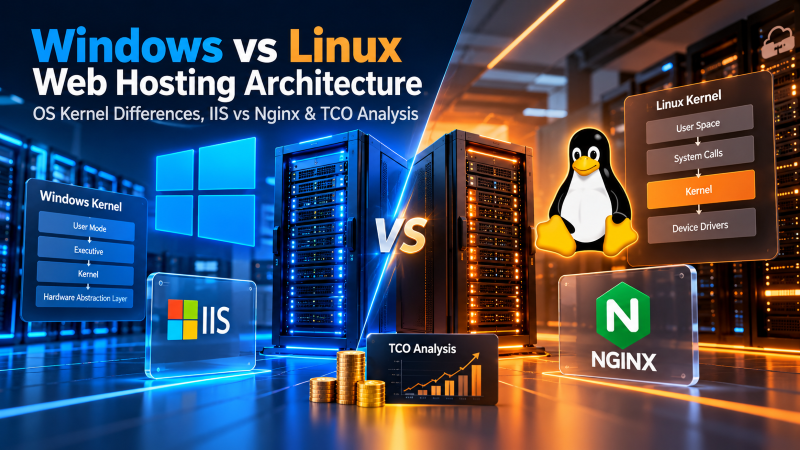
Operating System Kernel Architecture: Monolithic Linux vs. Hybrid Windows NT
The foundational performance and stability differences between Linux and Windows web hosting stem directly from their kernel architectures and operating system design philosophies.
1. The Linux Kernel: Modular Monolithic Efficiency & Low Footprint
Linux operates on a modular monolithic kernel. In this topology, core operating system services—including virtual memory management, CPU task scheduling, process IPC, and hardware device drivers—execute within a unified, privileged supervisor address space (Ring 0).
- Minimal Resource Footprint: Production Linux servers operate in headless mode without a graphical user interface (GUI). A baseline headless Linux installation consumes between 250 MB and 600 MB of physical RAM upon boot, reserving more than 95% of available system memory for application buffer pools, in-memory caches, and web worker processes.
- Process & Thread Spawning Efficiency: Linux treats threads as lightweight processes sharing memory address spaces via the
clone()system call. Creating, scheduling, and terminating worker threads incurs negligible CPU overhead, allowing web servers like NGINX and runtimes like PHP-FPM to spawn and recycle processes rapidly under concurrent traffic spikes. - Native cgroups v2 & Containerization: Linux features native kernel Control Groups (
cgroups v2) and namespaces. These mechanisms allow hypervisors and hosting platforms to enforce hard ceilings on CPU time, physical memory, swap usage, and disk I/O per hosting account, preventing individual tenants from starving adjacent workloads.
2. The Windows NT Kernel: Structured Hybrid Subsystems & Enterprise Integration
Microsoft Windows Server is engineered on the Windows NT hybrid microkernel architecture. The core NT kernel coordinates processor scheduling and hardware interrupts, while major operating system subsystems execute in structured layers.
- Subsystem & Background Overhead: Even when deployed in “Server Core” mode without the desktop shell, Windows Server maintains substantial background services (RPC endpoints, WMI providers, Component Object Model infrastructure, and the Windows Registry). A freshly provisioned Windows Server 2022 instance typically consumes between 2.0 GB and 3.5 GB of RAM at idle before processing its first web request.
- Object-Oriented Architecture: Everything in the Windows operating system is represented as a structured object backed by security descriptors. While this provides enterprise access governance and integration with Active Directory, object instantiation incurs higher memory and CPU scheduling overhead compared to Linux’s lightweight POSIX file descriptor abstraction.
- Deep Enterprise Integration: Windows Server provides native, out-of-the-box support for enterprise Microsoft ecosystems, including seamless Active Directory authentication, Group Policy enforcement, Kerberos single sign-on, and COM+ transaction coordinators.
Web Server Engines: IIS 10.0 vs. NGINX, Apache & LiteSpeed
The web server daemon is the front-line software component responsible for terminating client TCP/TLS connections, parsing HTTP requests, serving static assets, and dispatching dynamic requests to application runtimes.
1. Microsoft Internet Information Services (IIS 10.0 & HTTP.sys)
IIS is the proprietary, highly optimized web server engine integrated directly into Windows Server. It operates through an architectural model that bridges kernel space and user space:
- HTTP.sys Kernel-Mode Listener: Inbound HTTP and HTTPS requests are intercepted directly in the Windows kernel by
HTTP.sys. This driver manages connection queues, performs SSL/TLS handshakes, and serves cached responses entirely in kernel mode without incurring the latency of context switching into user space. - Application Pool Isolation (
w3wp.exe): IIS organizes websites and web applications into discrete Application Pools. Each application pool executes as an independent worker process (w3wp.exe) with dedicated virtual memory address spaces and independent identity credentials. If an unhandled exception or memory leak crashes an application pool, adjacent websites on the server continue running uninterrupted. - Automated Process Recycling: IIS includes native, granular recycling rules based on elapsed time, total request count, scheduled hours, or virtual memory thresholds, mitigating memory leaks in long-running applications without manual administrative intervention.
2. Linux Web Servers: NGINX Event Loops, Apache MPM & LiteSpeed
As documented in the official NGINX web server documentation, Linux web hosting offers an adaptable ecosystem of specialized web server engines designed for extreme concurrency:
- NGINX (Event-Driven Asynchronous Architecture): Unlike traditional process-per-connection servers, NGINX uses an asynchronous, non-blocking event-driven loop. A small, fixed number of single-threaded worker processes can handle tens of thousands of concurrent client connections with minimal RAM and CPU overhead. NGINX is the industry standard for high-concurrency static asset delivery, reverse proxying, and microservices routing.
- Apache HTTP Server (Multi-Processing Modules – MPM): Apache remains the most versatile web server in existence, renowned for its dynamic per-directory configuration model via
.htaccessfiles. Utilizing thempm_eventmodule, modern Apache matches NGINX’s concurrency while maintaining backwards compatibility with legacy web applications. - LiteSpeed Web Server: A proprietary, drop-in Apache replacement for Linux that integrates direct event-driven architecture with native server-level caching (LSCache). It is widely regarded as the fastest runtime environment for dynamic PHP-based CMS platforms like WordPress and WooCommerce.
Application Stacks & Runtime Ecosystems: .NET vs. LAMP/LEMP
The programming language and application framework of your software project represent the single most decisive factor when choosing between Windows and Linux web hosting.
1. The Windows Ecosystem: ASP.NET Core, Legacy .NET Framework & C#
Windows Server is the native home for Microsoft-centric development stacks:
- Classic ASP.NET & .NET Framework 4.8: Legacy enterprise applications written in C# or VB.NET that depend on the monolithic .NET Framework (versions 2.0 through 4.8.1) strictly require Windows Server and IIS. These frameworks rely on underlying Windows APIs, COM objects, and Windows Registry keys that do not exist on Linux.
- ASP.NET Core (Modern Cross-Platform): Modern .NET (from .NET Core 3.1 through .NET 8 and 9) has been completely re-architected as a modular, high-performance, cross-platform runtime. ASP.NET Core applications run with exceptional speed on both Windows (under IIS or Kestrel) and Linux (behind NGINX or inside Docker containers). However, organizations maintaining proprietary Windows DLLs, Windows-specific cryptographic libraries, or legacy WCF services must remain on Windows Server.
- Enterprise Tooling Integration: Windows hosting allows seamless integration with desktop developer workflows, including one-click publishing from Microsoft Visual Studio, Web Deploy (MSDeploy), and Microsoft Web Platform Installer.
2. The Linux Ecosystem: LAMP, LEMP, PHP-FPM & Native Containers
Linux is the native development environment for open-source web technologies:
- LAMP & LEMP Stacks (PHP, Python, Node.js, Ruby, Go): The vast majority of the world’s web software is engineered natively on Linux. Content management systems like WordPress, Drupal, and Joomla, e-commerce engines like Magento and WooCommerce, and modern frameworks like Laravel, Django, FastAPI, Express.js, and Ruby on Rails are designed for POSIX-compliant filesystems.
- PHP-FPM Optimization: On Linux, PHP executes via FastCGI Process Manager (PHP-FPM) communicating over low-latency Unix domain sockets with OPcache Just-In-Time (JIT) compilation enabled. While PHP can technically be run on Windows IIS via FastCGI, file I/O latency, case-insensitive path quirks, and lack of specialized extension support make Windows an unoptimized environment for production PHP applications.
- Native Containerization (Docker & Kubernetes): Modern cloud architectures deploy application services inside lightweight Linux OCI containers. Because Linux containers share the host kernel, a Linux server can run dozens of microservice containers with zero virtualization overhead. Running Linux containers on Windows requires a secondary virtualization layer (Hyper-V / WSL2), introducing memory and compute latency.
Database Management Systems: Microsoft SQL Server vs. MySQL & PostgreSQL
Database query latency, transactional throughput, and storage controller efficiency are critical determinants of web application performance. For high-transaction relational databases, deploying enterprise dedicated server hosting with isolated NVMe storage guarantees that database buffer pools and disk I/O queues operate without multi-tenant contention.
1. Microsoft SQL Server (MSSQL): Enterprise Query Optimization & Tooling
Microsoft SQL Server is an enterprise-grade relational database management system (RDBMS) renowned for its advanced transactional processing, robust business intelligence, and deep integration with the Windows operating system:
- Advanced Query Engine & In-Memory OLTP: MSSQL features sophisticated cost-based query optimization, automated index tuning, columnstore indexes for analytical processing, and memory-optimized tables for microsecond data ingestion.
- Administrative Tooling (SSMS): SQL Server Management Studio (SSMS) is widely recognized as one of the most powerful, feature-rich database administration suites in the industry, offering intuitive graphical interfaces for execution plan analysis, index defragmentation, and database replication.
- Ecosystem Integration: Native support for SQL Server Integration Services (SSIS), SQL Server Analysis Services (SSAS), and SQL Server Reporting Services (SSRS) makes Windows hosting mandatory for corporate reporting pipelines.
2. MySQL, MariaDB & PostgreSQL: Open-Source Throughput & Sockets
Open-source relational database systems dominate the Linux hosting ecosystem:
- MySQL 8.0 & MariaDB: The global standard for web applications. Utilizing the InnoDB storage engine, MySQL provides ACID-compliant transactions, foreign key constraints, row-level locking, and high-concurrency read scaling. On Linux, MySQL communicates with local web applications over Unix domain sockets, completely bypassing network TCP overhead.
- PostgreSQL 16: Known as the world’s most advanced open-source database, PostgreSQL delivers enterprise object-relational capabilities, JSONB document querying, advanced concurrency control (MVCC), and extensive procedural language support. PostgreSQL’s process-based architecture is fundamentally optimized for Linux kernel memory management.
- In-Memory Caching (Redis & Memcached): Production web platforms rely on Redis for session persistence and database query caching. Redis is engineered natively for Linux; its in-memory event loops and fork-based background saving mechanisms run with maximum performance on Linux kernels.
Architectural Dimension Analysis: Linux vs. Windows Web Hosting Matrix
To evaluate the architectural differences between Linux and Windows Server platforms at a glance, review the comprehensive comparison matrix below:
| Evaluation Dimension | Linux Web Hosting (AlmaLinux/Ubuntu) | Windows Web Hosting (Server 2022/2025) | Architectural Winner |
|---|---|---|---|
| OS Kernel Architecture | Monolithic modular kernel; 250MB–600MB idle RAM | Hybrid NT microkernel; 2.0GB–3.5GB idle RAM | Linux (Compute efficiency) |
| Web Server Daemons | NGINX event-driven, Apache 2.4 MPM, LiteSpeed | Internet Information Services (IIS 10.0 & HTTP.sys) | Tie (NGINX for microservices, IIS for .NET) |
| Development Runtimes | Native PHP 8.x, Python, Node.js, Ruby, Go, Docker | ASP.NET Core, classic ASP.NET 4.8, C#, WCF | Contextual (Linux for open-source, Windows for .NET) |
| Relational Databases | MySQL 8.0, MariaDB, PostgreSQL 16 over Unix sockets | Microsoft SQL Server (MSSQL Standard/Web) via SSMS | Contextual (Linux for web apps, Windows for SSIS/SSRS) |
| Remote Administration | Cryptographic SSH key access, Bash scripts, Ansible | Remote Desktop Protocol (RDP 3389 GUI), PowerShell 7 | Linux (Headless precision) / Windows (Desktop GUI) |
| Control Panel Ecosystem | cPanel/WHM (Linux exclusive), DirectAdmin, CloudPanel | Plesk Obsidian for Windows, WebsitePanel / SolidCP | Linux (cPanel dominance) / Windows (Plesk leader) |
| Licensing & TCO | 100% Free Open-Source (Zero monthly OS fees) | Microsoft SPLA per-core recurring monthly licenses | Linux (Massive long-term cost advantage) |
Production Terminal Runbooks: Real-World Administrative Workflows
System administrators manage Linux and Windows servers using vastly different administrative interfaces. Below are production runbooks contrasting daily health and web server audits across Bash and PowerShell:
Runbook 1: Linux Web Server Health & Port Audit (Bash)
Runbook 2: Windows Server IIS Management & Port Auditing (PowerShell 7)
Security Architecture, Patching Cycles & Access Control
Security in web hosting is not determined by the operating system brand, but by how rigorously security boundaries are configured, maintained, and updated.
1. Permission Models: POSIX vs. Windows ACLs
Linux employs a streamlined, transparent permission model based on User, Group, and Others (rwx). Combined with specialized attributes and mandatory access control frameworks like SELinux and AppArmor, Linux provides ironclad isolation that prevents compromised web applications from traversing directory trees. In contrast, Windows utilizes fine-grained Discretionary Access Control Lists (DACLs) and System Access Control Lists (SACLs). Every file and registry key can have complex inheritance rules applied across multiple Active Directory users, groups, and IIS application pool identities (IIS_IUSRS). While exceptionally powerful for corporate governance, Windows ACL misconfigurations are common and can inadvertently expose files to unauthorized processes.
2. Patching, Kernel Updates & Uptime Stability
Linux updates are modular; individual software packages (e.g., NGINX, PHP, OpenSSL) can be updated independently without interrupting running services. Using enterprise kernel live patching technologies (such as Kpatch or KernelCare), Linux servers can apply critical kernel security patches without rebooting, achieving continuous operational uptimes spanning several years. In contrast, Windows Server updates are bundled into cumulative monthly packages released on “Patch Tuesday.” Because core system libraries and kernel files cannot be replaced while in use by active processes, applying Windows security updates routinely requires scheduled server reboots, necessitating automated clustering or scheduled maintenance windows to maintain high availability.
Total Cost of Ownership (TCO) & Licensing Economics
Financial considerations frequently dictate the choice between Linux and Windows hosting. The economic models of the two platforms diverge completely:
- The Open-Source Advantage of Linux: Distributions like AlmaLinux, Rocky Linux, Debian, and Ubuntu Server LTS carry zero operating system licensing fees. An organization can scale from a 2-core cloud VPS to a 128-core bare-metal dedicated server cluster without incurring a single dollar in recurring OS fees. Open-source databases (MySQL, PostgreSQL) and web servers (NGINX, Apache) are equally free for commercial deployment at any scale.
- Microsoft SPLA Commercial Licensing on Windows: Hosting providers license Microsoft software commercially via the Services Provider License Agreement (SPLA), which bills on a monthly per-core basis. Microsoft mandates licensing all physical or virtual processor cores, with a contractual minimum of 8 cores per virtual machine or 16 cores per physical host. Furthermore, commercial editions of Microsoft SQL Server (Web or Standard Edition) add substantial per-core monthly SPLA fees that frequently exceed the underlying hardware cost.
Architectural Decision Framework: When to Choose Linux vs. Windows
To guide infrastructure procurement, use this definitive workload mapping framework:
Choose Linux Web Hosting When:
- Running Open-Source CMS & E-Commerce Platforms: Your web property is built on WordPress, WooCommerce, Magento, Drupal, Joomla, or PrestaShop.
- Developing with Modern Open-Source Stacks: Your engineering team utilizes PHP (Laravel, Symfony), Python (Django, FastAPI), Node.js, Ruby on Rails, or Go.
- Deploying Cloud-Native Containers: You are utilizing Docker containers, microservices, and Kubernetes orchestration.
- Utilizing Open-Source Relational & NoSQL Databases: Your data layer relies on MySQL, MariaDB, PostgreSQL, Redis, or MongoDB.
- Maximizing Compute Efficiency per Dollar: You require the lowest possible Total Cost of Ownership by eliminating recurring operating system and database software license fees.
Choose Windows Web Hosting When:
- Maintaining Legacy .NET Framework Applications: Your software is built on classic ASP, ASP.NET Web Forms, ASP.NET MVC 5, or .NET Framework 2.0–4.8.1.
- Enterprise Microsoft SQL Server Dependencies: Your application strictly requires Microsoft SQL Server with SSMS tooling, stored procedures, SSIS, or SSRS.
- Integrating with Corporate Microsoft Ecosystems: You require native Active Directory authentication, SharePoint, Microsoft Exchange, or corporate Windows Desktop ERP software (such as Tally or Microsoft Dynamics).
- Requiring a Native Windows Desktop GUI: Your system administrators mandate full Remote Desktop Protocol (RDP) access for graphical server management.
- Utilizing Cross-Platform .NET with Windows-Specific Libraries: You deploy modern ASP.NET Core applications that depend on proprietary Windows-specific assemblies or COM+ components.
Frequently Asked Questions (FAQ)
📌 Conclusion: Strategic Operating System Selection & Infrastructure Sizing
Windows and Linux web hosting are not mutually exclusive adversaries; they are specialized architectural platforms engineered for fundamentally different operational purposes. Linux dominates the modern internet by delivering unrivaled resource efficiency, open-source flexibility, and zero licensing overhead for PHP, Python, and containerized microservices. Windows Server stands as the indispensable backbone for enterprise Microsoft ecosystems, delivering unmatched tooling, native .NET framework execution, and high-performance MSSQL data processing.
By accurately evaluating your software runtime dependencies, database architecture, and total cost of ownership, technology leaders can size and deploy hosting infrastructure that delivers high performance, absolute stability, and maximum return on investment. Sizing your servers deliberately ensures your applications maintain sub-second response times, absolute data integrity, and seamless scalability as your user base expands.
Four essential decision factors for choosing between Linux and Windows Server hosting environments:
Zero OS licensing fees, sub-600MB idle RAM, native cgroups v2, and unbeatable efficiency for PHP, Python, and Docker.
Mandatory for legacy .NET Framework, IIS application pool isolation, active directory integration, and MSSQL database tooling.
Windows requires monthly recurring per-core SPLA licenses; Linux saves thousands of dollars annually in infrastructure licensing.
Linux excels with lightweight, key-based SSH automation; Windows provides full graphical Remote Desktop Protocol (RDP) management.
