

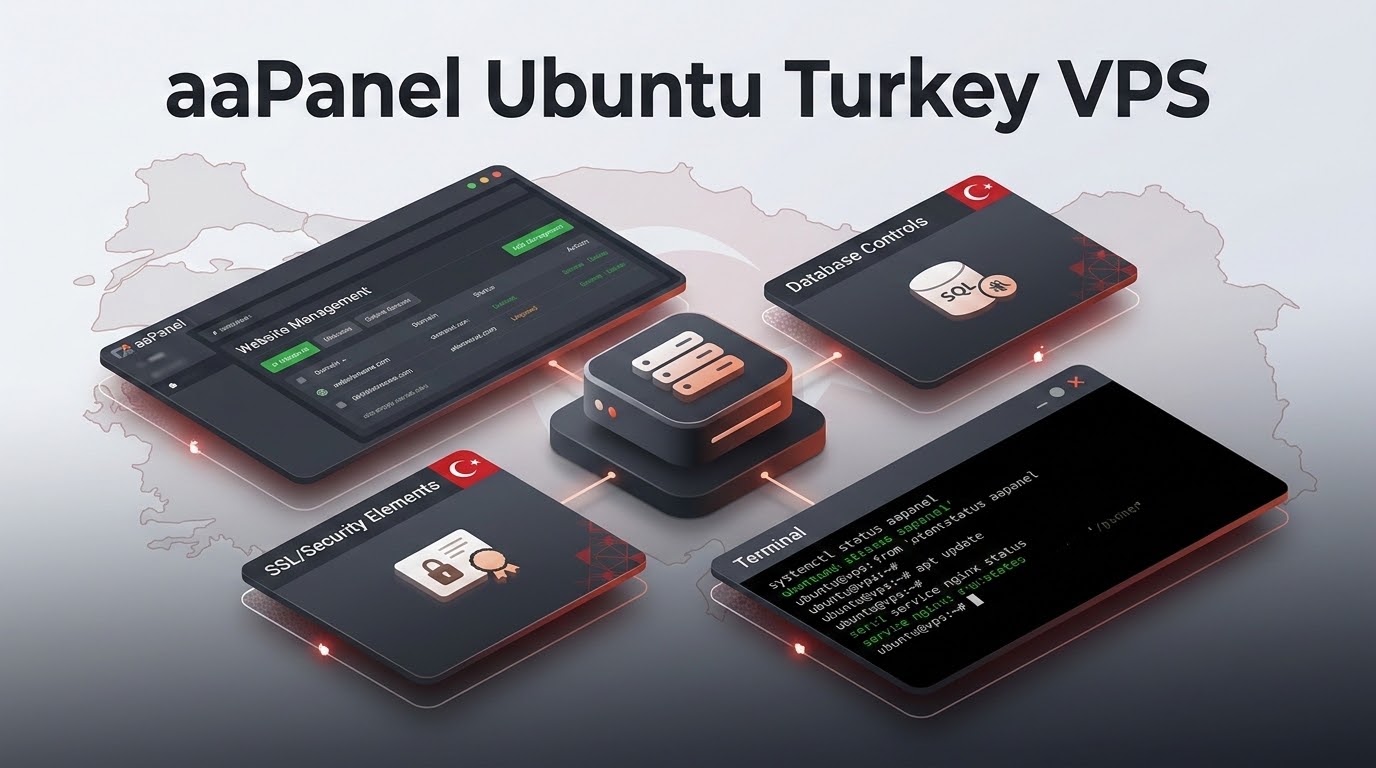
How Do You Deploy aaPanel on an Ubuntu Turkey VPS for Free Multi-Site Hosting?
Specifically, when planning an enterprise deployment for aaPanel Ubuntu Turkey VPS, deploying aaPanel on Ubuntu 24.04 in an Istanbul data center provides a lightweight, modular hosting environment that manages unlimited websites, databases, and SSL certificates with zero software licensing fees. Requiring only 150MB of RAM to operate, aaPanel maximizes hardware efficiency on budget 1–2 vCPU VPS instances. It features one-click LNMP/LAMP stack installations, granular multi-version PHP isolation (from PHP 7.4 through PHP 8.4), automated Let’s Encrypt renewal, and integrated fail2ban firewall protection for secure multi-site hosting.
Furthermore, in an economic environment where software subscription costs are indexed to foreign currencies, independent web developers, bootstrapped tech startups, and digital freelancers across Türkiye need maximum hardware performance without recurring licensing fees. Traditional commercial control panels consume substantial compute resources and charge steep monthly fees that burden small operations. Deploying lightweight Linux-based Turkey VPS hosting paired with aaPanel provides a turnkey, graphical management environment that maximizes raw NVMe and CPU efficiency while maintaining sub-15ms domestic latency for visitors throughout Türkiye.
✔ Key Architectural Takeaways
- Consequently, Ultra-Lightweight Resource Footprint: aaPanel’s core background daemon idles at approximately 120MB to 160MB of RAM, making it feasible to host multiple active websites even on an entry-level 1GB or 2GB Turkey VPS.
- In addition, Zero Licensing Overhead: aaPanel is 100% free and open-source, eliminating US Dollar software licensing fees for startups and freelancers.
- In particular, Modular Software Stack Selection: Single-click installation of Nginx, Apache, OpenLiteSpeed, MariaDB, PostgreSQL, Redis, and multi-version PHP runtimes side by side.
- Therefore, Visual Docker Container Orchestration: Built-in visual Docker manager allows developers to deploy Redis, PostgreSQL, and custom Node.js/Python microservices without manual CLI configuration.
- Moreover, Production Security Hardening: Built-in one-click Fail2ban IP banning, custom administrative access pathing, dynamic UFW firewall rules, and automated Let’s Encrypt SSL management.
Table of Contents
- In fact, aaPanel Ubuntu Turkey VPS: Why aaPanel is the Premier Free Panel for Turkish Startups & Freelancers
- Similarly, aaPanel Ubuntu Turkey VPS: Prerequisites & Server Preparation: Ubuntu 24.04 LTS on Istanbul Datacenter Hardware
- Meanwhile, Step-by-Step Installation Runbook: Terminal Execution & Secret Security Credentials
- Additionally, Stack Configuration: Selecting Nginx, FastCGI Cache, MariaDB & PHP 8.3/8.4
- As a result, Multi-Site Operations: Domain Mapping, Turkish UTF-8 Databases & FTP Provisioning
- Specifically, Security Hardening: Custom Porting, Security Entry Paths & Fail2ban Rules
- Furthermore, Resource Efficiency Benchmark: aaPanel vs. cPanel vs. FastPanel
- Consequently, Disaster Recovery: Automated Snapshot & Offsite Backup Scheduling
- In addition, Frequently Asked Questions (FAQ)
aaPanel Ubuntu Turkey VPS: Why aaPanel is the Premier Free Panel for Turkish Startups & Freelancers
In the competitive Turkish digital landscape, bootstrapped startups, solo developers, and regional digital agencies require hosting infrastructure that maximizes performance while minimizing non-revenue expenses. Commercial hosting control panels like cPanel or Plesk carry subscription licenses billed in US Dollars, which place ongoing margin pressure on Turkish software developers charging clients in Turkish Lira.
In particular, aaPanel bridges this operational divide by providing a sleek, responsive, modular web GUI with zero license fees. Unlike heavyweight legacy panels that force administrators into rigid software stacks, aaPanel allows users to choose between Nginx, Apache, or OpenLiteSpeed, and to compile software from source or install pre-compiled binary packages. With its integrated App Store, developers can install Redis object caching, Memcached, phpMyAdmin, FTP daemons, and Python/Node.js managers with a single click, transforming raw Ubuntu server instances into enterprise-grade hosting platforms.
aaPanel Ubuntu Turkey VPS: Prerequisites & Server Preparation: Ubuntu 24.04 LTS on Istanbul Datacenter Hardware
Therefore, before launching the installation script, your cloud server must meet minimal configuration baselines to guarantee optimal performance and stable network throughput across Turkish domestic networks:
- Moreover, Operating System: Clean 64-bit installation of Ubuntu 24.04 LTS or Ubuntu 22.04 LTS (minimal image without pre-installed Apache or MySQL).
- In fact, Hardware Minimums: 1 vCPU core, 1GB RAM (2GB+ recommended for production workloads compiling software), and 20GB of NVMe SSD storage.
- Similarly, Network Configuration: Static public IPv4 address assigned to your Istanbul virtual server with root SSH access.
- Meanwhile, DNS Preparation: An A-record (e.g.,
panel.yourdomain.com.tr) pointing to your Istanbul VPS IP address for SSL-secured administrative access.
Step-by-Step Installation Runbook: Terminal Execution & Secret Security Credentials
Additionally, connect to your Istanbul virtual private server via SSH as the root user and execute the automated setup runbook detailed below:
aaPanel employs a randomized secret security entrance URL (such as /7a9b1c2d) by default. Without this secret URL path, public bots and port scanners cannot even access the administrative login page, providing immediate protection against automated credential brute-forcing. Selecting a production operating system with guaranteed multi-year kernel updates aligns with maintenance schedules in the Canonical Ubuntu LTS release lifecycle documentation.
Stack Configuration: Selecting Nginx, FastCGI Cache, MariaDB & PHP 8.3/8.4
Upon your first login to the aaPanel dashboard, a modal dialogue prompts you to choose your primary web hosting software stack. For maximum concurrency and performance on Turkey VPS hardware, select the LNMP (Linux, Nginx, MariaDB, PHP) architecture:
| Software Component | Recommended Version | Installation Method | Production Optimization Rationale |
|---|---|---|---|
| Web Server Engine | Nginx 1.24 / 1.26 | Fast (Binary Package) | Low memory footprint, native HTTP/2 & Brotli support |
| Database Server | MariaDB 10.11 LTS | Fast (Binary Package) | Exceptional InnoDB engine performance and UTF8MB4 support |
| PHP Process Runtime | PHP 8.2 & PHP 8.3 | Compiled or Fast | Modern JIT compilation, OPcache acceleration |
| In-Memory Caching | Redis 7.2 | App Store Install | Persistent database query caching for WordPress & Laravel |
| Database GUI Manager | phpMyAdmin 5.2 | Fast Install | Web-based visual database tables and SQL query runner |
As a result, for standard production setups, select Fast (Binary) mode, which completes installation in approximately 4 to 8 minutes. If you require custom Nginx compilation modules (such as PageSpeed or custom headers), select Compiled mode, which compiles packages directly from source against your CPU architecture.
Multi-Site Operations: Domain Mapping, Turkish UTF-8 Databases & FTP Provisioning
Specifically, adding a new production website in aaPanel is straightforward and efficient:
- Furthermore, navigate to the Website tab and click Add site.
- Consequently, enter your primary domain (e.g.,
example.com.tr) and secondary aliases. - In addition, select your desired PHP version (aaPanel supports running different PHP versions per site).
- In particular, select Create Database and specify
utf8mb4withutf8mb4_unicode_cicollation to ensure complete compatibility with Turkish characters (ç, ğ, ı, ö, ş, ü). - Therefore, enable SSL (Let’s Encrypt) with one-click automated renewal.
Moreover, aaPanel configures isolated Nginx virtual host configuration files located in /www/server/panel/vhost/nginx/. You can visually edit Nginx reverse proxy directives, configure FastCGI microcaching, and manage URL rewrites (WordPress, Laravel, ThinkPHP) directly from the dashboard.
Security Hardening: Custom Porting, Security Entry Paths & Fail2ban Rules
In fact, to ensure your aaPanel deployment complies with strict corporate data protection standards and survives aggressive Internet port scans, execute these critical hardening measures:
Security Checklist for aaPanel on Turkey VPS
- Similarly, Change Default Port 7800: In the Settings menu, alter the panel listening port from 7800 to an unassigned high port (e.g., 48392). The built-in firewall automatically updates the UFW rule.
- Meanwhile, Customize the Secret Entry: Replace the auto-generated security entry with a memorable, complex private string (e.g.,
/izmir_admin_sec99). - Additionally, Install Fail2ban: Navigate to the App Store and install the official Fail2ban extension. Enable jails for SSH, Pure-FTPd, Nginx 404 scans, and MySQL brute-forcing.
- As a result, Bind Domain to Panel: Under Settings -> Domain, bind your administrative subdomain (e.g.,
panel.yourdomain.com.tr) and issue an SSL certificate. This prevents accessing the panel via bare IP address and encrypts all administrative credentials. - Specifically, Enable Two-Factor Authentication (2FA): Activate Google Authenticator TOTP verification under Settings to prevent account compromise even if credentials are intercepted.
Resource Efficiency Benchmark: aaPanel vs. cPanel vs. FastPanel
Furthermore, the comparative benchmark table below highlights the dramatic resource efficiency advantages of aaPanel when deployed on virtual cloud instances:
| Operational Metric | aaPanel (LNMP Stack) | cPanel / WHM | FastPanel |
|---|---|---|---|
| Idle RAM Footprint | 140MB – 180MB | 1,100MB – 1,400MB | 220MB – 320MB |
| Software License Cost | 100% Free / Open Source | $29.99 – $59.99 / mo | Free / Freemium |
| Multi-PHP Version Switcher | Native (PHP 5.6 to 8.4) | Native (EasyApache 4) | Native (PHP 5.4 to 8.3) |
| Docker Visual Manager | Included in App Store | No native visual UI | No native visual UI |
| Installation Time on NVMe | Under 3 minutes | 15 – 30 minutes | Under 5 minutes |
Disaster Recovery: Automated Snapshot & Offsite Backup Scheduling
Consequently, no hosting configuration is complete without robust disaster recovery automation. aaPanel features an integrated Cron scheduler that automates comprehensive offsite data replication:
Under the Cron tab, you can schedule automated database dumps and website directory archives on daily or weekly intervals. aaPanel includes native backup destination plugins for Amazon S3, Wasabi Cloud, Google Drive, Microsoft OneDrive, and remote SFTP/FTP storage nodes. By establishing offsite backup pipelines to an external storage server, you ensure rapid recovery even in the event of accidental file deletion, corrupted software updates, or database integrity failures.
Frequently Asked Questions (FAQ)
Core Technical Specifications
Is aaPanel completely free to use on Turkey VPS?
Yes. The core aaPanel platform is completely free and open source with no domain limits, account limits, or trial expirations. A commercial Pro tier exists for advanced enterprise plugins (such as professional WAF and tamper protection), but the free edition includes everything required for full multi-site production hosting.
Can I run different PHP versions for different websites in aaPanel?
Yes. aaPanel allows you to install multiple PHP versions side-by-side (e.g., PHP 7.4, 8.1, 8.2, 8.3, and 8.4). You can assign a specific PHP runtime to each individual website with a single dropdown selection in the site settings. To leverage native LSCache and event-driven HTTP/3 architecture for high-traffic sites, explore our OpenLiteSpeed web server deployment on Turkey VPS.
How secure is aaPanel against automated hacking attempts?
When properly hardened, aaPanel is very secure. Its randomized secret security entry path prevents bots from reaching the login screen. Adding Fail2ban, changing the default listening port, enforcing HTTPS with Let’s Encrypt, and enabling 2FA creates a resilient defense against automated scanners.
Does aaPanel support Turkish characters in databases and files?
Yes. When creating databases in aaPanel, select the utf8mb4 character set with utf8mb4_unicode_ci collation. This ensures complete data integrity for all Turkish characters (ç, ğ, ı, ö, ş, ü) across tables and web content.
Can I host WordPress and WooCommerce stores on aaPanel?
Yes. aaPanel includes a one-click WordPress deployment module. Combined with Nginx FastCGI caching and Redis Object Cache, WordPress and WooCommerce stores achieve sub-20ms local TTFB on OnliveServer Istanbul cloud hardware.
What happens if I forget my aaPanel secret login URL or password?
You can quickly view or reset administrative credentials by logging in via SSH and typing bt to open the aaPanel command-line helper. Option 14 displays your current panel address and secret entrance, while option 5 resets your password.
Can I run Docker containers inside aaPanel?
Yes. aaPanel features an official Docker management plugin in its App Store. It allows developers to pull Docker images, manage container runtimes, configure port forwarding, and view container logs directly through the visual web UI.
How much RAM do I need for aaPanel with 5 active WordPress sites?
Because aaPanel consumes less than 180MB of RAM, an entry-level OnliveServer Turkey VPS with 2 vCPUs and 2GB to 4GB of RAM will comfortably host 5 to 10 active WordPress websites with Redis caching enabled.
Deploy Zero-License aaPanel on Istanbul Cloud VPS
Maximize your developer budget with ultra-fast NVMe storage, dedicated KVM virtualization, and sub-15ms domestic network peering across Türkiye. Get started in minutes.
