

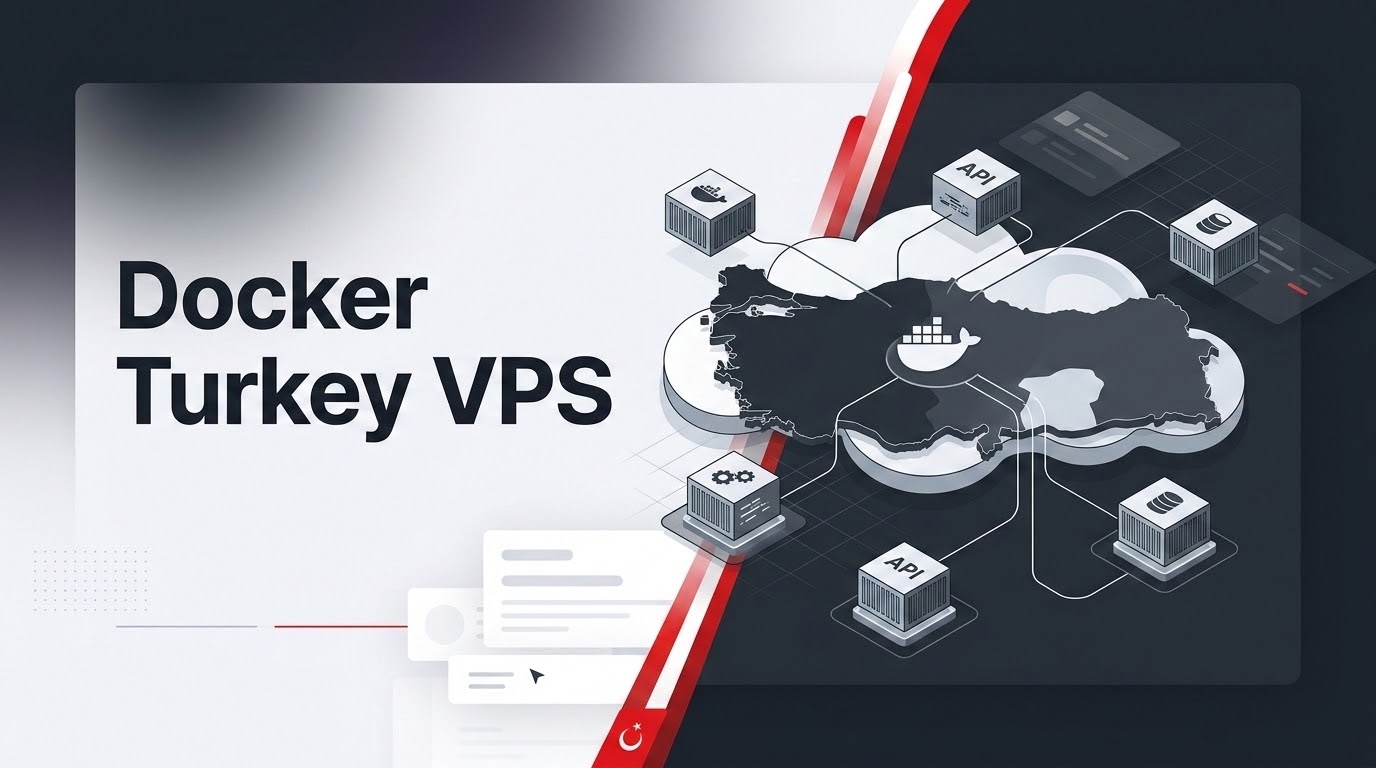
How Do You Deploy Docker Microservices and Traefik on a Turkey Cloud VPS?
Specifically, when planning an enterprise deployment for Docker Turkey VPS, pairing Docker with Traefik v3 on an Istanbul cloud VPS creates a self-healing, automated microservices routing platform without the heavy resource overhead of a full Kubernetes cluster. Traefik listens directly to the local Docker socket, automatically discovering active application containers, generating dynamic reverse-proxy routes from container labels, and managing Let’s Encrypt TLS certificates. This modern setup allows engineering teams in Türkiye to deploy containerized APIs and web applications with zero downtime, instant rollbacks, and sub-10ms domestic latency.
Furthermore, in modern software engineering, legacy bare-metal server setups where databases, programming runtimes, and reverse proxies are directly installed into the host operating system have become severe operational bottlenecks. Package version conflicts, difficult rollbacks, and downtime during updates threaten business continuity. By deploying on container-optimized Turkey VPS cloud instances in Istanbul datacenters, software development teams can harness lightweight containerization and dynamic ingress routing. This provides rapid continuous deployment (CI/CD), strict process isolation, and superior performance across Turkish domestic networks.
✔ Key Architectural Takeaways
- Consequently, Dynamic Ingress Without Nginx Reloads: Traefik continuously watches the Docker API; newly launched microservices are immediately discovered, routed, and SSL-certified without restarting edge proxy daemons.
- Resource Efficiency vs. Kubernetes: While Kubernetes (k8s) consumes 1.5GB to 2.5GB of RAM purely for control-plane components, Docker + Traefik executes in less than 200MB, leaving over 90% of your Turkey VPS capacity for application containers.
- In addition, Automated TLS Handshakes: Traefik automates ACME HTTP-01 and DNS-01 validation challenges with Let’s Encrypt, issuing and auto-renewing wildcard SSL certificates seamlessly.
- In particular, Predictable Container Isolation: Linux namespaces, cgroups v2, and custom bridge networks prevent rogue containers from exhausting host memory or compromising neighbor services.
- Therefore, Istanbul Low Latency: Hosting Docker microservices inside Istanbul ensures domestic API consumers experience sub-15ms round-trip latency across Türk Telekom, Turkcell, and Vodafone backbones.
Table of Contents
- Moreover, Docker Turkey VPS: The Microservices Imperative: Moving Beyond Monolithic Bare-OS Deployments
- In fact, Docker Turkey VPS: Why Traefik Outperforms Traditional Nginx in Containerized Environments
- Similarly, Production Docker Compose Architecture: Core Ingress & Network Topology
- Meanwhile, Automating Let’s Encrypt SSL & Subdomain Routing via Container Labels
- Additionally, Resource Governance: Enforcing cgroups v2 Memory & CPU Guardrails
- As a result, Storage Resilience: Managing Persistent Volumes & Database Backups
- Specifically, Ingress Architecture Matrix: Traefik vs. Nginx Proxy Manager vs. Caddy
- Furthermore, Turnkey Deployment Runbook: Initializing Traefik v3 on Ubuntu 24.04 VPS
- Consequently, Frequently Asked Questions (FAQ)
Docker Turkey VPS: The Microservices Imperative: Moving Beyond Monolithic Bare-OS Deployments
In addition, for years, deploying a web application on a virtual private server required installing runtimes directly into system paths. An engineer would install Node.js 18, Python 3.10, and MySQL 8.0 directly via Ubuntu’s package manager. When a secondary application demanded Node.js 20 or an incompatible version of OpenSSL, dependency conflicts emerged, leading to fragile operating systems where upgrading a single library risked breaking multiple production services.
In particular, docker containerization eliminates this brittleness by packaging application business logic, operating system libraries, and runtime dependencies into immutable, isolated container images. On an Istanbul cloud VPS, containerization enables developers to execute disparate software stacks side-by-side with complete separation. A Laravel 11 API, a Next.js 15 frontend, a FastAPI microservice, and a PostgreSQL database can coexist on the same virtual server without library collision.
Furthermore, containerization transforms application deployments into atomic transactions. Upgrading a production service is as simple as pulling the latest container tag and restarting the service. If unexpected errors arise in production, rolling back to the previous image tag takes under two seconds, ensuring unmatched operational uptime.
Docker Turkey VPS: Why Traefik Outperforms Traditional Nginx in Containerized Environments
Therefore, in standard container architectures, engineers frequently deploy Nginx as a reverse proxy in front of Docker containers. While Nginx is performant, it suffers from a critical structural deficiency in dynamic container workflows: static configuration management.
Moreover, whenever a new container is deployed, scaled, or destroyed, an administrator must manually update an nginx.conf file with the new upstream IP address and execute nginx -s reload. In continuous deployment pipelines where containers scale dynamically, maintaining static Nginx configuration files is error-prone and brittle.
In fact, Traefik v3 was purpose-built to solve this limitation. Traefik communicates directly with the Docker daemon via the /var/run/docker.sock socket. When a new container launches, Traefik reads declarative metadata embedded within Docker container labels. It automatically discovers the service, configures routing rules, attaches middlewares (such as HTTP-to-HTTPS redirection, rate limiting, and basic authentication), and contacts Let’s Encrypt to provision a trusted TLS certificate—all dynamically in memory, without dropping active TCP connections or reloading configuration files.
Production Docker Compose Architecture: Core Ingress & Network Topology
Similarly, to maintain strict network isolation, a production Docker environment should never attach containers directly to the default Docker bridge network. Instead, an explicit dual-network topology must be established:
- Meanwhile, Public Gateway Network (
traefik-public): A dedicated external bridge network shared exclusively between Traefik and frontend web services that receive incoming HTTP/HTTPS traffic. - Additionally, Private Backend Networks (
app-internal): Isolated internal networks connecting web applications to their respective database and caching engines. Databases (PostgreSQL, MariaDB, Redis) never attach to the public network, completely preventing accidental external exposure.
Mounting the Docker socket in read-only mode (:ro) and enforcing no-new-privileges:true ensures that even if an edge vulnerability affects Traefik, attacker processes cannot elevate privileges on the underlying host operating system. Managing isolated container bridge networks with strict port binding policies is detailed in the official Docker container networking architecture documentation.
Automating Let’s Encrypt SSL & Subdomain Routing via Container Labels
Specifically, deploying a new application behind Traefik requires zero changes to the Traefik configuration itself. All routing logic, domain matching, and certificate requests are declared directly inside the target application’s docker-compose.yml file using Docker labels:
When this container starts, Traefik immediately reads the Host(`api.example.com.tr`) rule, binds it to entrypoint websecure (port 443), requests an automated TLS certificate from Let’s Encrypt, and proxies traffic to container port 3000 with dynamic rate-limiting applied.
Resource Governance: Enforcing cgroups v2 Memory & CPU Guardrails
Consequently, one of the greatest dangers in containerized environments is the “noisy neighbor” problem: if a memory leak occurs in a single Node.js worker or an unindexed query locks a database, that single container can consume 100% of the host RAM, triggering the Linux Out-Of-Memory (OOM) killer to terminate critical system services.
In addition, modern Linux distributions like Ubuntu 24.04 utilize cgroups v2 to enforce strict compute ceilings on containers. Every production container in your Compose files should declare explicit resource reservations and maximum limits:
Setting resource limits guarantees that even during traffic spikes or application bugs, non-critical services cannot destabilize your core database or edge routing layers.
Storage Resilience: Managing Persistent Volumes & Database Backups
Because Docker containers are inherently ephemeral—meaning any data written inside the container file system is destroyed when the container is recreated—persistent application data must be mapped to host volumes or named Docker volumes.
Therefore, onliveServer high-performance NVMe cloud instances provide enterprise RAID-10 storage that yields over 50,000 random write IOPS, ideal for database workloads. For persistent volumes like PostgreSQL data or WordPress uploads, always map to a structured directory path such as /opt/apps/[service-name]/data/. Combine this with automated nightly database dumps via cron that stream encrypted, gzipped SQL backups to offsite S3 or object storage.
Ingress Architecture Matrix: Traefik vs. Nginx Proxy Manager vs. Caddy
Moreover, the comparative matrix below illustrates the operational differences between the leading container reverse proxy solutions:
| Technical Capability | Traefik v3 | Nginx Proxy Manager | Caddy 2 |
|---|---|---|---|
| Configuration Paradigm | Declarative Container Labels | Web GUI (Manual input) | Caddyfile or JSON API |
| Dynamic Docker Discovery | Automatic via Docker Socket | No (Manual IP/Hostname entry) | Requires third-party plugin |
| Zero-Downtime Reconfiguration | 100% In-Memory (No reload) | Nginx reload on save | In-memory API reload |
| Memory Footprint at Idle | 45MB – 85MB | 180MB – 260MB (Node + DB) | 35MB – 65MB |
| Native Metrics & Telemetry | Prometheus, Datadog, InfluxDB | Basic GoAccess integration | Prometheus exporter |
| Production CI/CD Compatibility | Exceptional (GitOps Ready) | Poor (Requires human UI input) | Moderate (GitOps via API) |
Turnkey Deployment Runbook: Initializing Traefik v3 on Ubuntu 24.04 VPS
In fact, deploying Traefik v3 on a fresh Ubuntu 24.04 LTS instance inside an Istanbul datacenter takes under five minutes. Execute the following terminal commands:
Your Istanbul cloud server is now armed with a production-grade microservices ingress router. Any Docker container launched on the traefik-public network with standard routing labels will be immediately published to the web with an automated SSL certificate.
Frequently Asked Questions (FAQ)
Core Technical Specifications
Why should I use Docker + Traefik instead of Kubernetes on a Turkey VPS?
Similarly, kubernetes requires at least 3 nodes and 4GB+ of dedicated RAM purely for its etcd database, API server, and kubelet controllers. On a single Turkey VPS (or small cluster), Docker with Traefik provides 95% of the practical benefits—container isolation, automated routing, dynamic SSL, zero downtime—while consuming less than 200MB of RAM.
How does Traefik discover new Docker microservices automatically?
Meanwhile, traefik mounts the host’s /var/run/docker.sock in read-only mode. It listens for Docker daemon lifecycle events (container create, start, stop). When a new container boots, Traefik reads the container’s labels to dynamically build routing tables and certificate requests in memory without restarting. To observe container resource consumption and automated alerts across production microservices, refer to our real-time telemetry and Prometheus monitoring guide.
Can I run databases like PostgreSQL and MySQL inside Docker on a VPS?
Yes, absolutely. By mounting database data directories to persistent host volumes (e.g., /opt/apps/postgres/data:/var/lib/postgresql/data) on fast NVMe storage, database performance is identical to bare-metal installations while maintaining container portability and automated restart policies.
How does hosting Docker containers in Istanbul improve API latency?
Additionally, when Turkish web or mobile applications query APIs hosted in European datacenters (like Frankfurt or Amsterdam), each HTTP handshake incurs 50ms to 70ms of round-trip network transit. Hosting Docker microservices inside an Istanbul data center drops network latency to under 15ms across all major Turkish ISPs.
Does Traefik handle automated Let’s Encrypt SSL certificate renewals?
Yes. Traefik automatically tracks SSL certificate expiration dates and initiates automated renewal handshakes with Let’s Encrypt 30 days prior to expiration. The new certificate is hot-swapped into memory with zero interruption to active website visitors.
How do I protect the Traefik web dashboard from unauthorized access?
As a result, never expose the Traefik dashboard publicly without authentication. You can secure it using Traefik’s built-in basicAuth middleware with bcrypt-hashed credentials, or bind the dashboard port exclusively to 127.0.0.1 and access it via an encrypted SSH port-forwarding tunnel.
What hardware specifications are recommended for 10 microservice containers?
Specifically, for a typical microservices fleet consisting of Traefik, 4 Node.js/Python API workers, Redis, PostgreSQL, and background task workers, an OnliveServer Turkey VPS with 4 vCPUs, 8GB of RAM, and 80GB of NVMe SSD storage provides ample headroom with smooth operational stability.
Does OnliveServer provide pre-configured Docker operating system templates?
Yes. OnliveServer offers ready-to-run Ubuntu and AlmaLinux OS templates with the latest official Docker Engine and Docker Compose plugins pre-installed. You can immediately launch your Compose stacks right after receiving your server credentials.
Deploy Docker Microservices on Istanbul Cloud VPS
Furthermore, eliminate deployment downtime and power your modern microservice architecture with dedicated KVM virtualization, blazing-fast NVMe storage, and sub-15ms regional latency across Türkiye.
