

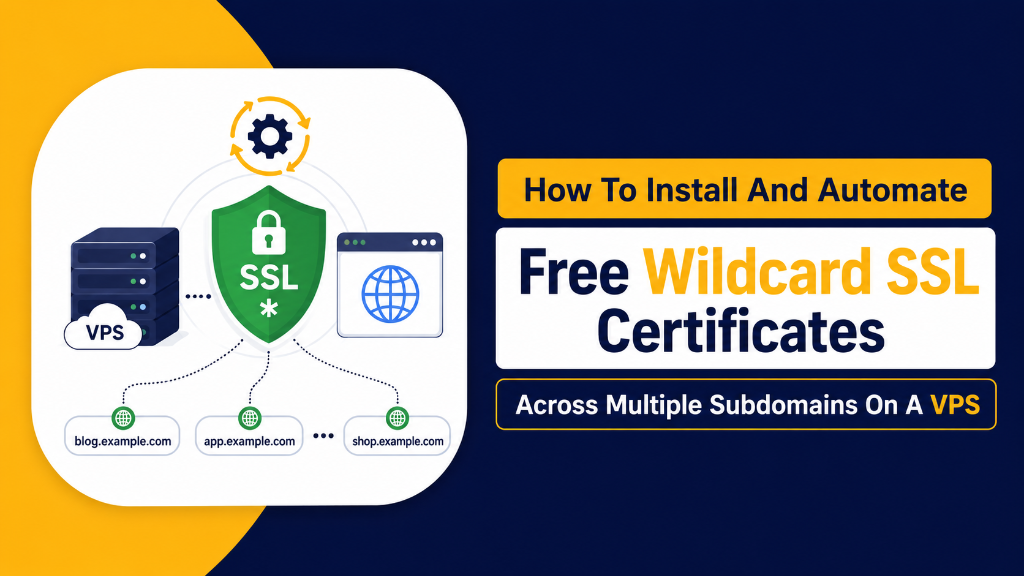
- Unlimited Subdomain Encryption: A single Wildcard SSL certificate (
*.yourdomain.com) encrypts all present and future first-level subdomains under a unified cryptographic identity. - DNS-01 ACME Challenge: Automated DNS API integration (via Cloudflare/Route53) allows Certbot to prove domain ownership without requiring open HTTP port 80.
- TLS 1.3 & HSTS Hardening: Enforcing TLS 1.3 cipher suites, OCSP Stapling, and HTTP Strict Transport Security (HSTS) guarantees an A+ rating on Qualys SSL Labs.
- Enterprise Hosting: Deploying on a trusted USA VPS hosting provider delivers dedicated KVM hypervisor security, high NVMe I/O, and 99.99% uptime.
1. Introduction: Modernizing Enterprise TLS Infrastructure with Wildcard SSL
In modern web architecture, enterprise applications rarely reside on a single root domain. Modern software ecosystems routinely distribute functionality across dozens of dedicated subdomains: api.yourdomain.com for REST/GraphQL APIs, app.yourdomain.com for single-page web applications, auth.yourdomain.com for OAuth SSO authentication, and store.yourdomain.com for e-commerce checkout funnels.
Strategic Considerations & Core Architecture Drivers
Managing individual, separate SSL/TLS certificates for each subdomain introduces severe operational complexity: tracking staggered expiration dates, managing rate-limit thresholds on certificate authorities, and troubleshooting certificate mismatch errors. If an individual certificate silently expires, customer trust is instantly eroded by browser security warning screens.
The definitive solution is deploying an automated Let’s Encrypt Wildcard SSL Certificate (*.yourdomain.com). A wildcard certificate encrypts the root apex domain and an unlimited number of subdomains under a single cryptographic certificate, automatically covering new microservices and staging environments the instant they are deployed. This unified architecture drastically cuts administrative overhead while maintaining continuous end-to-end encryption.
Because certificate authorities cannot validate wildcard domain ownership via standard HTTP web server challenges, wildcard certificates require the DNS-01 ACME validation challenge. By leveraging DNS API automation (such as Cloudflare, AWS Route 53, or DigitalOcean DNS APIs), Certbot automatically creates ephemeral TXT verification records, requests certificates, and configures automatic renewal seamlessly in the background.
Furthermore, pairing wildcard encryption with hardened TLS 1.3 cryptographic protocols, OCSP Stapling, and HTTP Strict Transport Security (HSTS) ensures zero-latency SSL handshakes and total protection against downgrade attacks.
Deploying on an enterprise platform backed by a trusted USA VPS hosting provider ensures maximum network reliability and low latency for cryptographic handshakes. In this comprehensive technical guide, we evaluate ACME validation mechanics, review TLS cipher benchmarks, explain OCSP stapling, and provide an actionable PuTTY installation runbook.
2. Architectural Models: HTTP-01 Single-Domain vs. DNS-01 Wildcard Validation
Comparing standard HTTP-01 challenge limitations against automated DNS-01 API validation clarifies why wildcard architecture is superior for scaling infrastructure.
|
Web Server Validation
HTTP-01 ChallengeValidates ownership by placing a token in Limitation: Requires open port 80 & separate cert per subdomain.
|
DNS API Automation
DNS-01 Wildcard ChallengeProves control via DNS API by provisioning Advantage: Works on private backends, no port 80 & unlimited subdomains.
|
3. Core Concept: The 5 Pillars of Enterprise Wildcard TLS Hardening
Building a production-grade SSL/TLS infrastructure involves five interconnected architectural components:
Seamless certificate automation guarantees continuous HTTPS compliance; discover how cheap VPS servers provide SSL encryption with zero downtime across multi-site web stacks.
1. DNS-01 ACME Automated Challenge Flow
The Automated Certificate Management Environment (ACME) protocol enables zero-touch certificate issuance. When requesting a wildcard certificate, Certbot calls your DNS provider’s REST API (e.g., Cloudflare) to create a temporary TXT record at _acme-challenge.yourdomain.com containing a cryptographic digest. Let’s Encrypt nameservers query the record, verify domain authority, issue the certificate, and Certbot deletes the TXT record in seconds.
2. Enforcing Pure TLS 1.3 & Modern Cipher Suites
Legacy TLS 1.0, 1.1, and even older TLS 1.2 configurations suffer from slow multi-roundtrip handshakes and vulnerable cipher modes. Enforcing TLS 1.3 reduces handshake latency from 2 round-trips to just 1-RTT (or 0-RTT session resumption). Restricting ciphers to TLS_AES_256_GCM_SHA384 and TLS_CHACHA20_POLY1305_SHA256 guarantees perfect forward secrecy (PFS).
3. OCSP Stapling (Online Certificate Status Protocol)
When a browser connects to an HTTPS site, it traditionally contacts the Certificate Authority’s OCSP server to check if the certificate has been revoked, causing DNS lookup delays. Enabling OCSP Stapling instructs your Nginx/Apache web server to periodically query the CA, cache the timestamped cryptographic revocation proof, and ‘staple’ it directly into the initial TLS handshake, accelerating page load times by up to 150ms.
4. HTTP Strict Transport Security (HSTS) & Preloading
To prevent man-in-the-middle SSL-stripping attacks, the web server injects the Strict-Transport-Security response header. With the includeSubDomains directive enabled, browsers automatically force HTTPS connections across all existing and future subdomains before any network packets are transmitted.
5. Automated Systemd Timer Silent Renewals
Let’s Encrypt certificates are valid for 90 days. A production deployment relies on background systemd timers (certbot.timer) that execute twice daily. When a certificate reaches 30 days before expiration, Certbot automatically re-verifies DNS-01 challenges, downloads new certificate files, and reloads Nginx gracefully via deploy hooks with zero downtime.
6. Lightweight ACME Automation via acme.sh
In minimal Linux VPS environments where Python and Snap dependencies are undesirable, acme.sh offers a zero-dependency, pure POSIX shell script alternative. It natively integrates with over 150 DNS provider APIs, supports automated cron scheduling, and issues ECC-384 wildcard certificates with minimal disk and memory footprint.
7. Emergency Certificate Revocation & Key Rollover
If an SSL private key is ever exposed or suspected of compromise, security teams must immediately revoke the certificate and generate a fresh key pair. Executing certbot revoke --cert-path ... instantly broadcasts cryptographic revocation proofs to global Certificate Revocation Lists (CRLs) and OCSP responders, preventing impersonation attacks.
8. Dynamic Traefik & Envoy SNI Proxy Routing
Modern containerized Docker architectures deploy edge reverse proxies such as Traefik or Envoy. These ingress controllers terminate Wildcard SSL handshakes at the container perimeter using Server Name Indication (SNI) and forward unencrypted traffic over isolated private bridge networks directly to internal application microservices.
9. Certificate Transparency (CT) Log Auditing
Every publicly issued Let’s Encrypt certificate is permanently recorded in public Certificate Transparency logs. Integrating automated CT monitoring services alerts security engineers the moment any Certificate Authority issues a certificate for their domain name, detecting unauthorized certificate issuance or domain takeover attempts in real time.
10. TLS 1.3 Zero Round-Trip Time (0-RTT) Session Resumption
For repeat visitors, TLS 1.3 enables 0-RTT session resumption. By storing pre-shared encryption keys in secure browser session tickets, returning clients can transmit HTTP GET requests along with the initial handshake packet, achieving absolute instantaneous page loading on high-latency mobile networks.
4. SSL Validation & Cryptographic Protocol Comparison Matrix
Compare certificate challenge methods, cipher protocols, and security ratings:
| Technical Dimension | Standard HTTP-01 SSL | DNS-01 Wildcard SSL | Commercial Wildcard |
|---|---|---|---|
| Subdomain Coverage | Explicit single domain only | Unlimited (*.domain.com) | Unlimited (*.domain.com) |
| Annual Software Cost | $0 (Free Open Source) | $0 (Free Open Source) | $80 – $300+/year |
| Open Port 80 Required | Yes (Mandatory HTTP) | No (DNS API only) | No (Email / DNS validation) |
| Automated 0-Touch Renewal | Yes (Systemd timer) | Yes (Certbot DNS hook) | Manual yearly re-issue |
| Qualys SSL Labs Rating | A to A+ (Config dependent) | A+ (With TLS 1.3 & HSTS) | A to A+ |
5. Real-World Scenarios: Architecture Benefiting from Wildcard SSL
Discover the operational environments where Wildcard SSL architecture delivers unmatched efficiency:
🏢 Multi-Tenant SaaS Platforms
Automatically provision HTTPS encryption for customer vanity subdomains (clientname.platform.com) without requesting individual certificates.
🚀 Microservice API Clusters
Protect multiple internal and external microservice routing endpoints (auth.*, api.*, billing.*) using a single consolidated certificate file.
⚙️ Ephemeral CI/CD Staging Previews
Spin up dynamic staging subdomains for pull requests (pr-58.stage.domain.com) with instant, valid HTTPS encryption out of the box.
🛒 E-Commerce Multi-Store Networks
Manage country-specific or brand-specific storefronts (uk.store.com, us.store.com) with streamlined centralized TLS management.
6. Hands-On Implementation: Certbot DNS-01 & Nginx TLS 1.3 Setup (PuTTY Terminal Guide)
Execute these production commands directly in your PuTTY terminal to install Certbot, configure Cloudflare DNS API tokens, issue a Wildcard SSL certificate, and harden Nginx TLS 1.3:
Managing ACME TXT challenge validation requires mastering nameserver zones; consult our domain registration, DNS records, and domain security guide to format DNS records correctly.
Step 1: Install Certbot and Cloudflare DNS Plugin on Ubuntu 22.04/24.04
Install official Certbot binaries via snap or apt package manager:
Step 2: Securely Store Scoped Cloudflare DNS API Token
Create credentials configuration file with restricted 600 root permissions:
Step 3: Issue Wildcard SSL Certificate via Certbot DNS-01 Challenge
Request certificate covering apex domain and all first-level wildcard subdomains:
Step 4: Configure Nginx TLS 1.3, OCSP Stapling & HSTS (/etc/nginx/conf.d/ssl.conf)
Implement enterprise SSL configuration for maximum security and performance:
Step 5: Test Automated Dry-Run Renewal with Nginx Reload Hook
Verify that background renewal hooks execute smoothly without human intervention:
Step 6: Audit Live OCSP Stapling and Handshake via OpenSSL s_client
Confirm that your web server is delivering valid stapled OCSP responses:
Step 7: Lightweight Wildcard Setup via acme.sh (Alternative Method)
Issue wildcard certificates using zero-dependency shell client:
Step 8: Automated SSL Expiration Monitoring via Bash CLI
Query exact remaining days on active live certificate via OpenSSL:
Always use --key-type ecdsa when requesting certificates in Certbot. Elliptic Curve Digital Signature Algorithm (ECDSA) keys are substantially smaller and faster to compute than RSA keys, reducing TLS handshake CPU overhead by over 50% on high-traffic mobile connections.
Never use your global Cloudflare account API key in /etc/letsencrypt/cloudflare.ini. Create a custom API token with permissions limited strictly to Zone:DNS:Edit for your specific zone. If your VPS is ever compromised, the attacker cannot tamper with account billing, firewalls, or other domain zones.
🎯 Key Takeaways & Wildcard SSL Summary
- Unlimited Subdomains: Encrypts apex and all subdomains under a single auto-renewing certificate.
- DNS-01 ACME Validation: Issues certificates securely via DNS API automation without requiring open web ports.
- TLS 1.3 & OCSP Stapling: Delivers 1-RTT handshake speeds and achieves an A+ score on Qualys SSL Labs.
- Enterprise Platform: Deploying on a USA VPS hosting platform provides high-performance KVM computing and reliable low-latency networks for cryptographic services.
Frequently Asked Questions (FAQ)
Conclusion: Strategic Architecture Roadmap for US Businesses
Building a high-performance, secure, and scalable cloud infrastructure requires aligning compute resources, network proximity, and storage subsystems with application demands.
By deploying on dedicated KVM virtual private servers powered by modern Linux kernels and enterprise hardware, US organizations ensure maximum operational uptime, seamless scalability, and superior user experiences across North American and global markets.
