

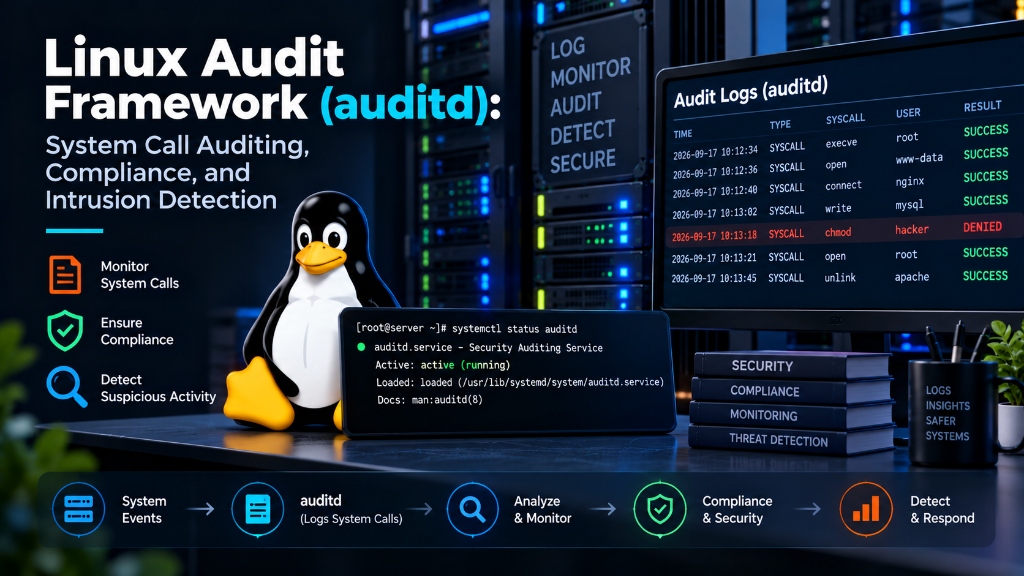
Executive Summary: Kernel-Level Auditing and Forensic Integrity
Standard Linux system logs (such as syslog, journalctl, and auth.log) record application-level events but are fundamentally blind to low-level operating system actions. If an attacker gains root privileges, they can alter log timestamps, truncate log files, or execute binaries directly in memory without generating standard log entries. The Linux Audit Framework (auditd) operates inside the Linux kernel, intercepting system calls before processes complete execution. From tracking unauthorized file access and socket bindings to monitoring privilege escalation and satisfying regulatory compliance (PCI-DSS, SOC 2, HIPAA, ISO 27001), auditd creates a tamper-resistant security audit trail. This operational guide covers Linux auditd logging configuration, immutable rule enforcement, system call tracking, and forensic analysis.
The Linux Audit Framework Architecture (auditd)
The audit subsystem is built into the Linux kernel (via the kauditd kernel thread). When an application or user executes an action—such as opening a file (openat), changing permissions (chmod), or spawning a process (execve)—the kernel evaluates the event against active audit rules.
If a rule matches, the kernel transmits an audit record across a Netlink socket to the user-space auditd daemon, which writes the event to /var/log/audit/audit.log before process execution continues.
Deploying on a dedicated UK VPS environment ensures your host kernel grants full access to Netlink audit sockets and rule customization without hypervisor restrictions. For broader hosting management and support frameworks, explore our server setup, migration, and monitoring support guide.
Defining Immutable Audit Rules with -e 2
A critical feature of auditd is rule immutability. Once audit rules are loaded into the kernel, an attacker who compromises root access could theoretically disable auditing by executing auditctl -D (delete all rules).
Adding the immutable flag locks the kernel audit configuration:
When -e 2 is active, the Linux kernel rejects all subsequent attempts to modify, disable, or delete audit rules. The only way to alter audit policies is to reboot the entire operating system, ensuring forensic integrity during active intrusion events. Furthermore, appending audit=1 to GRUB kernel boot parameters ensures that the kernel starts auditing system calls before user-space initialization begins.
To understand root-level compromise vectors and privilege containment, examine our analysis of the regreSSHion OpenSSH remote code execution vulnerability.
Monitoring Critical System Files and Privilege Escalation (execve)
Configure comprehensive file and system call monitoring in /etc/audit/rules.d/99-security.rules:
Correlating auditd with SIEM Systems via Auditbeat and Syslog
Local audit logs stored exclusively on the compromised server remain vulnerable if an adversary destroys the underlying virtual disk. Enterprise defense architectures stream audit logs to an external Security Information and Event Management (SIEM) cluster in real time.
Elastic Auditbeat communicates natively with the Linux audit kernel module, bypassing user-space disk logging:
Auditbeat structures kernel events into Elastic Common Schema (ECS) JSON records, allowing security operations center (SOC) analysts to visualize shell commands, file modifications, and authentication attempts across thousands of servers simultaneously.
Monitoring Network Socket Creations and Raw Packet Sniffing
Attackers establishing unauthorized reverse shells or running network packet sniffers (such as tcpdump) must execute specific socket-related system calls.
Configure kernel rules to log socket bindings and raw socket manipulations:
If an attacker attempts to bind a listening backdoor daemon to a high port or sniff cleartext traffic on local network interfaces, auditd logs the exact process ID, parent PID, user UID, and socket family before the connection is established.
Auditd Rule Set for Regulatory Compliance: PCI-DSS, SOC 2, and ISO 27001
For e-commerce organizations handling payment transactions or SaaS providers managing client data, demonstrating continuous audit compliance is mandatory. PCI-DSS Requirement 10 explicitly mandates logging all administrative actions, access to cardholder data, and initialization of audit logs.
Incorporate standard compliance rules:
High-Performance auditd Daemon Tuning (Disk Buffers & Backlog)
In high-concurrency environments, auditd can generate thousands of events per second. If the internal kernel buffer overflows, the kernel must either drop events or pause system processes.
Configure high-throughput buffer parameters in /etc/audit/auditd.conf:
Setting flush = INCREMENTAL_ASYNC prevents synchronous disk writes from choking high-volume PHP-FPM or database workers, maintaining optimal throughput.
Parsing and Analyzing Audit Trails with ausearch and aureport
Raw audit records in /var/log/audit/audit.log are densely structured hexadecimal streams. The audit suite provides specialized utilities to parse and analyze events cleanly:
Passing the -i (interpret) flag automatically translates raw hexadecimal paths and numerical user IDs into human-readable strings, cutting forensic incident investigation times from hours to minutes. Security teams can export these enriched reports into CSV or JSON summaries to prove regulatory compliance during quarterly SOC 2 and PCI-DSS audit evaluations.
Auditing File System Permission Changes (chmod, chown, setfacl)
When attackers compromise a server, one of their initial actions is altering file permissions—such as adding SUID bits to arbitrary binaries or making configuration files world-writable.
Deploy audit rules in /etc/audit/rules.d/permissions.rules to record all DAC modifications:
If a user or script alters permissions on any file, auditd records the exact binary responsible, the target path, the before-and-after permission mask, and the original logged-in user ID.
Kernel Module Rootkit Detection via auditd Module Loading Rules
Advanced persistent threats (APTs) and kernel rootkits conceal their presence by loading malicious Loadable Kernel Modules (LKMs). Once in kernel space, rootkits can hide processes from ps, disguise network ports from netstat, and filter disk files.
Enforce strict kernel module auditing in /etc/audit/rules.d/kernel.rules:
Whenever a kernel module is introduced or removed, auditd generates a high-priority event containing the module name and invoking process, allowing security operations to detect rootkit deployment in real time.
Automating Audit Log Archiving, S3 Offsite Sync, and Retention Policies
Regulatory standards (such as PCI-DSS Requirement 10.7) mandate retaining audit logs for at least one year, with three months immediately available for online analysis.
Automate daily audit log compression and immutable cloud sync:
Configuring S3 Object Lock in Compliance Mode prevents even AWS root administrators from deleting or altering audit archives for 365 days, satisfying the most stringent regulatory integrity audits.
Hardening auditd Daemon Configuration Against Denial of Service (DoS)
In extreme security environments, an attacker who realizes auditing is active might attempt to launch an audit Denial of Service (DoS) attack by generating millions of benign system calls, hoping to fill disk drives or force the kernel to drop audit events.
Harden the daemon’s failure response policies in /etc/audit/auditd.conf:
Configuring SUSPEND instructs the daemon to pause system accounting and prevent log corruption rather than crashing, while immediately dispatching emergency alerts to security staff.
