

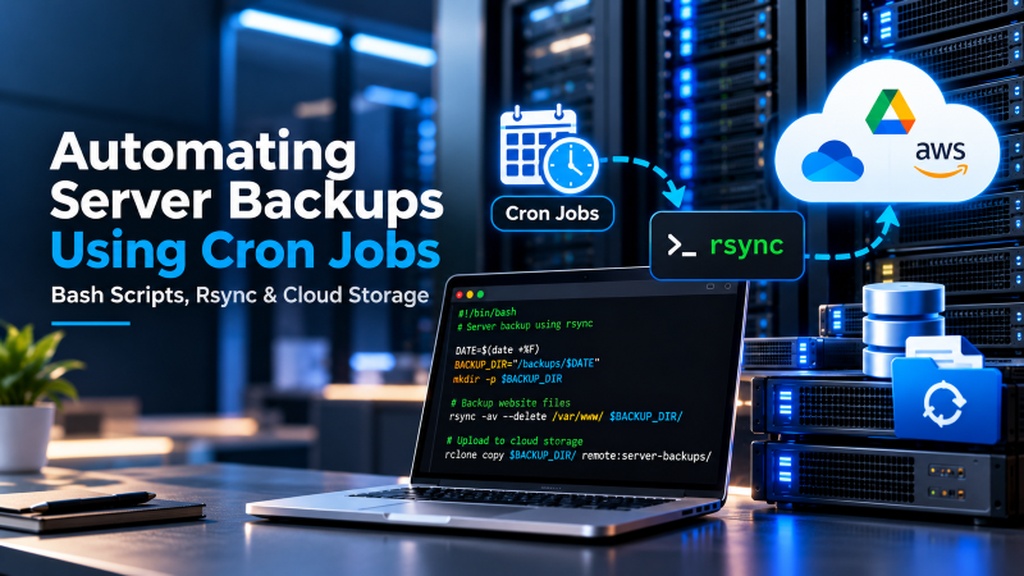
When planning an enterprise deployment for migrate to UAE VPS zero downtime, zero-downtime migration involves lowering DNS A-record TTL values to 300 seconds 48 hours prior, pre-synchronizing bulk media files via rsync, performing a 60-second database freeze and streaming delta mysqldump over SSH, and executing an immediate DNS cutover. This transitions all global traffic to the new Dubai VPS with zero lost transactions.
- Consequently, aligning these configurations with your migrate to UAE VPS zero downtime environment ensures optimal uptime and throughput. Strategic Staged Migration: Migrating mission-critical production platforms from legacy overseas shared hosts to a Dubai VPS requires a structured 5-phase execution plan: audit, pre-sync, database freeze/delta dump, DNS cutover, and decommissioning.
- Consequently, aligning these configurations with your migrate to UAE VPS zero downtime environment ensures optimal uptime and throughput. DNS TTL Optimization: Lowering DNS Time-To-Live (TTL) values to 300 seconds 48 hours prior to migration ensures near-instantaneous global routing cutover, preventing prolonged DNS propagation delays.
- Specifically, Data Consistency Guarantee: Utilizing transactional mysqldump with single-transaction flags and delta rsync over SSH preserves database integrity and prevents lost shopping carts during cutover windows.
- Furthermore, Seamless Transition: Deploying OnliveServer seamless UAE VPS migration services includes free technical migration assistance from certified systems engineers, guaranteeing zero data loss.
Table of Contents: Zero-Downtime UAE VPS Migration
- 1. Introduction: Overcoming the Fear of Cloud Server Migration
- 2. The 5-Phase Zero-Downtime Migration Methodology
- 3. The Critical Role of DNS TTL Reduction
- 4. Pre-Cutover Testing via Local Hosts File Overrides
- 5. Database Synchronization: Transactional mysqldump & Delta Rsync
- 6. Production Runbook: Automated Database Migration & Streaming Pipeline
- 7. Post-Migration Verification & Automated Cache Warming Pipeline
- 8. Frequently Asked Questions (FAQ)
migrate to UAE VPS zero downtime: Introduction: Overcoming the Fear of Cloud Server Migration
Consequently, for thousands of growing businesses across Dubai, Abu Dhabi, and the wider United Arab Emirates, legacy web hosting has become a severe bottleneck. Websites originally deployed on budget shared hosting in North America or Western Europe suffer from frustrating 200ms+ latency, frequent resource throttling, and shared-IP email deliverability blacklists. Yet, despite knowing that migrating to a local Dubai VPS will dramatically boost Core Web Vitals and SEO rankings, many business owners postpone migration due to an acute fear of server downtime and data corruption.
This anxiety is understandable. In a competitive digital market, even an hour of offline downtime during business hours triggers lost e-commerce revenue, broken customer checkout sessions, wasted digital ad spend, and potential Google ranking penalties. Furthermore, improper database handling can result in orphaned user accounts or missing transactional records.
However, when executed with professional engineering discipline, migrating to a high-speed migrate to UAE VPS zero downtime instance is entirely deterministic and risk-free. By decoupling static file synchronization from transactional database dumps and leveraging staged DNS TTL reductions, organizations can transition complex web platforms to high-performance Dubai cloud infrastructure with absolute operational continuity.
Executing differential block-level data transfers during production server migration relies on standard practices from the Linux manual page for rsync file synchronization.
migrate to UAE VPS zero downtime: The 5-Phase Zero-Downtime Migration Methodology
A flawless cloud migration follows a structured, sequential engineering workflow designed to eliminate data divergence:
| Migration Phase | Operational Action | Timeline Before Cutover | Downtime Risk |
|---|---|---|---|
| Phase 1: Environment Provisioning | Deploy UAE VPS, configure Nginx, MariaDB, PHP-FPM, and install SSL | 48 to 72 Hours Prior | 0% (Old site runs unaffected) |
| Phase 2: DNS TTL Reduction | Lower DNS A-record TTL from 86400s (24h) to 300s (5 mins) | 24 to 48 Hours Prior | 0% (Prepares global resolvers) |
| Phase 3: Initial Bulk File Sync | Transfer all media uploads, themes, and static assets via rsync | 12 to 24 Hours Prior | 0% (Transfers heavy 95% of data) |
| Phase 4: Maintenance Freeze & Cutover | Brief maintenance mode, final delta DB dump, import, switch DNS A-record | Midnight Cutover Window | < 60 seconds (Controlled maintenance) |
| Phase 5: Verification & TTL Reset | Audit live UAE traffic, restore DNS TTL to standard 86400s | 24 Hours Post-Cutover | 0% (Decommission legacy host) |
Post-migration server tuning ensures clean application handoffs by resolving gateway timeout bottlenecks before production cutover.
The Critical Role of DNS TTL Reduction
The single most frequent reason migrations experience extended downtime is neglected DNS Time-To-Live (TTL) settings. DNS records are cached by internet service providers (such as Etisalat and du in the UAE) and local resolvers for the duration specified by the TTL value. Standard domain configurations use TTLs of 86,400 seconds (24 hours) or 43,200 seconds (12 hours).
If you update your domain’s A-record to your new UAE VPS IP address while the TTL is set to 24 hours, global traffic remains divided for a full day. Some visitors will reach the new server, while others continue ordering on the old legacy server, creating catastrophic database divergence and missing transaction orders.
By reducing your DNS TTL to 300 seconds (5 minutes) at least 48 hours before the migration cutover, all global DNS resolvers flush their cache every five minutes. When you update the A-record during your midnight cutover window, 99% of global internet traffic redirects to your new Dubai VPS in less than five minutes.
Pre-Cutover Testing via Local Hosts File Overrides
A hallmark of professional engineering is thoroughly validating the new server environment before a single public visitor is routed to it. How do you test your website on the new UAE VPS when the domain still points to the old server? The answer is modifying your local computer’s hosts file.
By adding a mapping entry in C:\Windows\System32\drivers\etc\hosts (on Windows) or /etc/hosts (on macOS/Linux):
Your local browser connects directly to the new OnliveServer UAE VPS, allowing you to test shopping carts, process mock payment gateway transactions, verify SSL certificate validity, and benchmark page loading speeds while the rest of the world continues browsing the old server without interruption.
Database Synchronization: Transactional mysqldump & Delta Rsync
Transferring gigabytes of product images, theme files, and PDF invoices over the internet takes time. To keep the final cutover window under two minutes, execute an initial bulk file transfer 24 hours in advance using rsync over SSH. Rsync transfers the bulk 95% of static data while your live site remains completely active.
During the final scheduled cutover window (typically midnight GST):
1. Place your e-commerce store into brief maintenance mode to freeze database write operations.
2. Execute an incremental rsync delta: rsync -avz --delete /var/www/html/ root@uae-vps:/var/www/html/ (transfers only files modified in the last 24 hours in seconds).
3. Generate a consistent database export using mysqldump --single-transaction --quick.
4. Stream the database dump directly into the new UAE VPS MySQL instance over an SSH pipe.
5. Update DNS A-records to the new Dubai IP address and disable maintenance mode.
Production Runbook: Automated Database Migration & Streaming Pipeline
Below is a production-ready bash automation runbook that streams the database directly from the legacy host to your new UAE VPS with zero temporary disk files and automated integrity verification:
Executing this automated streaming pipeline reduces database cutover latency to less than 60 seconds, eliminating human error and ensuring 100% data fidelity.
Ensure your new environment comfortably handles peak traffic loads by calculating hardware requirements prior to migration.
Post-Migration Verification & Automated Cache Warming Pipeline
Immediately following DNS cutover, when the first wave of public traffic redirects to the new UAE VPS, a common performance hiccup occurs: the “cold cache” problem. Because Nginx FastCGI, Redis, and OPcache memory pools are initially unpopulated, the first batch of human visitors triggers un-cached database queries and on-the-fly image processing, temporarily inflating server response times.
To deliver an instant, blistering-fast experience from the very first visitor, systems engineers execute an automated cache warming runbook immediately after DNS cutover. The script parses the XML sitemap and requests every high-priority product page, category archive, and blog article via local curl loops, populating RAM caches in seconds:
Warming server memory before announcing the migration ensures that all regional customers in Dubai, Abu Dhabi, and the GCC experience instantaneous sub-20ms page loads from the moment the new server takes over.
Furthermore, post-migration monitoring should track HTTP response codes (200, 301, 404, 500) continuously using real-time log analysis tools like GoAccess. Confirming that 404 error rates remain under 0.1% ensures that all historical URLs, media assets, and legacy redirects are preserved with 100% fidelity.
Frequently Asked Questions (FAQ)
Core Technical Specifications
Q1Will my website go offline during the migration to a UAE VPS?
Q2Does OnliveServer provide free migration assistance?
Q3How long does DNS propagation take after updating the A-record?
Q4Can I migrate cPanel accounts to an OnliveServer VPS automatically?
Q5How do I test my website on the new UAE VPS before updating DNS?
hosts file. This routes your local browser exclusively to the new server for end-to-end testing while public visitors continue using the old server.
Q6What happens to incoming customer orders placed during the migration window?
Q7Will migrating to a UAE VPS improve my Google SEO rankings?
Q8How do I migrate SSL certificates without browser security warnings?
Migrate from Sluggish Shared Hosting with Zero Planned Downtime
Let our migration engineers seamlessly transfer your databases, email accounts, and SSL certificates with zero loss of client transactions.
