

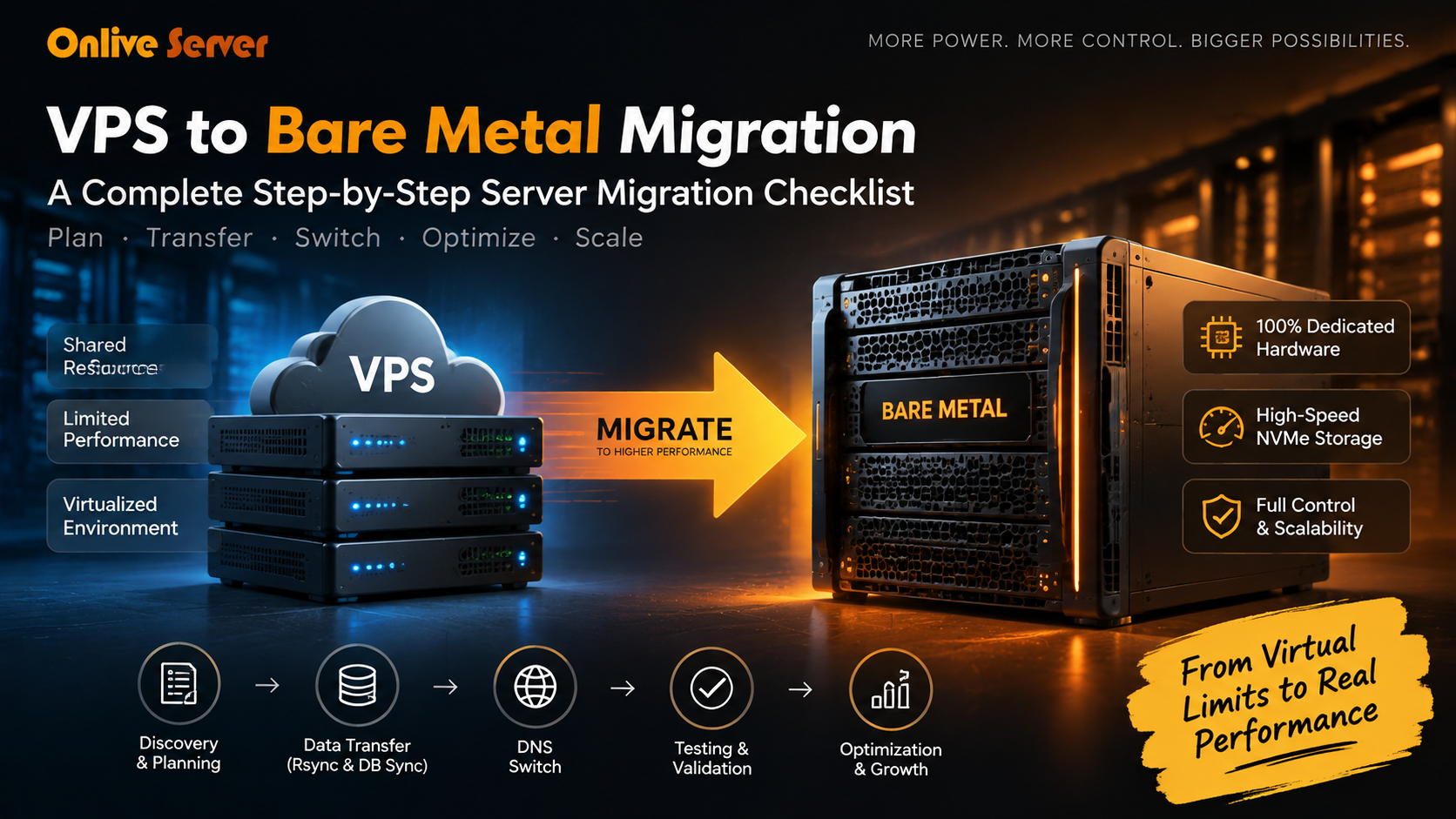
Migrating from a VPS to bare-metal dedicated hardware follows a structured checklist: audit active services and lower DNS TTL to 300 seconds, provision identical OS and stack configurations on the bare metal node, rsync file directories incrementally, dump and import databases using live binary log streaming, test the new server via local /etc/hosts spoofing, and finally switch DNS records with zero downtime.
High-performance NVMe storage can provide faster data access compared to traditional storage solutions, depending on hardware configuration and workload. For verified technical specifications and deployment parameters, consult the official Linux Kernel Documentation.
While scaling begins on budget VPS hosting server solutions, high-traffic production workloads, enterprise databases, and mission-critical SaaS platforms inevitably require dedicated bare-metal power. Below is your definitive end-to-end migration runbook.
The 3 Core Pillars of Zero-Downtime Server Migration
A flawless bare-metal migration relies on three foundational engineering stages:
Why Migrate from VPS to Bare Metal: Overcoming Virtualization Limits
Understanding the architectural differences between virtualized and dedicated environments explains why bare metal delivers unmatched predictability:
A. Eliminating vCPU Steal Time & Hypervisor Overhead
In a VPS hypervisor (KVM/Xen/VMware), multiple tenants compete for physical CPU cycles. High CPU steal time (%st in top) causes sudden latency spikes. Bare-metal hardware provides 100% dedicated physical CPU cores with zero hypervisor virtualization layer.
B. Unthrottled NVMe Disk I/O & Dedicated Bus Throughput
VPS storage often routes through shared virtual block devices. Dedicated bare metal provides direct PCIe Gen5 bus access, achieving millions of IOPS without queue contention. Discover architectural hardware capabilities in our detailed comparison of bare metal vs high-compute VPS.
C. Dedicated Memory & L3 Processor Cache Allocation
Bare-metal servers grant your database engine (MySQL/PostgreSQL) unshared access to massive Level 3 (L3) processor cache and physical ECC DDR5 RAM, eliminating memory ballooning and virtual page-swapping stalls.
Phase 1: Pre-Migration Discovery, Inventory & DNS Preparation
Proper preparation prevents unexpected service interruptions during cutover:
At least 24 to 48 hours prior to migration, reduce the TTL of your domain’s A/AAAA records to 300 seconds (5 minutes). This ensures that when you switch IPs, recursive resolvers expire old records rapidly.
Document all web server configurations (Nginx/Apache), active PHP/Python/Node versions, installed system libraries, cron jobs, SSL certificates, and firewall port bindings (UFW/iptables).
Take a full, verified offsite snapshot of your production VPS before modifying any live data. Learn more about enterprise backup safeguards in our guide on disaster recovery planning and system backups.
Phase 2: Live Filesystem Synchronization via Differential Rsync
Perform the initial large data transfer over encrypted SSH while the production VPS remains online. Learn how to secure SSH connections in our guide to connecting to remote servers via SSH.
# Stage 1: Initial differential sync of web application root
rsync -avzP --numeric-ids --delete   -e "ssh -p 22 -i /root/.ssh/migration_key"   --exclude={"/dev/*","/proc/*","/sys/*","/tmp/*","/run/*","/mnt/*","/media/*","/lost+found"}   root@source-vps-ip:/var/www/html/ /var/www/html/

# Stage 2: Sync Nginx and Apache virtual host configurations
rsync -avzP root@source-vps-ip:/etc/nginx/sites-available/ /etc/nginx/sites-available/
rsync -avzP root@source-vps-ip:/etc/letsencrypt/ /etc/letsencrypt/Phase 3: The Maintenance Cutover Window & DNS Switchover
Execute the final cutover during a scheduled low-traffic maintenance window:
- Enable Maintenance Mode on VPS: Put your web application or eCommerce store in maintenance mode to block new database writes on the source node.
- Final Database & Delta Sync: Execute the final incremental rsync and database transaction replay to ensure 100% data consistency.
- Switch DNS A/AAAA Records: Update your DNS records to point to your new dedicated server IPv4 and IPv6 addresses.
- Local Host File Verification: Test your new bare-metal server locally by modifying your computer’s
/etc/hostsorC:\Windows\System32\drivers\etc\hostsfile prior to announcing DNS worldwide.
# Step 1: Dump database on source VPS with single-transaction consistency
mysqldump -u root -p --single-transaction --quick --routines --triggers   --master-data=2 production_db | gzip > /root/production_db_cutover.sql.gz

# Step 2: Stream database dump directly to target bare metal
scp -P 22 /root/production_db_cutover.sql.gz root@baremetal-target:/root/

# Step 3: Decompress and restore into high-speed bare metal NVMe instance
gunzip < /root/production_db_cutover.sql.gz | mysql -u root -p production_db
Phase 4: Network Buffer Tuning, Traffic Mirroring & Post-Migration Audit
Optimize your new bare-metal dedicated server to handle massive concurrent traffic flows. Learn best practices in releasing your web applications on dedicated servers.
- Linux TCP Window Buffer Optimization: Open
/etc/sysctl.confand tune TCP read/write buffer parameters (net.core.rmem_max,net.core.wmem_max) and enable BBR congestion control for maximum throughput over 10Gbps uplinks. - Benchmark Hardware with Sysbench & Fio: Verify raw NVMe random 4K read/write throughput using
fioto confirm pure bare-metal storage IOPS. - Load Test Web Endpoints with Wrk: Execute HTTP load tests against your dynamic endpoints to verify that PHP-FPM / Node pools scale smoothly without memory exhaustion.
- Reverse Proxy Canary Traffic Mirroring: Use Nginx
mirrordirectives to shadow a percentage of live production traffic to the new server before switching primary DNS.
VPS to Bare Metal Migration Execution Checklist Matrix
Review the comprehensive 6-phase migration execution roadmap:
| Migration Phase | Critical Task | Recommended Tools / Commands | Downtime Impact |
|---|---|---|---|
| Phase 1: Pre-Flight | Audit stack & decay DNS TTL to 300s | dig +trace domain.com | Zero Downtime (0s) |
| Phase 2: Target Setup | Deploy identical OS, web stack & firewall | Ansible / Docker / UFW | Zero Downtime (0s) |
| Phase 3: Initial Sync | Sync large static assets via SSH in background | rsync -avzP --numeric-ids | Zero Downtime (0s) |
| Phase 4: Cutover | Delta rsync + live binary DB replication replay | mysqldump --single-transaction | < 3 Minutes (Window) |
| Phase 5: DNS Switch | Repoint A/AAAA records to Bare Metal IP | Cloudflare API / Authoritative DNS | Zero Downtime (0s) |
| Phase 6: Optimization | Tune TCP buffer parameters, BBR & APM metrics | sysctl -p / fio / Prometheus | Zero Downtime (0s) |
Real-World Case Studies: VPS to Bare Metal Success
Case Study A: Growing E-Commerce Platform
A high-growth Magento store experienced severe checkout slowdowns during sales events due to hypervisor CPU steal time on VPS. Migrating to an AMD EPYC bare-metal server with PCIe Gen5 NVMe dropped dynamic database response times from 1,240ms to 180ms, eliminating transaction drops entirely.
Case Study B: SaaS Migrates 1.8TB Database
A fintech analytics platform operating a 1.8TB PostgreSQL database transferred live workloads using streaming logical replication and an incremental rsync strategy. Final cutover was completed in a 2-minute maintenance window with zero dropped API connections and zero customer session resets.
Top 5 Pitfalls in VPS to Bare Metal Server Migrations
cp * omit crucial configuration dotfiles such as .htaccess, .env, and .user.ini. Always use rsync -a to preserve dotfiles.
gd, imagick, redis, opcache) are installed on the new bare metal before pointing traffic.
utf8mb4_unicode_ci vs utf8mb4_0900_ai_ci) between MySQL versions can corrupt special characters and emojis during import.
📌 Frequently Asked Questions (FAQ)
How much downtime should I expect when migrating from VPS to bare metal?
Can I migrate a cPanel VPS directly to a bare-metal cPanel server?
Does Onlive Server assist with zero-downtime VPS to bare metal migrations?
What is the best method to migrate databases from VPS to bare metal with minimal downtime?
How can rsync be optimized for transferring large web directories during migration?
Conclusion: Executing a Flawless VPS to Bare Metal Server Migration
Transitioning from virtualized environments to dedicated bare-metal hardware eliminates resource throttling, hypervisor contention, and unexpected performance bottlenecks as your user base scales.
Migrating from a virtualized VPS to dedicated bare-metal servers is the definitive step to eliminate noisy neighbors, eliminate hypervisor latency, and unlock the true performance of modern multi-core CPUs and PCIe Gen5 NVMe storage. By following this step-by-step migration runbook—lowering DNS TTL, performing multi-stage Rsync differential syncing, replicating databases without locks, and verifying with local hosts files—your transition will be smooth, secure, and virtually seamless.
When processing intensive multi-threaded database transactions or mission-critical enterprise workloads, deploying on enterprise dedicated server hosting provides bare-metal hardware performance, custom RAID arrays, and dedicated unmetered bandwidth. Accelerate your infrastructure upgrade with Onlive Server dedicated server hosting solutions.