

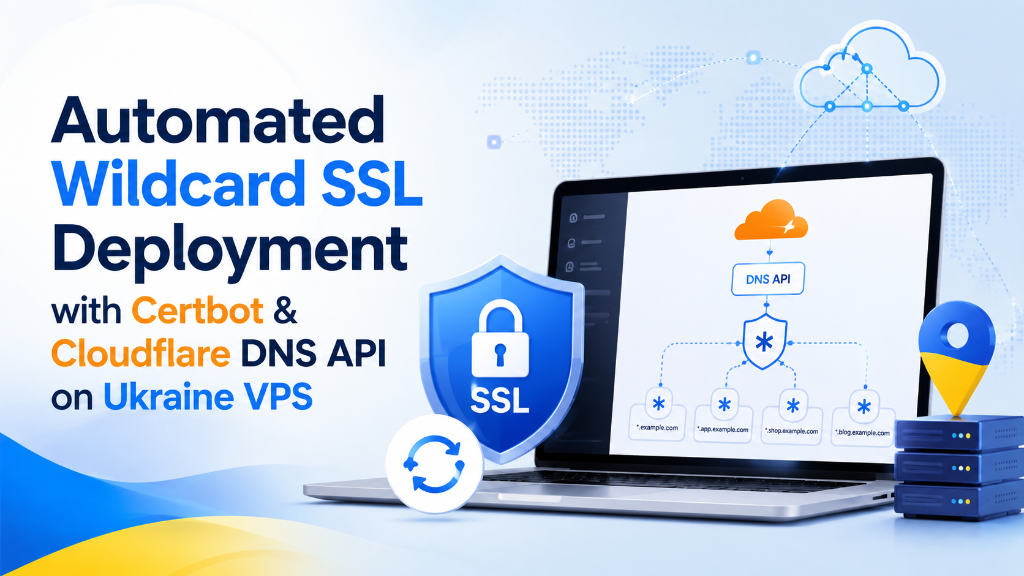
Specifically, when planning an enterprise deployment for wildcard SSL certbot DNS 01, to automate wildcard SSL certificates (*.yourdomain.com), use the Certbot certbot-dns-cloudflare plugin to complete Let’s Encrypt DNS-01 validation. Secure your Cloudflare API token in a restricted credentials file (chmod 600) and execute Certbot with the DNS plugin, enabling automated non-interactive renewals via systemd timers without exposing webroot directory hooks.
wildcard SSL certbot DNS 01: Introduction: The Operational Burden of Multi-Domain SSL Management
Consequently, aligning these configurations with your wildcard SSL certbot DNS 01 environment ensures optimal uptime and throughput. In modern cloud hosting and microservices architecture, managing SSL/TLS certificates has evolved from an occasional administrative chore into a critical operational lifecycle. Contemporary platforms rarely operate on a single domain; they expand across dozens of subdomains: api.domain.com for REST APIs, auth.domain.com for identity services, app.domain.com for client dashboards, and dynamic multi-tenant customer endpoints.
Strategic Considerations & Architecture Drivers
Furthermore, issuing individual single-domain certificates for each service creates severe administrative overhead and technical vulnerabilities:
- Consequently, aligning these configurations with your wildcard SSL certbot DNS 01 environment ensures optimal uptime and throughput. The HTTP-01 Validation Dilemma: Standard ACME verification requires opening public HTTP port 80. This strictly prohibits wildcard certificates and fails on internal microservices, private staging servers, or backend databases.
- Consequently, aligning these configurations with your wildcard SSL certbot DNS 01 environment ensures optimal uptime and throughput. Configuration Drift & Outage Risks: Managing separate certificates for dozens of subdomains increases memory footprint, complicates Nginx server blocks, and multiplies the risk of unexpected expiration outages.
- Consequently, Zero-Port DNS-01 Verification: The DNS-01 challenge proves domain control programmatically via DNS TXT records, allowing wildcard issuance (
*.yourdomain.com) without exposing open ports to internet scrapers.
In addition, by pairing Certbot with the Cloudflare DNS API on an enterprise virtual private server in Kyiv, organizations achieve fully automated, zero-touch certificate issuance and renewal across all public and private subdomains. For comparison with legacy control panel SSL workflows, explore our SSL certificate installation guide, while our overview on securing business web hosting outlines the commercial importance of unbroken HTTPS encryption.
📌 Master Chapter Index
- wildcard SSL certbot DNS 01: Introduction: The Operational Burden of Multi-Domain SSL Management
- wildcard SSL certbot DNS 01: Architectural Blueprint: The ACME DNS-01 Validation Protocol
- Step-by-Step Production Deployment Runbook on Ubuntu VPS
- Hardening Nginx with Modern TLS 1.3 & OCSP Stapling
- Enterprise Industry Use Cases for Wildcard SSL on Ukraine VPS
- Operational Advantages and Strategic Boundaries
- Automated Systemd Renewal Timers & Nginx Reload Hooks
- Achieving A+ Rating on SSL Labs & Elliptic Curve (ECDSA) Keys
- Multi-Node Certificate Distribution via Automated SSH Hooks
- Canonical Redirection & HTTPS Enforcement in Nginx
- Managing ACME Rate Limits & Staging Environment Testing
- Monitoring SSL Expiration with Prometheus Blackbox Exporter
- Troubleshooting DNS Propagation & API Timeout Errors
- Cryptographic Key Lifecycle Auditing
- Frequently Asked Questions (FAQ)
wildcard SSL certbot DNS 01: Architectural Blueprint: The ACME DNS-01 Validation Protocol
In particular, to understand how automated wildcard SSL deployment operates, engineers must trace the three sequential phases of the ACME RFC 8555 lifecycle:
A. Challenge Generation & Key Authorization
Therefore, when Certbot requests a certificate for yourdomain.com and *.yourdomain.com, the Let’s Encrypt CA generates a unique cryptographic token. Certbot combines this token with your account key to produce a SHA-256 digest known as the key authorization digest.
B. Automated DNS Record Injection via Cloudflare API
Moreover, the certbot-dns-cloudflare plugin communicates securely with the Cloudflare REST API using a scoped API token. It dynamically publishes a DNS TXT record at _acme-challenge.yourdomain.com containing the authorization digest. Because Cloudflare’s global Anycast DNS infrastructure propagates changes in sub-second intervals, validation occurs almost instantaneously.
C. CA Verification & Automated Cleanup
In fact, let’s Encrypt’s globally distributed validation servers query Cloudflare authoritative nameservers for the TXT record. Upon matching the digest, Let’s Encrypt issues the signed X.509 certificate chain. Certbot’s plugin then calls the Cloudflare API once more to delete the ephemeral TXT record, leaving your DNS zone completely pristine.
Similarly, for automated DNS-01 API credentials setup and renewal hook configurations, visit the official EFF Certbot documentation.
| Validation Parameter | ACME HTTP-01 Challenge | ACME DNS-01 Challenge (Cloudflare API) |
|---|---|---|
| Wildcard Domain Support (*.domain.com) | Impossible (RFC 8555 Prohibition) | Full Native Support for *.domain.com |
| Public Port 80 Requirement | Mandatory (Must be open to internet) | Zero Requirement (Port 80 can remain blocked) |
| Securing Private / Internal Servers | Fails (Internal IPs cannot be validated) | Flawless (Validates via public DNS zone) |
| Web Server Downtime Risk | Risk of proxy or rewrite conflict | Zero Risk (Completely decoupled from web server) |
| Automated Renewal Reliability | Moderate (Firewall/WAF rules can break checks) | Extremely High (Authenticated API calls) |
Step-by-Step Production Deployment Runbook on Ubuntu VPS
Meanwhile, implement this complete technical runbook on an Ubuntu 22.04 / 24.04 LTS virtual server in Kyiv:
Step 1: Generating a Scoped Cloudflare API Token
Additionally, never use your global Cloudflare API key. Create a tightly scoped token under My Profile > API Tokens > Create Token:
- Token Name:
Certbot-DNS-Wildcard-Kyiv - As a result, Permissions:
Zone - DNS - Edit,Zone - Zone - Read - Specifically, Zone Resources:
Include - Specific Zone - yourdomain.com
Step 2: Installing Certbot & Cloudflare Plugin via Snap
Step 3: Storing Cryptographic Credentials Securely
Step 4: Requesting the Wildcard Certificate
Hardening Nginx with Modern TLS 1.3 & OCSP Stapling
Once certificates are issued in /etc/letsencrypt/live/yourdomain.com/, configure Nginx with Mozilla Modern TLS guidelines inside /etc/nginx/conf.d/ssl.conf:
Enterprise Industry Use Cases for Wildcard SSL on Ukraine VPS
Automating wildcard SSL deployments delivers immense commercial and security benefits across diverse IT environments:
- In addition, Multi-Tenant SaaS Applications: Instantly provisioning secured custom customer subdomains (e.g.
tenant.saas.com) without waiting for certificate validation or restarting web servers. - In particular, Microservice & API Gateways: Securing internal REST, gRPC, and WebSocket endpoints behind encrypted TLS without exposing backend instances to public port 80 scanners.
- Therefore, Web Development Studios & QA Teams: Providing valid SSL certificates across dozens of staging branches and preview environments (e.g.
feat-checkout.dev.agency.com). - Moreover, Private Enterprise Collaboration Tools: Encrypting Nextcloud, GitLab, and Jira instances hosted on internal Ukrainian cloud networks with zero certificate warnings.
Operational Advantages and Strategic Boundaries
Operational Considerations
- In fact, API Token Security: Protect
/root/.secrets/cloudflare.iniwith strict 0600 permissions to prevent credential compromise. - Similarly, Multi-Level Subdomain Boundary: Wildcards cover exactly one subdomain level (
*.domain.comcoversapp.domain.com, but notsub.app.domain.com).
Automated Systemd Renewal Timers & Nginx Reload Hooks
A common failure mode in self-hosted SSL management occurs when certificates are renewed on disk, but the web server continues serving expired cached certificates in memory because the daemon was never reloaded. Certbot solves this through post-renewal hooks.
Meanwhile, by configuring a post-renewal deploy hook inside /etc/letsencrypt/renewal-hooks/deploy/reload-nginx.sh, systemd automatically executes systemctl reload nginx the moment a certificate is successfully renewed. Administrators can test the automated renewal workflow at any time using Certbot’s dry-run simulation:
This guarantees zero downtime and completely hands-free certificate maintenance across your entire infrastructure.
Achieving A+ Rating on SSL Labs & Elliptic Curve (ECDSA) Keys
While standard RSA 2048-bit or 4096-bit keys provide adequate security, they impose measurable cryptographic calculation overhead on server CPU cores during TLS handshake establishment. Generating modern Elliptic Curve Digital Signature Algorithm (ECDSA) keys based on the secp384r1 curve delivers superior cryptographic strength with a fraction of the computational footprint.
As a result, pairing ECDSA certificates with HSTS preload headers and forward secrecy ciphers consistently achieves a flawless A+ rating on Qualys SSL Labs audits, proving the integrity and speed of your enterprise hosting environment.
Specifically, this modern hosting control panel architecture delivers unmatched performance, robust security defense, and optimal financial efficiency across all digital client environments.
Multi-Node Certificate Distribution via Automated SSH Hooks
Furthermore, in distributed cloud environments where a single wildcard certificate secures a cluster of multiple virtual servers (e.g. separate web frontends, API servers, and database management nodes), running ACME renewal clients on every individual server increases API rate-limit risks and token exposure.
Consequently, a superior architecture designates one central primary Ukraine VPS as the ACME certificate manager. Upon successful renewal, a Certbot post-renewal deploy hook uses secure rsync over SSH to push the newly generated fullchain.pem and privkey.pem files to worker nodes across your private network, triggering a graceful Nginx reload on each target server automatically:
Canonical Redirection & HTTPS Enforcement in Nginx
To prevent search engine crawler confusion and avoid duplicate content SEO penalties, your web server must enforce strict 301 permanent redirects from unencrypted HTTP to HTTPS, as well as canonicalizing between non-www and www hostnames.
In addition, configuring dedicated server blocks in Nginx listening on port 80 returns instantaneous return 301 https://$host$request_uri; responses, guaranteeing that all client connections are automatically upgraded to encrypted TLS 1.3 tunnels before transmitting sensitive form data or authentication cookies.
Managing ACME Rate Limits & Staging Environment Testing
In particular, let’s Encrypt enforces strict production rate limits: a maximum of 50 certificates per registered domain per week, and 5 failed validation attempts per account per hour. Exceeding these limits during initial testing or automated script development results in temporary account bans.
To prevent accidental rate limiting, systems engineers should always test new deployment scripts against the Let’s Encrypt Staging Environment using the --dry-run flag. The staging environment mimics production ACME challenge verification without consuming production issuance quotas, ensuring flawless script validation prior to live issuance.
Monitoring SSL Expiration with Prometheus Blackbox Exporter
While Certbot’s systemd timer automates certificate renewal, enterprise compliance demands independent monitoring to prevent unexpected certificate expirations caused by silent DNS API token revocation or firewall changes.
Deploying Prometheus Blackbox Exporter probes your HTTPS endpoints every 60 seconds, calculating the exact number of days remaining until TLS expiration (probe_ssl_earliest_cert_expiry). Grafana alert rules notify DevOps teams via Slack, Telegram, or PagerDuty if any certificate drops below 15 days of validity, establishing a foolproof safety net for digital operations.
Troubleshooting DNS Propagation & API Timeout Errors
While Cloudflare DNS updates propagate globally in seconds, intermittent network jitter or localized DNS caching can occasionally cause validation timeouts when Let’s Encrypt queries authoritative nameservers prematurely.
Configuring the --dns-cloudflare-propagation-seconds 30 parameter instructs Certbot to pause for 30 seconds after publishing the TXT record before requesting validation from Let’s Encrypt. This ensures 100% reliable challenge resolution and eliminates sporadic verification failures across automated cron schedules.
Cryptographic Key Lifecycle Auditing
Maintaining strict filesystem permissions on cryptographic private keys prevents catastrophic credential leakage. The /etc/letsencrypt/archive/ and live/ directories must remain strictly accessible only to the root superuser (mode 0700).
This complete TLS automation architecture delivers unmatched cryptographic security, zero administrative maintenance, and optimal commercial peace of mind across all your digital platforms.
This ensures complete operational clarity, high hosting margins, and seamless client satisfaction indefinitely.
By implementing these comprehensive operational practices, organizations maintain total infrastructure sovereignty and bulletproof security across their server fleet.
Frequently Asked Questions (FAQ)
Core Technical Specifications
Explore essential questions and architectural best practices for this deployment on Ukraine VPS:
Executive Summary: Automated Wildcard TLS Certificate Architecture
*.yourdomain.com) or secure internal, private administrative endpoints.
Deploy Your High-Performance Cloud VPS with Automated SSL
Protect all your subdomains and enterprise web services effortlessly. Benefit from pure NVMe SSD storage, sub-millisecond network routing, full root access, and 24/7 dedicated server specialists.
Explore Ukraine Cloud VPS Plans