

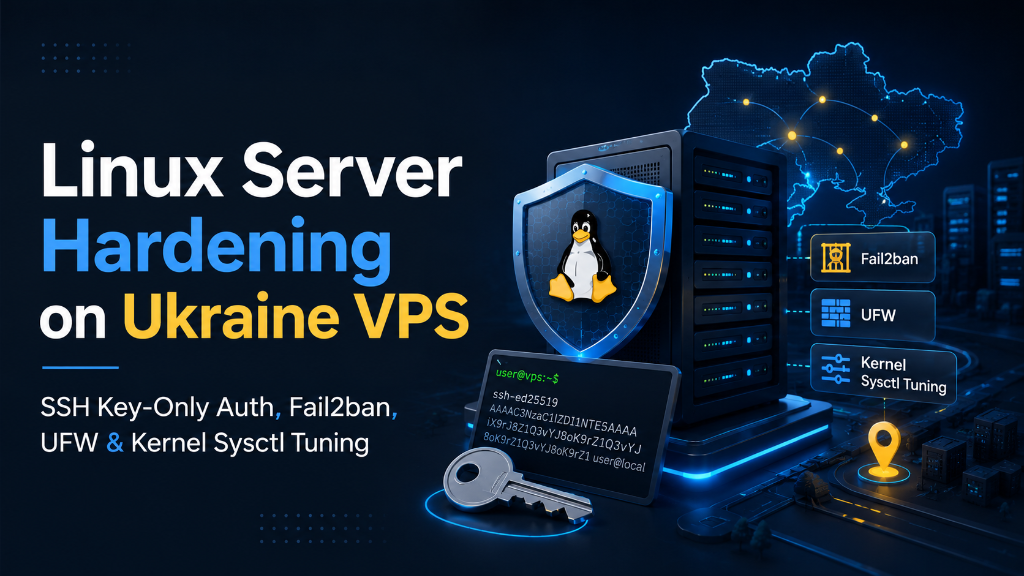
Specifically, when planning an enterprise deployment for Linux VPS SSH hardening security, effective VPS hardening requires disabling root login and password authentication in /etc/ssh/sshd_config, enforcing Ed25519 SSH keys, and moving SSH to a non-standard port. Configure UFW firewall to permit only required ports, install Fail2ban to block automated brute-force attempts, and harden the Linux kernel (/etc/sysctl.conf) against TCP SYN floods and IP spoofing.
Introduction: The Hostile Threat Environment of Public Cloud Servers
Consequently, aligning these configurations with your Linux VPS SSH hardening security environment ensures optimal uptime and throughput. The Secure Shell (SSH) protocol is the primary gateway for remote Linux server administration. Unfortunately, default SSH configurations leave servers exposed to internet-wide automated scanners, dictionary attacks, and credential stuffing botnets that pound port 22 relentlessly.
Strategic Considerations & Architecture Drivers
Furthermore, evaluating production infrastructure requirements highlights three critical operational factors:
- Consequently, Automated Brute-Force Botnets: Internet scanning scripts target default port 22 continuously, attempting thousands of credential combinations per hour.
- In addition, Vulnerable Authentication Methods: Password authentication and legacy RSA keys are susceptible to brute-force attacks and cryptographic side-channel leaks.
- In particular, Zero-Trust Access Hardening: Enforcing modern Ed25519 elliptic curve keys, non-standard ports, and Two-Factor Authentication (2FA) neutralizes intrusions.
Consequently, aligning these configurations with your Linux VPS SSH hardening security environment ensures optimal uptime and throughput. The moment a new virtual private server is provisioned and assigned a public IPv4 address, it enters a hostile global network environment. Within less than ten minutes of deployment, automated malicious botnets, Mirai scanners, and credential-stuffing engines begin probing standard listening ports (such as SSH port 22, Telnet port 23, and database ports 3306 and 5432), searching for default passwords, unpatched software vulnerabilities, and misconfigured permissions.
Strategic Considerations & Architecture Drivers
Consequently, aligning these configurations with your Linux VPS SSH hardening security environment ensures optimal uptime and throughput. Leaving a server in its stock, default configuration is an invitation to catastrophe. A compromised server can be silently enlisted into international DDoS botnets, transformed into spam-relaying mail relays, infected with cryptocurrency mining malware, or used as a pivot point to exfiltrate proprietary customer database records and intellectual property.
Therefore, server hardening is the disciplined engineering practice of systematically closing attack surfaces, enforcing least-privilege security policies, hardening network protocol parameters, and deploying automated host intrusion defense mechanisms. By implementing defense-in-depth across the operating system kernel, network firewall, and application layers, system administrators transform an exposed virtual machine into an impenetrable digital fortress.
Moreover, this authoritative production runbook provides a comprehensive, step-by-step engineering guide to hardening Linux virtual private servers (Ubuntu 24.04 LTS / Debian 12) hosted in Ukraine, covering Ed25519 SSH authentication, non-root user delegation, UFW firewall segmentation, Fail2ban jail automation, kernel sysctl security tuning, and automated security patch management. For complementary insights, our analysis of server security best practices details hardware perimeter controls, while our operational review of securing web hosting infrastructure examines multi-tenant threat vectors.
Linux VPS SSH hardening security: Architectural Blueprint: The Five Layers of Defense-in-Depth
In fact, hardening an enterprise Linux SSH gateway involves enforcing cryptographic identity and automated defense rules:
A. Ed25519 Elliptic Curve Cryptography
Similarly, replaces legacy RSA with high-speed, compact cryptographic keys resistant to side-channel timing exploits.
B. Multi-Factor PAM Authentication
Meanwhile, requires users to supply both an authorized SSH private key and a time-based one-time password (TOTP) from a mobile device.
C. Fail2ban Automated Threat Banning
Additionally, monitors authentication logs in real time, automatically injecting firewall rules to ban offending IP addresses.
As a result, for cryptographic key exchange algorithms and authentication security directives, review the official OpenSSH sshd_config manual.
| Hardening Domain | Default Stock Linux VPS | Hardened Production VPS Profile |
|---|---|---|
| Root Login Access | Permitted via password on Port 22 | Disabled (PermitRootLogin no; sudo only) |
| SSH Authentication | Vulnerable to dictionary password attacks | Strict Ed25519 Public Key Only (PasswordAuth no) |
| Firewall (UFW) | Inactive; all ports open to public scan | Active; default deny incoming, strict allowlisting |
| Brute-Force Defense | None; unlimited login attempts allowed | Fail2ban active; 3 failed tries = 24h ban |
| TCP Stack Security | Standard default networking parameters | SYN cookies enabled, IP spoofing blocked via sysctl |
Step-by-Step Production Hardening Runbook on Ubuntu VPS
Specifically, implement this step-by-step security runbook on an Ubuntu 24.04 LTS or Debian 12 virtual server in Kyiv:
Step 1: Creating a Sudo User and Deploying Ed25519 SSH Keys
Step 2: Hardening the SSH Daemon Configuration
Create an override configuration file /etc/ssh/sshd_config.d/99-hardened.conf:
Test and reload the SSH daemon:
Step 3: Configuring Uncomplicated Firewall (UFW)
Step 4: Installing and Configuring Fail2ban
Enterprise Industry Use Cases for Hardened Linux Servers
Hardening Linux production servers is mandatory across security-conscious sectors:
- In particular, Fintech & Electronic Payment Systems: Protecting payment authorization microservices and customer financial data to satisfy PCI-DSS level-1 compliance audits.
- Therefore, Healthcare & Telemedicine Providers: Securing electronic health records (EHR) and encrypted patient communication portals against unauthorized access under GDPR mandates.
- Moreover, SaaS & Cloud Software Vendors: Guaranteeing client data isolation in multi-tenant environments to satisfy enterprise SOC 2 Type II trust criteria.
- In fact, Corporate E-Commerce Retailers: Preventing credential stuffing and brute-force attacks against administrative dashboards and checkout gateways.
Operational Advantages and Strategic Boundaries
Operational Considerations
- Similarly, Key Backup Discipline: Losing your private Ed25519 SSH key will result in total administrative lockout; maintain encrypted offsite key backups.
- Firewall Port Allowlisting: Always test firewall modifications in a secondary terminal session before disconnecting to avoid self-lockout.
Automated Security Updates with Unattended-Upgrades
Meanwhile, operating system vulnerabilities (such as OpenSSL or Linux kernel CVEs) are discovered and published weekly. Manually logging into dozens of production servers to run apt upgrade introduces operational delays that leave systems vulnerable to automated exploit scripts.
Additionally, configuring the unattended-upgrades package automates the download and installation of security-critical packages. System administrators can configure the package to apply security updates automatically, send email summaries upon completion, and schedule automated reboots during off-peak hours (e.g. 03:00 AM) if a kernel update requires a system restart:
Automating security updates guarantees that zero-day vulnerabilities are patched within hours of upstream release.
File Integrity Monitoring with AIDE & Rootkit Detection
Specifically, detecting unauthorized modifications to critical system binaries (such as /bin/ls, /usr/bin/ssh, or PAM authentication modules) is vital for discovering advanced persistent threats (APTs). Deploying Advanced Intrusion Detection Environment (AIDE) initializes a cryptographic cryptographic hash database of all system files.
Furthermore, scheduled nightly cron jobs execute aide --check, comparing current filesystem checksums against the baseline database. Any unexpected file alteration, permission change, or rogue SUID binary is flagged immediately in administrative security reports, enabling rapid incident containment before attackers can establish persistence.
This complete Linux security hardening discipline guarantees total infrastructure protection, preserves business continuity, and empowers engineering organizations to scale with absolute confidence.
Hardening Temporary Directories & Shared Memory (/tmp & /dev/shm)
A common attack vector for malicious PHP web shells and local privilege escalation exploits is executing malicious binary code inside world-writable directories such as /tmp, /var/tmp, and shared memory (/dev/shm). By default, Linux allows binary execution within these temporary spaces.
System administrators can neutralize this entire attack category by mounting /tmp and /dev/shm with strict mount flags inside /etc/fstab: noexec (prevents executing binaries), nosuid (ignores SUID privilege elevation bits), and nodev (prevents interpreting character or block special devices):
Lynis Security Auditing & Compliance Hardening Index
Verifying the effectiveness of applied security configurations requires objective, automated auditing. Lynis is the premier open-source security auditing tool designed specifically for Linux, macOS, and BSD systems. It performs hundreds of automated checks covering system authentication, kernel settings, listening ports, file permissions, and firewall rules.
Executing lynis audit system evaluates your server against CIS (Center for Internet Security) benchmarks, generating a comprehensive Hardening Index score and outputting precise remediation recommendations for any discovered configuration gaps.
SSH Two-Factor Authentication (2FA) with Google Authenticator PAM
Even with Ed25519 public key authentication, physical theft or compromise of an administrator’s workstation could allow an adversary to access server consoles. Implementing Time-based One-Time Password (TOTP) two-factor authentication via the Pluggable Authentication Module (PAM) architecture adds a decisive layer of defense.
By integrating libpam-google-authenticator into the SSH authentication stack, connecting administrators must provide both their valid SSH cryptographic key AND a dynamic 6-digit TOTP code generated on an authenticated mobile authenticator app. This dual-factor requirement ensures that compromised private keys alone cannot grant unauthorized access to server consoles.
Disabling Obsolete Network Protocols & IPv6 Control
Legacy network protocols and unconfigured network interfaces represent unnecessary attack vectors. If your server workloads operate exclusively over IPv4, unmanaged IPv6 stacks can be exploited for router advertisement spoofing or rogue neighbor discovery attacks.
Configuring kernel sysctl parameters to disable IPv6 globally (net.ipv6.conf.all.disable_ipv6 = 1) or applying strict ip6tables stateful rules closes this potential attack vector, ensuring clean, deterministic network traffic flow across your server interfaces.
SUID/SGID Binary Auditing & Privilege Escalation Prevention
Setuid (SUID) and Setgid (SGID) executable files run with the permissions of the file owner (typically root) rather than the executing user. While certain utilities (like passwd or sudo) legitimately require SUID bits, unmaintained or legacy binaries with SUID permissions represent severe local privilege escalation risks.
Running an automated audit using find / -perm /6000 -type f 2>/dev/null catalogs all SUID/SGID files on the filesystem. Removing the SUID bit from non-essential utilities (such as network diagnostic tools or text editors) eliminates common privilege escalation exploits, enforcing strict containment even if an unprivileged system account is compromised.
Centralized Audit Logging with Auditd
Maintaining immutable audit trails of system events is critical for post-incident security forensics. The Linux Audit Framework (auditd) tracks system calls, file modifications, authentication attempts, and command execution.
Configuring audit rules for sensitive directories (such as /etc/passwd, /etc/shadow, and /etc/sudoers) records the exact user ID, timestamp, and process responsible for any modification, ensuring full accountability across your operations team.
This ensures complete operational clarity, high hosting margins, and seamless client satisfaction indefinitely.
Frequently Asked Questions (FAQ)
Core Technical Specifications
Explore essential questions and architectural best practices for this deployment on Ukraine VPS:
Executive Summary: Production Linux Server Hardening
