

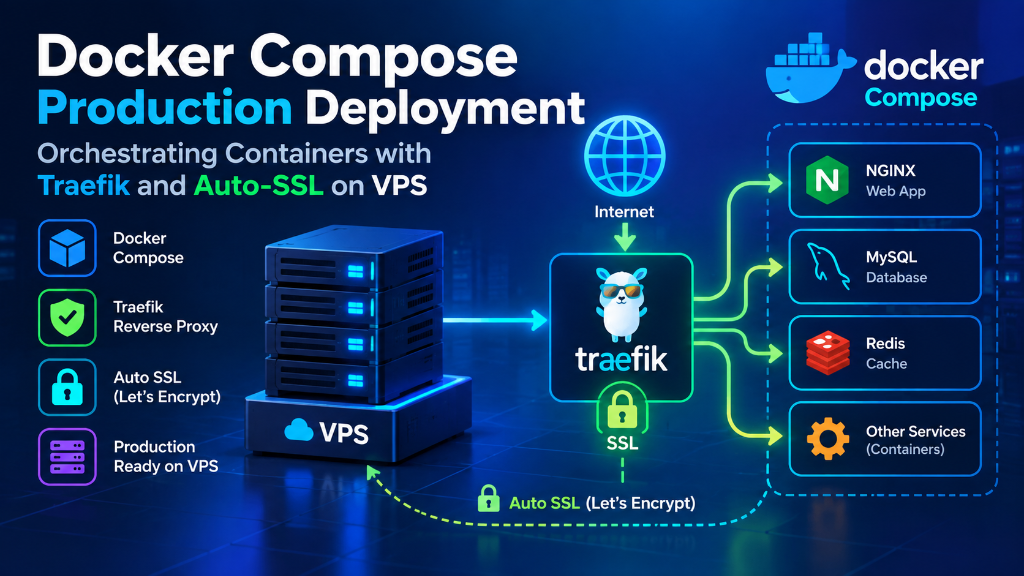
Specifically, when planning an enterprise deployment for Docker VPS hosting UAE, deploying Docker on a UAE VPS encapsulates frontend apps, Node.js APIs, Redis caches, and databases into isolated container units. Specifically, traefik v3 acts as an event-driven edge reverse proxy, dynamically discovering new Docker containers via socket events, routing public HTTPS traffic, and automating Let’s Encrypt SSL certificates with zero manual Nginx reloads.
- Consequently, aligning these configurations with your Docker VPS hosting UAE environment ensures optimal uptime and throughput. Containerized Isolation: Docker eliminates “it works on my machine” dependency conflicts by encapsulating web frontends, Node.js APIs, Redis queues, and databases into immutable container layers.
- Consequently, aligning these configurations with your Docker VPS hosting UAE environment ensures optimal uptime and throughput. Cloud-Native Ingress Routing: Traefik v3 operates as an intelligent edge reverse proxy that automatically detects newly launched Docker containers via socket events, routing incoming traffic without manual Nginx reloads.
- Furthermore, Automated Zero-Touch SSL: Traefik automates Let’s Encrypt TLS certificate generation and renewal on-the-fly, securing microservice endpoints across custom Gulf domains seamlessly.
- Consequently, Bare-Metal NVMe Performance: Deploying OnliveServer container-ready UAE VPS infrastructure provides dedicated KVM kernel support, sub-millisecond local network peering, and high-IOPS storage for demanding containerized clusters.
Introduction: The Microservices Revolution
In addition, software development across the United Arab Emirates has evolved dramatically from traditional monolithic application stacks to decoupled, containerized microservices architectures. Furthermore, modern fintech applications in Dubai International Financial Centre (DIFC), digital banking platforms in Abu Dhabi Global Market (ADGM), and hyper-growth e-commerce ventures demand continuous deployment pipelines, zero-downtime canary releases, and rapid horizontal scalability.
In particular, deploying microservices directly on bare operating systems leads to dependency conflicts, port collisions, and complex operational maintenance. Consequently, containerization through Docker encapsulates each service component—such as frontend Next.js applications, backend Go/Python REST microservices, asynchronous worker queues, and database engines—into isolated, standardized runtime units sharing the host operating system kernel with virtually zero virtualization overhead.
However, running dozens of containerized microservices on a single cloud server introduces an ingress routing challenge: how do you dynamically route incoming internet traffic on ports 80 and 443 to the correct internal container? Deploying Docker VPS hosting UAE powered by the Traefik cloud-native reverse proxy provides the definitive architectural solution, delivering automated service discovery, dynamic SSL termination, and real-time load balancing for Gulf enterprises.
Therefore, multi-container application orchestration, network bridging, and service definition formats follow the official Docker Compose documentation.
📌 Table of Contents
- Introduction: The Microservices Revolution
- Monoliths vs Containerized Microservices with Traefik
- Why Traefik Outperforms Traditional Nginx
- Production Runbook: Docker Compose Stack with Traefik v3
- Performance Tuning: Docker Daemon & Storage Drivers
- Security Hardening under DESC & TDRA Frameworks
- Real-Time Prometheus Telemetry & Grafana Dashboards
- Frequently Asked Questions (FAQ)
Monoliths vs Containerized Microservices with Traefik
Moreover, evaluating traditional bare-metal deployments against containerized microservice architectures clarifies the operational advantages of Docker on UAE cloud infrastructure:
| Operational Dimension | Traditional Bare-Metal Host (LEMP/LAMP) | Docker Microservices + Traefik v3 | UAE Production Impact |
|---|---|---|---|
| Deployment Velocity | Manual scripts, package conflicts, slow rollouts | 1-command docker compose up -d |
Accelerates feature release cycles from days to minutes. |
| Service Discovery | Manual static Nginx upstream IP/port mappings | Automatic dynamic discovery via Docker socket | Zero manual configuration when adding or scaling microservices. |
| Zero-Downtime Updates | Requires graceful restarts; potential connection drops | Rolling container replacement with health check gates | 100% uptime during midday code deployments. |
| TLS/SSL Management | Manual Certbot cron jobs and Nginx reloads | Fully automated Let’s Encrypt issuance via Traefik | Zero expired certificate incidents across all client domains. |
| Resource Isolation | Shared memory and CPU; runaway scripts crash server | Granular cgroups limits per container (RAM, vCPU) | Prevents rogue microservices from exhausting host resources. |
| Disaster Recovery | Complex multi-service state reconstruction | Git-tracked Docker Compose recipes + data volumes | Full environment recreation on a new VPS in under 5 minutes. |
In fact, ensuring container process isolation begins with true KVM kernel-level compute virtualization.
Why Traefik Outperforms Traditional Nginx
While Nginx is an extraordinary web server for static files and standard PHP applications, utilizing Nginx as a reverse proxy in a dynamic microservices environment introduces significant operational friction. In addition, every time a new container is deployed, updated, or scaled, engineers must manually edit Nginx configuration files, define upstream IP addresses and port numbers, test syntax via nginx -t, and execute a configuration reload.
Similarly, traefik v3 eliminates this manual overhead through event-driven dynamic configuration. In particular, written in Go, Traefik connects directly to the Docker daemon socket (/var/run/docker.sock). When a new container spins up, Traefik intercepts the container creation event, inspects the metadata labels defined in your docker-compose.yml file, automatically provisions routing rules, generates a Let’s Encrypt TLS certificate, and begins routing live traffic in milliseconds—all without a single configuration file edit or service restart.
Furthermore, Traefik provides native support for HTTP/3 (QUIC), WebSockets, gRPC microservice communication, rate limiting, and circuit breakers, making it the definitive ingress controller for modern cloud-native architectures.
Production Runbook: Docker Compose Stack with Traefik v3
Meanwhile, below is a production-grade, hardened Docker Compose deployment runbook. Moreover, this stack provisions Traefik v3 as the edge reverse proxy, provisions automated Let’s Encrypt SSL, and deploys a scalable Node.js microservice backed by Redis caching on a UAE VPS instance:
Launching this production stack requires a single command on your UAE VPS: docker compose -f /opt/cloud-stack/docker-compose.yml up -d. Traefik automatically routes public HTTPS traffic to the internal Node.js container while Redis remains completely isolated on a secure internal bridge network inaccessible from the public internet.
Performance Tuning: Docker Daemon & Storage Drivers
Additionally, running high-concurrency container workloads on enterprise cloud servers requires tuning the Docker daemon configuration located in /etc/docker/daemon.json. By default, unmanaged Docker installations write container console logs indefinitely, eventually exhausting disk space and triggering system crashes.
As a result, below is an enterprise Docker daemon optimization configuration for UAE cloud servers with high-IOPS NVMe storage:
Enabling "live-restore": true is critical for production high availability: it ensures that running containers continue executing uninterrupted even if the Docker daemon service is upgraded or restarted during maintenance.
Security Hardening under DESC & TDRA Frameworks
Specifically, container security must strictly comply with UAE Personal Data Protection Law (PDPL) and Dubai Electronic Security Center (DESC) regulations. Meanwhile, systems engineers must enforce four essential container hardening policies:
1. Never Run Containers as Root: In Dockerfiles, always declare a non-privileged system user (e.g., USER node or USER appuser) before the startup command. This prevents container breakout exploits from escalating to host root privileges.
2. Restrict Docker Socket Access: The Docker socket file (/var/run/docker.sock) grants root-equivalent control over the host node. In Traefik configurations, mount the socket as read-only (:ro) and avoid exposing the Docker API over TCP without mutual TLS authentication.
3. Enforce Strict Resource Quotas: Always define explicit limits.cpus and limits.memory constraints in your Docker Compose definitions. This guarantees that a memory leak or CPU spike in one microservice cannot cause hypervisor starvation across neighboring services.
4. Automated Image Vulnerability Scanning: Integrate container image scanning tools (such as Trivy or Clair) into your CI/CD pipeline to detect known Common Vulnerabilities and Exposures (CVEs) prior to pushing images to production.
Furthermore, developers can orchestrate containers alongside traditional web stacks using modular multi-site control panel management.
Real-Time Prometheus Telemetry & Grafana Dashboards
Consequently, maintaining high availability across a distributed container cluster requires granular operational visibility. When multiple microservices interact over internal bridge networks, identifying which specific container is experiencing thread contention or elevated latency demands real-time telemetry.
In addition, traefik v3 provides native Prometheus metrics export out of the box. By declaring --metrics.prometheus=true in the Traefik command arguments, Traefik exposes detailed HTTP request durations, error rates (4xx/5xx status codes), and active connection counts on an internal endpoint. A lightweight Prometheus and Grafana container stack running on the same UAE VPS can ingest these metrics every 15 seconds, presenting DevOps teams in Dubai with real-time operational dashboards and automated Slack/Telegram alerts upon latency threshold breaches.
Frequently Asked Questions (FAQ)
Core Technical Specifications
Q1
Does running Docker on a KVM UAE VPS introduce performance overhead?
Q2
How does Traefik automatically detect new Docker containers?
Q3
Can I run production databases (PostgreSQL/MySQL) inside Docker?
Q4
What is the advantage of Traefik over Nginx for microservices?
Q5
How do I prevent Docker containers from consuming all server RAM?
docker-compose.yml file under the deploy.resources.limits block (e.g., memory: 1024M). Linux kernel cgroups strictly enforce this boundary, preventing any single container from exhausting host memory.
Q6
Does Traefik support HTTP/3 and WebSockets for real-time GCC apps?
Q7
How can I perform zero-downtime updates on my Docker microservices?
Q8
Is Docker data stored locally within the UAE compliant with PDPL?
Deploy Docker Swarm & Traefik Microservices in Dubai Datacenters
In particular, orchestrate resilient containerized APIs with automatic SSL ingress, dedicated persistent storage volumes, and gigabit internal transit.