

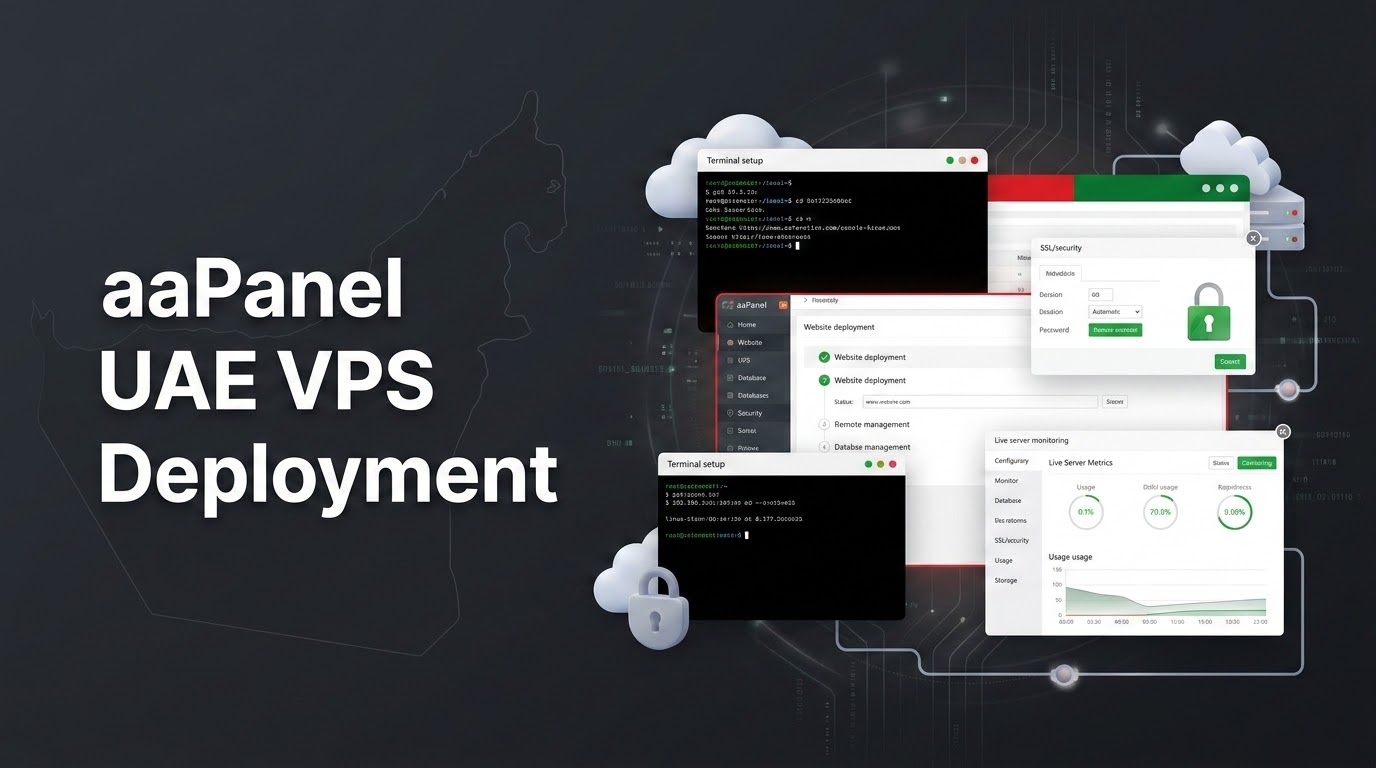
Why Is aaPanel on Ubuntu the Most Cost-Effective Control Panel for UAE Startups?
Specifically, when planning an enterprise deployment for aaPanel UAE VPS deployment, aaPanel delivers an open-source, modular web management panel with an ultralight footprint (~150MB RAM) and zero licensing fees. Specifically, it allows early-stage Dubai startups to deploy LNMP/LAMP stacks, manage Docker microservices, configure automated Let’s Encrypt SSL, and schedule off-site cloud backups with 1-click simplicity on entry-level cloud instances.
- Consequently, aligning these configurations with your aaPanel UAE VPS deployment environment ensures optimal uptime and throughput. Zero-Cost Modular Architecture: aaPanel provides a free, modern web control panel enabling modular 1-click installation of LNMP/LAMP stacks, MariaDB, Redis, and Docker without recurring license fees.
- Consequently, aligning these configurations with your aaPanel UAE VPS deployment environment ensures optimal uptime and throughput. Ultralight System Footprint: Consuming only ~150MB of baseline RAM, aaPanel runs smoothly on budget 1GB–2GB VPS instances, leaving 85%+ hardware resources available for live web applications.
- Furthermore, Multi-Tenant Application Management: Startups can host multiple domain websites, configure staging environments, manage automated Let’s Encrypt SSL certificates, and execute scheduled off-site backups via an intuitive web GUI.
- Consequently, Production-Grade Reliability: Deploying OnliveServer agile UAE VPS cloud servers with aaPanel provides enterprise NVMe speeds and localized Dubai IP routing tailored for Middle Eastern early-stage ventures.
aaPanel UAE VPS deployment: Introduction: Bootstrapping Cloud Infrastructure for Dubai & Abu Dhabi Startups
In addition, the entrepreneurial ecosystem across the United Arab Emirates is expanding at an unprecedented velocity. Furthermore, backed by government initiatives such as Dubai Future Foundation, Hub71 in Abu Dhabi, and the Dubai D33 Economic Agenda, thousands of technology startups, e-commerce boutiques, and digital media ventures launch across the Emirates each year.
However, early-stage founders face acute capital constraints. Consequently, subscribing to enterprise cloud platforms with complex pricing calculators or paying exorbitant recurring monthly licenses for legacy control panels (such as cPanel or Plesk) rapidly drains initial runway in non-essential software overhead. Startups require an agile, lightweight, and cost-effective hosting platform that delivers full enterprise server management capabilities without commercial licensing fees.
In particular, this is where aaPanel UAE VPS deployment on Ubuntu Server emerges as the premier architectural choice. aaPanel is a free, open-source, modular Linux hosting control panel engineered for efficiency, simplicity, and rapid application deployment. In particular, combined with high-performance local cloud compute in Dubai, aaPanel empowers startups to host dozens of websites, REST APIs, and microservices on a lean operational budget.
Therefore, modular web stack installation, automated cron configuration, and container deployment guidelines are detailed in the official aaPanel reference documentation.
aaPanel UAE VPS deployment: Architectural Overview: Modular LNMP/LAMP Stacks & Resource Footprint
Moreover, unlike monolithic control panels that force users into rigid, pre-packaged software stacks, aaPanel operates on a fully modular paradigm. Therefore, upon logging into the clean web dashboard, administrators select precisely which web server (Nginx, Apache, or OpenLiteSpeed), database engine (MySQL 5.7/8.0, MariaDB 10.x, or MongoDB), and PHP versions (PHP 7.4 through PHP 8.3) to compile or install via pre-built binaries.
In fact, the comparative resource efficiency of aaPanel against legacy control panels on entry-level cloud instances is stark:
| Technical Parameter | aaPanel (on Ubuntu 24.04 LTS) | cPanel & WHM | Plesk Obsidian |
|---|---|---|---|
| Licensing Cost | 100% Free & Open Source (0 AED) | Recurring per-account fee (~110–220+ AED/mo) | Recurring tiered fee (~55–165 AED/mo) |
| Baseline Idle RAM | ~150MB – 350MB | 1.8GB – 2.5GB | 1.2GB – 1.8GB |
| Minimum Hardware | 1 vCPU, 1GB RAM, 20GB SSD | 2 vCPU, 4GB RAM, 40GB SSD | 2 vCPU, 4GB RAM, 30GB SSD |
| Multi-PHP Support | Simultaneous side-by-side versions | EasyApache 4 Multi-PHP | Native Multi-PHP Manager |
| Docker Management | Built-in web GUI Docker manager | Third-party plugin or manual CLI | Native Docker extension |
| Security Hardening | 1-click security audit, Fail2ban, UFW | cPHulk, ModSecurity, CSF/cSF | Fail2ban, ModSecurity, Firewall |
Similarly, compare aaPanel feature sets against commercial alternatives in our hosting control panel selection matrix.
Key Advantages of aaPanel for UAE Early-Stage Ventures
Meanwhile, for founders and small technical teams, aaPanel delivers distinct operational advantages that accelerate development cycles and reduce administrative friction:
1. Zero Recurring Licensing Overhead: Startups save hundreds of Dirhams every month. Over a typical two-year seed development phase, running aaPanel saves an estimated 3,500 AED to 7,000 AED in control panel licensing fees alone—capital that can be deployed directly into customer acquisition, advertising, or product development.
2. Built-in App Store Ecosystem: aaPanel includes an integrated App Store that allows administrators to deploy critical enterprise software modules with a single click. This includes Redis object caching, Memcached, phpMyAdmin, FTP servers (Pure-FTPd), Git manager, Node.js project manager, Python manager, and Supervisor process daemons.
3. Web-Based Docker Container Management: Modern startups frequently run microservices alongside traditional web applications. aaPanel features a visual Docker container management interface that allows developers to search Docker Hub, pull container images, configure port mappings, mount storage volumes, and monitor container CPU/RAM utilization without leaving the browser.
4. Automated Off-Site Backups to Cloud Storage: Data resilience is paramount under UAE PDPL regulations. aaPanel includes native backup automation plugins supporting FTP, Google Drive, Amazon S3, and S3-compatible local Middle Eastern object storage endpoints, enabling scheduled, encrypted database dumps every night.
Step-by-Step Production Runbook: Installing & Hardening aaPanel on Ubuntu
Additionally, deploying aaPanel on a clean OnliveServer Ubuntu 22.04 or 24.04 LTS VPS instance takes less than three minutes. Below is the complete production deployment and security hardening runbook:
Upon script completion, the terminal displays the unique internal security entrance path (e.g., https://your-server-ip:8888/a6b8c9d0). This obfuscated path protects the login dashboard from automated public port scanners across the internet.
Multi-Site Staging, Dynamic Caching & Let’s Encrypt Automation
As a result, once aaPanel is operational, configuring new websites and staging domains requires only a few clicks. In the “Website” tab, entering the client domain automatically provisions the Nginx virtual host configuration block, sets up the web root directory (/www/wwwroot/your-domain.ae), and creates the isolated MariaDB database credentials.
Specifically, to secure client web traffic, aaPanel integrates directly with Let’s Encrypt ACME protocols. Selecting “SSL” -> “Let’s Encrypt” issues a free, 90-day TLS/SSL certificate with automated cron renewal. Furthermore, aaPanel allows 1-click activation of HTTP/2 and HTTP/3 (QUIC) protocols alongside automated redirection from HTTP to HTTPS.
Furthermore, for high-traffic WordPress websites, aaPanel’s App Store provides the Nginx FastCGI Cache and Redis acceleration modules. Enabling FastCGI page caching allows the Nginx web server to serve cached HTML pages directly from server memory in single-digit milliseconds, protecting backend PHP-FPM workers during sudden product launches and marketing spikes.
Security Best Practices under TDRA & DESC Guidelines
While aaPanel provides exceptional convenience, deploying open-source software in enterprise environments demands strict adherence to security baselines aligned with the Telecommunications and Digital Government Regulatory Authority (TDRA):
1. Restrict Administrative Port Access: Never leave the aaPanel web dashboard exposed to the entire public internet. In the “Security” tab, allowlist specific office static IP addresses in Dubai or connect through a private WireGuard VPN tunnel.
2. Mandate Two-Factor Authentication (2FA): Enable Google Authenticator or Microsoft Authenticator for all administrative accounts. This ensures that even if credentials are intercepted, unauthorized access is impossible.
3. Automated Database Snapshots: Configure aaPanel’s “Cron” manager to execute automated daily database exports, compressing archives with AES encryption and transmitting them to secondary cloud buckets outside the primary data center.
Consequently, aaPanel features native modular support for Docker Compose production deployments and automated reverse proxying.
Web Application Firewall (WAF) & Anti-Scraping Rules for UAE Startups
In addition, early-stage e-commerce and classifieds startups in the UAE frequently fall victim to aggressive competitor price scraping and automated vulnerability probing. Unprotected web servers waste substantial CPU and bandwidth serving bad-bot requests, inflating hosting costs and degrading page load speeds for genuine human visitors.
In particular, to shield startup applications without commercial enterprise WAF licensing fees, administrators can activate aaPanel’s integrated Nginx WAF or configure OWASP ModSecurity Core Rule Sets (CRS) directly within the Nginx configuration manager. Configuring IP rate limiting blocks malicious bots that exceed 20 requests per second, while automated GeoIP filtering can restrict administrative access exclusively to domestic UAE IP ranges. This ensures that application compute power remains 100% focused on servicing genuine customers across the Emirates.
Additionally, developers can configure automated cron tasks in aaPanel to purge temporary log files and flush PHP OPcache buffers weekly. This proactive maintenance ensures that disk inodes remain unfragmented and prevents transient cache memory bloat, maintaining peak responsiveness across all hosted startup domains.
Frequently Asked Questions (FAQ)
Core Technical Specifications
Maximize Compute Efficiency with Lightweight aaPanel VPS
Therefore, run high-performance LNMP/LAMP stacks, Docker containers, and automated SSL renewals with minimal resource overhead and intuitive GUI controls.
