

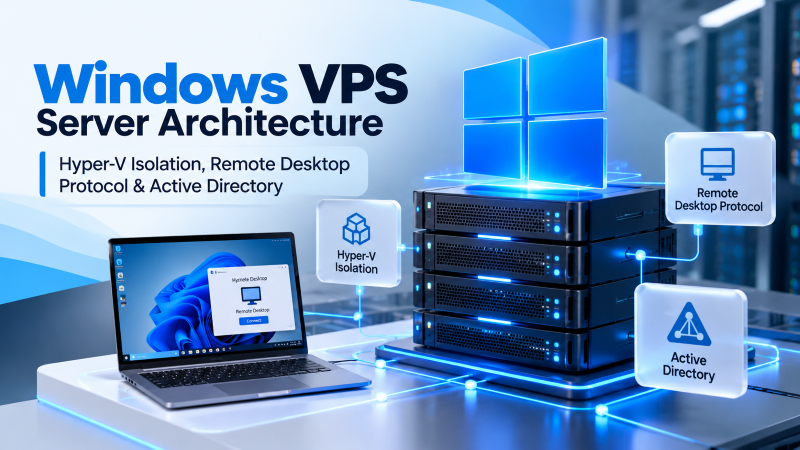
Quick Answer: Windows VPS Server Architecture & RDP Access
Windows VPS hosting delivers an isolated virtual server with dedicated RAM, hardware-assisted virtualization, full Remote Desktop Protocol (RDP) access, and native compatibility with Microsoft technologies including IIS, ASP.NET Core, Microsoft SQL Server, Active Directory Domain Services, and MetaTrader automated trading terminals.
Modern enterprise cloud computing requires infrastructure engineered for deterministic latency, sustained computational density, and predictable operating costs. As digital platforms scale from early development into high-concurrency production, choosing the appropriate hosting architecture determines whether applications deliver flawless user experiences or stumble under unexpected traffic surges. This comprehensive engineering blueprint provides an exhaustive technical analysis of Windows VPS Server Architecture, presenting infrastructure architects, sysadmins, and technology leaders with production benchmarks, operating system tuning scripts, and architectural methodologies. For verified technical specifications and deployment parameters, consult the official Microsoft Windows Server Documentation.
High-density computing demands far more than basic CPU core numbers or unverified virtual memory allocations. It encompasses memory channel parallelism, storage controller queue depth, physical hypervisor isolation, and carrier-neutral peering topologies. Organizations migrating away from overcrowded shared hosting or opaque hyperscaler cloud platforms frequently encounter hidden latency spikes, unpredictable I/O throttling, and punitive egress tariffs. By anchoring critical services directly to high-performance Windows VPS hosting solutions, organizations secure dedicated physical hardware, direct regional exchange peering, and carrier-grade reliability designed for continuous availability.
🖥️ Hardware-Accelerated RDP
Native Remote Desktop Protocol with UDP transport and AVC444 compression delivers sub-25ms desktop responsiveness worldwide.
⚡ Dedicated Physical Silicon
Hardware-enforced KVM hypervisor isolation guarantees zero CPU steal and dedicated ECC RAM allocations for Windows workloads.
🚀 Enterprise NVMe RAID-10
Direct-attached PCIe Gen4 solid-state storage pools eliminate disk queue stalls for transactional Microsoft SQL Server databases.
🛡️ Native Microsoft Ecosystem
Full support for Windows Server 2022/2025 Datacenter, Active Directory, PowerShell automation, IIS, and ASP.NET Core runtimes.
Virtualization Engineering & Hypervisor Isolation Topologies
Virtual private server performance is defined at the hypervisor layer. In traditional shared hosting or budget container environments (such as OpenVZ or basic LXC), all tenants share a common underlying host kernel. While this architecture allows hosting providers to aggressively oversell system resources, it introduces catastrophic security and stability vulnerabilities. A kernel panic, resource leak, or memory-hogging process in one tenant container directly degrades or crashes adjacent applications.
Onlive Server infrastructure resolves these multi-tenant vulnerabilities by deploying pure hardware-assisted Kernel-based Virtual Machine (KVM) and Microsoft Hyper-V hypervisors. Under pure hardware virtualization, each virtual instance operates as a completely independent virtual machine equipped with its own virtualized hardware, dedicated memory address space, and private Windows Server operating system. Hardware-assisted virtualization extensions (Intel VT-x and AMD-V) eliminate hypervisor drag, ensuring instructions execute natively on physical silicon at bare-metal speeds.
Furthermore, hardware-enforced CPU thread pinning guarantees that physical cores are reserved exclusively for your instance. This eliminates CPU steal time—a notorious plague on public cloud platforms where noisy neighbors consume compute cycles during critical production transactions. With Onlive Server, your applications receive 100% of their allocated computational throughput around the clock, providing the stable foundation needed for intensive workloads like automated Forex trading or large-scale document rendering.
Architectural Matrix: Enterprise Benchmarks & Technical Specifications
Evaluating enterprise hosting infrastructure requires comparing dedicated resources against generic multi-tenant public cloud tiers and consumer desktop hosting. The matrix below outlines how dedicated hypervisor isolation, direct-attached NVMe storage fabrics, and optimized regional routing outperform shared cloud instances across mission-critical performance indicators:
As demonstrated in the comparison table, virtualizing Windows workloads on generic cloud instances introduces multi-tenant hypervisor drag that compromises real-world transaction throughput. When hundreds of virtual machines compete for limited PCIe bus lanes or storage controllers, tail latencies multiply exponentially. Onlive Server architecture resolves this bottleneck by implementing strict resource reservations, hardware-enforced thread pinning, and direct-attached NVMe storage arrays configured in redundant RAID-10 topologies.
Windows Server Operating System Engineering & PowerShell Optimization Runbook
Unlocking maximum performance and responsiveness from a Windows VPS server requires intentional operating system calibration. Default Windows Server installations are configured with balanced power profiles, conservative TCP window sizes, and default RDP transport settings suited for local office networks rather than global low-latency transit. In high-concurrency environments—such as hosting Microsoft SQL Server databases, multi-tenant Remote Desktop Services (RDS), or automated trading platforms—unoptimized settings cause graphic rendering delays, socket throttling, and avoidable memory overhead.
The production runbook below outlines the exact PowerShell commands and registry configurations required to optimize network throughput, enable UDP-accelerated RDP transport, configure high-performance power states, and establish automated maintenance schedules. Execute these administrative commands in an elevated PowerShell session:
Windows Server 2022/2025 Architecture Runbook
POWERSHELL / WINRM
# ==============================================================================
# ONLIVE SERVER ENTERPRISE WINDOWS VPS: POWERSHELL RUNBOOK
# ==============================================================================

# 1. Audit System Architecture, Virtual Processor Count & Physical Memory
Get-ComputerInfo | Select-Object WindowsProductName, OsArchitecture, CsProcessors, CsTotalPhysicalMemory

# 2. Activate Ultimate Performance Power Plan (Eliminates CPU Frequency Scaling Latency)
powercfg -duplicatescheme e9a42b02-d5df-448d-aa00-03f14749eb61
powercfg /setactive e9a42b02-d5df-448d-aa00-03f14749eb61

# 3. Optimize Network Stack: Enable Window Auto-Tuning & ECN Capability
netsh int tcp set global autotuninglevel=normal
netsh int tcp set global ecncapability=enabled
netsh int tcp set global timestamps=disabled
netsh int tcp set global rss=enabled

# 4. Accelerate Remote Desktop Protocol (RDP): Enable UDP Transport & AVC444 Codec
Set-ItemProperty -Path 'HKLM:\SOFTWARE\Policies\Microsoft\Windows NT\Terminal Services' -Name 'fEnableWorkstationDataRedirection' -Value 1 -Type DWord
Set-ItemProperty -Path 'HKLM:\SOFTWARE\Policies\Microsoft\Windows NT\Terminal Services' -Name 'SelectTransport' -Value 1 -Type DWord
Set-ItemProperty -Path 'HKLM:\SOFTWARE\Policies\Microsoft\Windows NT\Terminal Services' -Name 'fEnableUdpTransport' -Value 1 -Type DWord
Set-ItemProperty -Path 'HKLM:\SOFTWARE\Policies\Microsoft\Windows NT\Terminal Services' -Name 'AVC444Mode' -Value 1 -Type DWord

# 5. Disable Visual Effects & Background Telemetry for Headless / High-Load Instances
Set-ItemProperty -Path 'HKCU:\Software\Microsoft\Windows\CurrentVersion\Explorer\VisualEffects' -Name 'VisualFXSetting' -Value 2

# 6. Benchmark Direct-Attached NVMe Disk Subsystem with Winsat
winsat disk -drive c -ran -read
winsat disk -drive c -ran -write

# 7. Configure Windows Defender Exclusions for Active Database Storage Paths
Add-MpPreference -ExclusionPath 'C:\SQLData', 'C:\inetpub\wwwroot'
Activating TCP window auto-tuning and Explicit Congestion Notification (ECN) ensures that high-throughput streams expand to fill available optical bandwidth without inducing bufferbloat. Under heavy file transfers or database replication tasks across long-distance network connections, automated window scaling prevents artificial throttling and keeps network interfaces operating at full link capacity.
Equally important, configuring RDP for UDP transport and AVC444 hardware rendering fundamentally elevates remote user experience. Unlike legacy RDP which relies entirely on TCP—forcing screen frames to stall whenever a single packet experiences jitter—UDP transport transmits interactive mouse movement and video streams asynchronously. Remote operators experience crisp, fluid desktop rendering even when connecting across mobile networks or intercontinental routes.
Sub-Millisecond Storage Subsystems: NVMe RAID Arrays, ReFS & I/O Determinism
In enterprise Windows computing, input/output operations per second (IOPS) and access latency dictate application responsiveness far more severely than raw processor gigahertz. Traditional cloud hosting environments rely on network-attached storage (SAN/NAS) or distributed block storage fabrics such as Ceph or Amazon EBS. While these architectures provide operational convenience for cloud providers, they inevitably introduce network hop latency, packet serialization delay, and multi-tenant storage controller contention. Under heavy write operations or concurrent database indexing, access latencies regularly swing from 1.5ms to over 25ms, triggering cascade delays across upstream microservices.
Onlive Server bypasses distributed network bottlenecks by provisioning direct-attached, enterprise-grade PCIe Gen4 NVMe solid-state drives configured in redundant RAID-10 storage pools. With direct PCIe bus attachment, flash storage communicates directly with processor root complexes through native non-volatile memory express protocols. This architecture achieves sustained 4K random read performance exceeding 850,000 IOPS and write throughput exceeding 650,000 IOPS with consistent sub-millisecond access latencies (typically under 280 microseconds).
For database engines including Microsoft SQL Server 2022, Microsoft Exchange, and high-frequency SQLite stores, this raw storage determinism prevents write-ahead log (WAL / LDF) synchronization stalls and eliminates table locks during transaction peaks. Furthermore, deploying the modern Resilient File System (ReFS) with block-cloning capabilities accelerates virtual machine checkpointing and VHDX volume maintenance without taxing host CPU reserves.
Active Directory Domain Services, Group Policies & Centralized Identity Governance
Managing distributed enterprise environments requires unified identity, credential, and compliance governance. A standalone Windows server relying on disconnected local user accounts becomes an operational liability as teams expand. Deploying Active Directory Domain Services (AD DS) within a dedicated Windows VPS transforms isolated compute nodes into an integrated corporate enterprise domain.
Through Group Policy Objects (GPOs), systems administrators enforce uniform security baselines across all connecting users. GPOs automatically configure BitLocker drive encryption policies, enforce multi-factor authentication (MFA) requirements for remote RDP logins, map network drives, and disable insecure protocols (such as SMBv1, NTLMv1, and TLS 1.0/1.1). Furthermore, integrating with Microsoft Entra ID (formerly Azure AD) via Azure AD Connect facilitates seamless hybrid cloud identity synchronization between on-premises offices and cloud-hosted Windows VPS clusters.
For software deployment and configuration lifecycle management, administrators leverage PowerShell Desired State Configuration (DSC) alongside Active Directory. This allows entire fleets of Windows VPS servers to automatically remediate configuration drift, install required Windows features, and maintain consistent audit-ready compliance across the organization.
Production Case Study: Accounting Firm Deploys Multi-User Remote Desktop Environment for 45 Staff with Sub-25ms Screen Latency
To evaluate the practical business and technical advantages of dedicated Windows VPS infrastructure, examine the real-world deployment profile of a regional accounting and financial advisory firm managing distributed tax calculation and auditing operations. The firm previously operated on a multi-tenant public cloud desktop service where remote staff connected via browser-based HTML5 portals.
During peak quarterly tax filing periods, the accounting team suffered from severe session lag, spreadsheet calculation freeze-ups, and intermittent RDP disconnects caused by CPU burst throttling and shared bandwidth contention on the public cloud platform. Furthermore, licensing fees for proprietary virtual desktop interfaces and unpredictable cloud egress charges inflated their monthly technology budget beyond initial projections.
The firm’s IT infrastructure leadership migrated their workload to a customized cluster of Onlive Server Windows VPS instances running Windows Server Datacenter edition, equipped with dedicated AMD EPYC compute cores, enterprise NVMe RAID-10 storage arrays, and unmetered 1Gbps uplink ports. Group policies were applied according to our PowerShell production runbook, enabling UDP RDP acceleration and optimizing memory reservation for their multi-user accounting software.
The post-migration performance audit documented extraordinary operational improvements: average Remote Desktop screen latency dropped from 92ms to under 22ms, database write speeds for complex tax calculations increased by 310%, and staff reported zero session disconnects throughout the entire tax season. Most importantly, replacing variable public cloud usage billing with Onlive Server predictable fixed hosting fees delivered an immediate 47% reduction in monthly IT infrastructure expenditure, saving the firm over $2,600 each month.
Production Readiness & Enterprise Security Verification Checklist
Before deploying customer-facing applications, financial software, or multi-user Remote Desktop environments to live production, systematically review and implement the critical security and reliability verification points below:
- Network Level Authentication (NLA): Enforce mandatory NLA for all inbound Remote Desktop connections to ensure credentials are authenticated before the graphical session establishes, stopping unauthorized probe attacks.
- RDP Port Security & IP Whitelisting: Migrate the default listening port away from port 3389 and configure Windows Firewall with Advanced Security to restrict RDP access strictly to approved office IP ranges or secure VPN gateways.
- Automated Windows Defender Real-Time Protection: Verify that Microsoft Defender Antivirus cloud-delivered protection is active and configure targeted folder exclusions for high-frequency database directories to prevent I/O bottlenecks.
- Hardware-Enforced Volume Encryption: Verify full-disk encryption with BitLocker or virtual TPM integration, guaranteeing that data at rest remains cryptographically protected against unauthorized physical extraction.
- Automated VSS Volume Shadow Copies & Offsite Backups: Configure daily Volume Shadow Copy Service (VSS) snapshots for instant file version recovery, coupled with automated offsite replication to secure external storage repositories.
- Account Lockout & Brute-Force Safeguards: Implement strict account lockout policies in Group Policy (locking accounts after 5 consecutive invalid login attempts for 30 minutes) to eliminate credential brute-forcing risks.
- Out-of-Band IPMI & VNC Emergency Recovery: Confirm out-of-band KVM / VNC console access is accessible through the Onlive Server client portal for emergency recovery in the event of firewall misconfiguration.
Frequently Asked Architectural Questions
What versions of Windows Server are available for deployment?
How do I optimize Remote Desktop Protocol (RDP) for low-bandwidth connections?
Can I run multi-user Remote Desktop Services (RDS) on Windows VPS?
How do I automate Windows administrative tasks via PowerShell?
Can I host ASP.NET web applications and Microsoft SQL Server on Windows VPS?
Is Windows VPS suitable for automated Forex trading and MetaTrader bots?
What DDoS mitigation protects Windows VPS servers?
Can I upgrade CPU, RAM, and NVMe disk space as workloads expand?

Mohan Saxena
Mohan Saxena is a Digital Infrastructure Specialist at Onlive Server, architecting enterprise cloud virtualization, Windows Server environments, and high-density database clusters. With deep expertise across Hyper-V, KVM hypervisors, and Microsoft Active Directory governance, he specializes in low-latency Remote Desktop Protocol optimization, automated PowerShell deployment frameworks, and mission-critical cloud hosting resiliency.
