

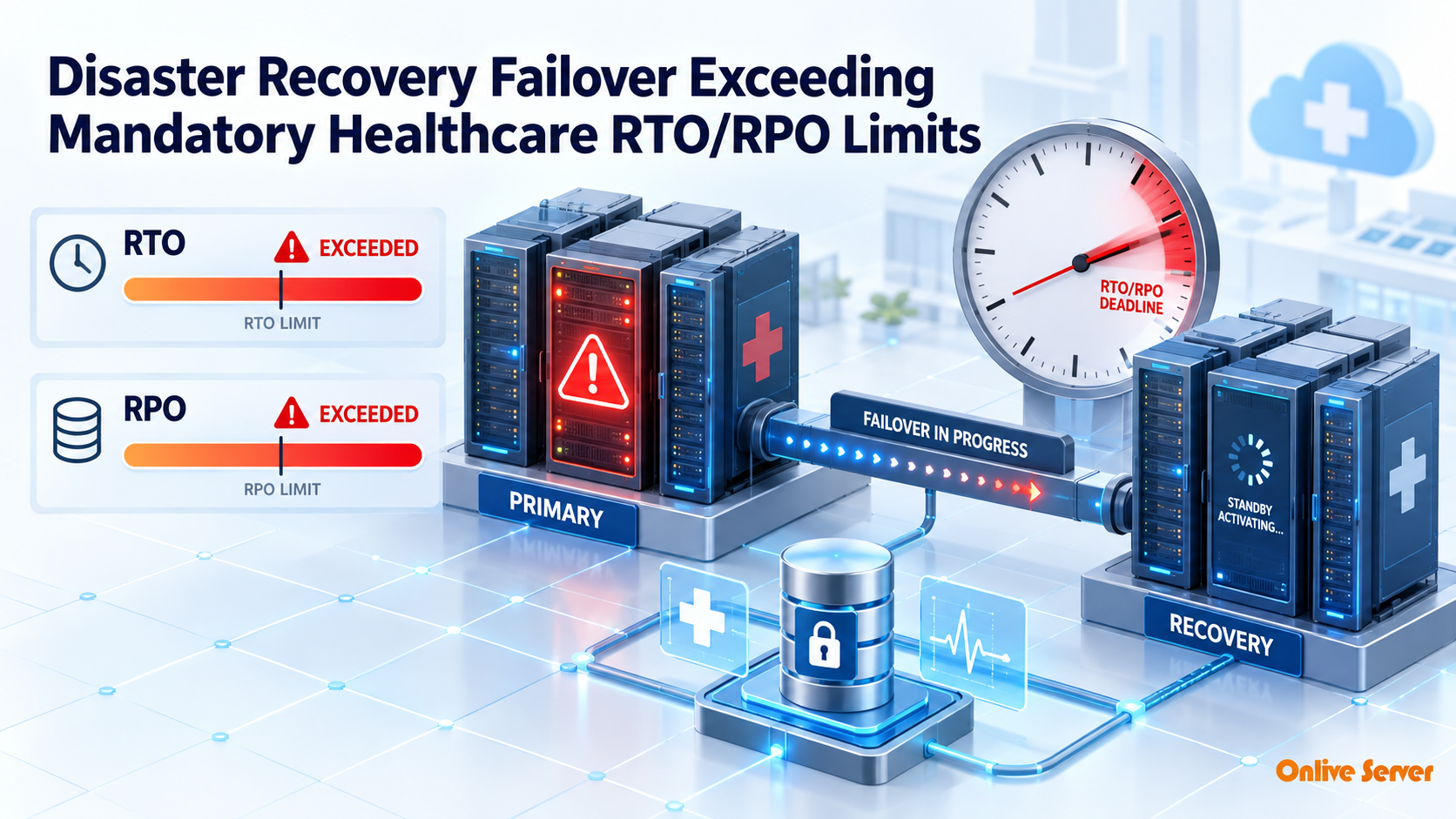
Achieving sub-15-minute disaster recovery failover in healthcare environments requires continuous block-level data replication between geographically distinct datacenters, automated DNS failover with health checking, and pre-warmed standby database replicas configured to maintain zero patient data loss (RPO = 0).
In healthcare infrastructure, server downtime directly affects patient safety. When an electronic health record (EHR) database or hospital management system goes offline, clinicians lose immediate access to allergy histories, ongoing prescriptions, and critical surgical schedules. For verified technical specifications and deployment parameters, consult the official Linux Kernel Documentation.
Regulatory frameworks such as HIPAA mandate rigorous data contingency plans. However, traditional tape or hourly snapshot backups often require four to eight hours to restore—far exceeding acceptable clinical Recovery Time Objectives (RTO).
Modern clinical organizations replace slow restore routines with continuous multi-datacenter replication. Storing encrypted replication snapshots on offsite storage dedicated servers ensures emergency recovery operations can proceed without disk latency bottlenecks.
Defining RTO and RPO in Clinical Computing
Two fundamental parameters govern disaster recovery planning: Recovery Time Objective (RTO) and Recovery Point Objective (RPO). Understanding these targets ensures infrastructure matches clinical reality.
RTO defines the maximum acceptable duration of server downtime before operations must be fully restored. RPO defines the maximum tolerable data loss window measured backwards from the point of system failure.
Healthcare Disaster Recovery Tier Comparison
| Recovery Strategy | Target RTO | Target RPO | Clinical Suitability |
|---|---|---|---|
| Nightly Backup Restores | 6 – 12 Hours | Up to 24 Hours | Unacceptable for acute care environments |
| Hourly Snapshot Warm Site | 1 – 2 Hours | 60 Minutes | Acceptable for secondary billing/archival |
| Continuous Hot Standby | Sub-15 Minutes | Near Zero (< 1 sec) | Mandatory for inpatient EHR & surgical telemetry |
Architecting Continuous Block and Database Replication
Achieving an RTO under fifteen minutes requires hot-standby systems that are pre-booted, patched, and synchronized in real time. Systems administrators cannot wait for operating system installations during an active emergency.
Database transactions are replicated synchronously or semi-synchronously across low-latency dedicated lines between primary and secondary datacenters. For unstructured image data like PACS DICOM files, block-level replication (such as DRBD or ZFS send/receive) mirrors changes instantly.
Hosting clinical applications on high-availability bare-metal servers provides the dedicated network bandwidth and CPU capacity necessary to process production workloads and replication streams concurrently.
Automated Failover Orchestration and Traffic Rerouting
When catastrophic hardware failure strikes a primary hospital datacenter, manual DNS modifications and IP rerouting can consume precious minutes. Automated heartbeat monitors streamline this transition.
Modern disaster recovery architectures deploy Anycast IP routing or low-TTL automated DNS failover. When synthetic health checks detect primary node unresponsiveness across multiple geographic probes, traffic reroutes to secondary nodes automatically.
Secondary nodes can include hybrid standby failover VPS instances acting as lightweight ingestion buffers while secondary bare-metal clusters initialize full clinical applications.
Asynchronous vs. Synchronous Replication for Healthcare Workloads
Healthcare disaster recovery architectures require balancing real-time data consistency against cross-datacenter latency constraints. Mandatory HIPAA regulations mandate aggressive Recovery Time Objectives (RTO) and Recovery Point Objectives (RPO) to safeguard clinical records and patient safety.
Synchronous replication guarantees zero data loss (RPO = 0) by requiring write acknowledgments from both primary and secondary datacenters before completing transactions. However, if distance between facilities exceeds 50 kilometers, network propagation delay adds unacceptable latency to critical bedside EHR inputs.
Healthcare IT engineers resolve this challenge by implementing hybrid replication topologies:
- Campus Synchronous Clusters: Local active-active clustering across dual datacenter rooms within sub-millisecond dark fiber reach provides instantaneous local hardware failover.
- Geographic Asynchronous Replication: Block-level replication engines (such as DRBD9 or continuous ZFS send/receive) mirror database deltas every 60 seconds to a distant secondary region.
- Continuous Transaction Log Shipping: Relational database write-ahead logs (WAL) stream directly to standby database instances, ensuring data divergence remains strictly under 15 seconds.
Automated Quorum Management and Split-Brain Prevention
During catastrophic network partitions between regional facilities, automated clustering software risks experiencing a split-brain scenario. If both primary and disaster recovery sites assume the other has failed, both nodes may mount storage and accept writes independently, causing irrecoverable data divergence.
To eliminate split-brain risks, healthcare high-availability clusters deploy a lightweight third-party quorum witness hosted in an independent cloud region or third datacenter. Clustering engines like Corosync and Pacemaker require a strict 51% node majority before authorizing automatic failover promotion.
Furthermore, hardware-level fencing mechanisms (STONITH: Shoot The Other Node In The Head) programmatically power off unresponsive primary hosts via IPMI or out-of-band management before secondary standby nodes mount production file systems.
Immutable Snapshot Air-Gapping Against Ransomware
Modern healthcare disasters frequently stem from sophisticated ransomware intrusions rather than natural hardware disasters. If ransomware encrypts primary hospital databases, automated replication daemons can inadvertently mirror encrypted data blocks to standby disaster recovery clusters within seconds.
Healthcare disaster recovery strategies incorporate immutable snapshot retention policies using Write-Once-Read-Many (WORM) storage targets. Immutable snapshots are cryptographically locked at the filesystem level, preventing unauthorized modification or deletion even by compromised administrative credentials.
Secondary disaster recovery hosts maintain isolated network air-gaps, pulling snapshot data over read-only replication channels. In the event of a ransomware intrusion, clinical engineers can roll back databases to an intact snapshot captured moments before malware deployment.
Continuous RPO Auditing and Automated Replication Telemetry
Regulatory authorities and hospital risk committees require continuous verification that disaster recovery replication lag remains within legally mandated thresholds. Relying on passive alerts or manual daily checks leaves healthcare providers vulnerable to silent replication stalls.
Infrastructure engineers implement automated Prometheus monitoring daemons that continuously calculate replication delta gaps across all standby database nodes. If transaction lag exceeds three minutes, automated escalation alerts dispatch on-call database administrators immediately.
Synthetic transaction canary scripts execute every fifteen minutes across secondary disaster recovery nodes. These automated canaries verify write-ahead log replay consistency, validate database checksums, and confirm hospital EHR data remains completely synchronized and ready for instantaneous failover.
Automated health check endpoints integrated with hospital monitoring consoles expose real-time recovery status. If primary storage replication metrics diverge, automated dashboards provide visual status indicators to clinical engineering teams.
Operational Checklist for Hospital Disaster Recovery Drills
A disaster recovery plan remains unverified until thoroughly tested under simulated failure conditions. Healthcare organizations conduct quarterly failover drills verifying these core operational benchmarks:
- Simulate sudden loss of primary power by isolating primary datacenter power distribution units.
- Validate automated DNS failover and BGP route redirection to secondary disaster recovery IP addresses in under 5 minutes.
- Execute database integrity checks confirming zero corruption across clinical patient encounter tables.
- Verify medical imaging (PACS) archives and HL7/FHIR message queues resume normal processing without packet loss.
- Document actual RTO and RPO metrics achieved during testing to maintain compliance with healthcare auditing authorities.
DNS Failover and Anycast BGP Routing Redirection
Once secondary infrastructure has assumed database authority, clinical client workstations and emergency department devices must be redirected to the failover site without manual reconfigurations. Relying on manual DNS updates introduces unacceptable delays due to ISP caching and TTL latency.
Healthcare networks utilize BGP Anycast routing architectures across dual datacenter locations. During an outage, Border Gateway Protocol daemons withdraw primary route advertisements, automatically funneling hospital network traffic across optical backbones to the disaster recovery site within seconds.
For cloud-facing clinical patient portals, low-TTL global server load balancing (GSLB) with active health checking redirects user traffic to healthy endpoints, guaranteeing continuous patient access to critical health records.
Key Architectural Summary: Achieving Resilient, Compliant Healthcare Continuity
Meeting mandatory healthcare RTO and RPO limits requires engineering redundancy into every architectural layer, from block-level storage replication to automated BGP network failover. Eliminating single points of failure ensures clinical operations endure unforeseen datacenter outages and cyber threats.
By coupling immutable snapshot air-gaps with automated quorum fencing and rigorous quarterly drill schedules, healthcare providers protect both regulatory compliance and patient lives. Resilient disaster recovery turns potential operational catastrophes into manageable, seamless failover events.
Frequently Asked Questions
Conclusion: Safeguarding Clinical Continuity
Achieving sub-15-minute disaster recovery failover transforms healthcare IT from a potential vulnerability into a reliable safeguard for patient care. Combining hot standby nodes with continuous data replication guarantees hospital operations continue seamlessly.
Build enterprise-grade clinical disaster recovery infrastructure with OnliveServer high-availability dedicated hosting and redundant offsite storage solutions tailored for medical compliance.
